Your unit uses 6 AA batteries that provide up to 10 hours of battery life. An
optional rechargeable Ni-Cad battery pack and charger are also available. In
addition, the GPSMAP 175 may be hard-wired to 5-40 volt DC power using
the power/data cable or cigarette lighter adapter.
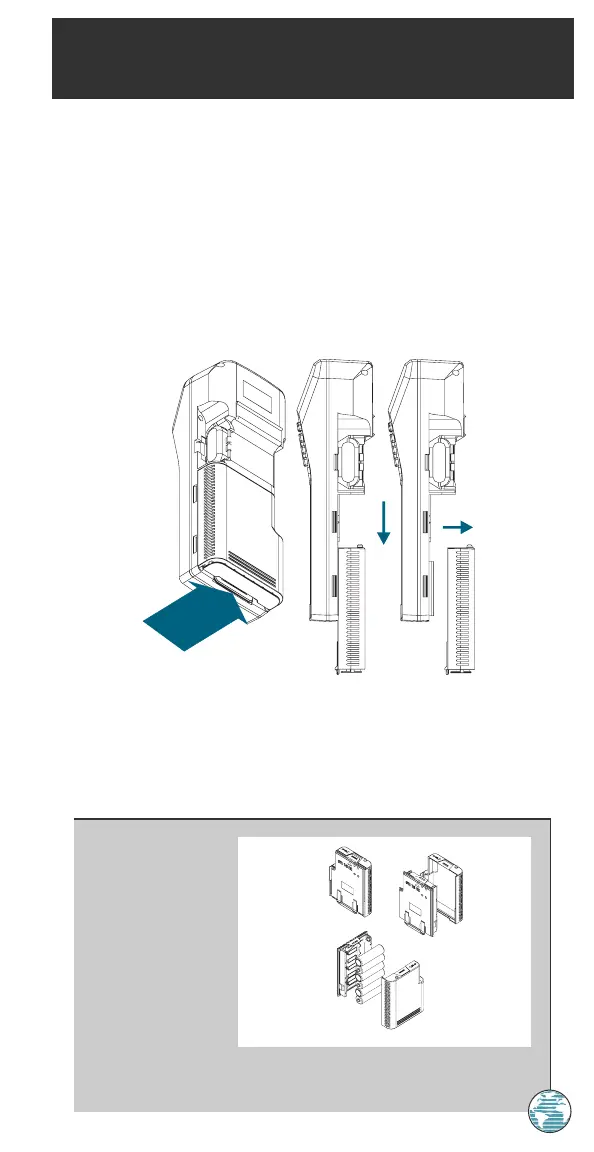
To remove and install a battery pack:
1. Push down on the spring tab on the bottom of the battery pack.
2. Slide the battery pack off from underneath the unit
APPENDIX
Power Installation
To install alkaline
batteries:
1. Depress the plastic
tab at the top of the
pack and pull the lid
of the pack off.
2. Replace the
batteries, observing
the polarity diagram
engraved in the lid.
3. Match the two tabs on the lid with the slots in the base of the pack. The
lid will snap into place.
73
A
175 Manual 7/31/98 3:57 PM Page 73














 To Next Page