A
B
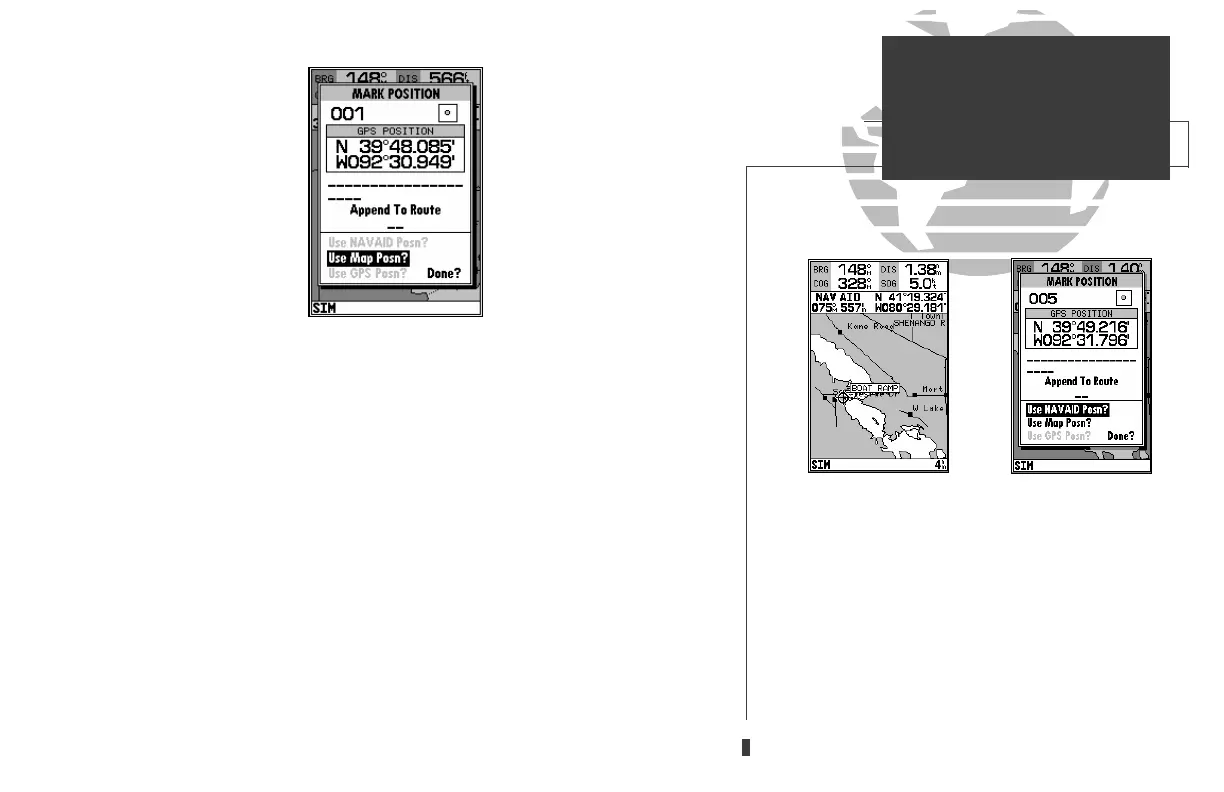
The MARK key may also be used on the Map Page to mark the cursor position
or an on-screen navaid. To mark a navaid, select the desired navaid with the cur-
sor. The GPSMAP 230 will use the navaid text shown on the cartography as the
default comment.
To mark the cursor or navaid position with the
M
key:
1. Use the
R
keypad to move the cursor to the desired position or navaid.
2. Press the
M
key.
3. Highlight the ‘Use Map Posn?’ or the ‘Use NAVAID Posn?’ option and press
T
.
4. To accept the waypoint with the default name, symbol, and comment (the date and time
of creation), press
T
to confirm the ‘Done?’ prompt.
5. To enter a different name, symbol or comment, highlight the appropriate field and press
the
T
key.
6. After entering and confirming your changes, move the field highlight back to the ‘Done?’
prompt and press
T
.
35
A. To create a waypoint at an on-screen navaid, move
the cursor over the desired navaid.
B. Press the MARK key and select the ‘Use Navaid
Posn?’ option. Press EDIT/ENTER to finish.
SECTION
6
WAYPOINTS
Using the MARK Key
update on 230.qxd 1/12/00 11:22 AM Page 35













 To Next Page