23
GPSmap 60C
GPS Navigation
Using Find
Using the Find Item Information Page
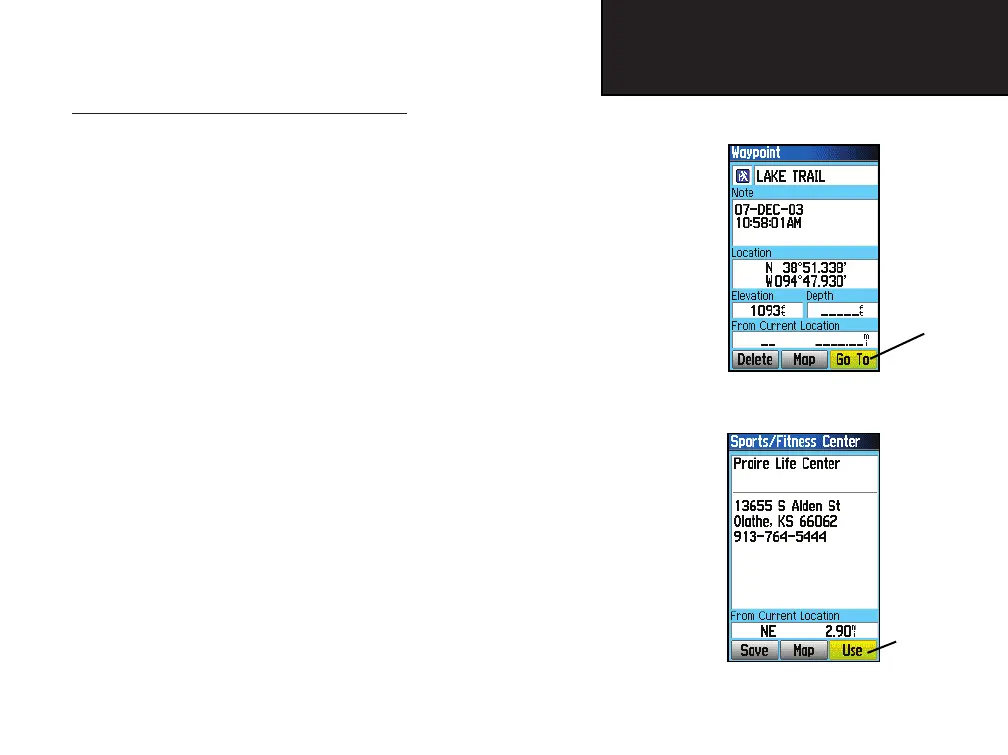
When you have selected a Find item and pressed the ENTER key, an
Information Page displays with detailed information about the item. This
page contains:
• A title (if a waypoint, it can be renamed and a map symbol assigned)
• An information field (if a waypoint, information you add, if
a map item, an address or other description)
• Location coordinates, if the item is a waypoint.
• Elevation and depth if a waypoint.
• Direction and distance from current location or the map pointer
At the bottom of the page are three on-screen buttons, these buttons
will appear differently depending on whether you are selecting a Find
item to navigate to or adding a Find item to a route list as a waypoint.
• If selecting an item as a destination, the three buttons will display as:
Delete - Remove from the Waypoints list.
Map - display on the Map Page.
Go To - start a Go To navigation.
• If selecting an item to add to a list of points, these three buttons will
be displayed.
Save - save as a waypoint.
Map - display on the Map Page.
Use - insert into a list of points on a route or track.
Information Page
for a Waypoint
Information Page
for a Map Item
Selected as a
destination
Selected as
a Point on
a Route or
Track
GPSmap 60C Owner's Guide copy.indd 23 12/19/2003, 2:03:47 PM















 To Next Page