28
GPSmap 60C
GPS Navigation
Using Find
Searching for a City
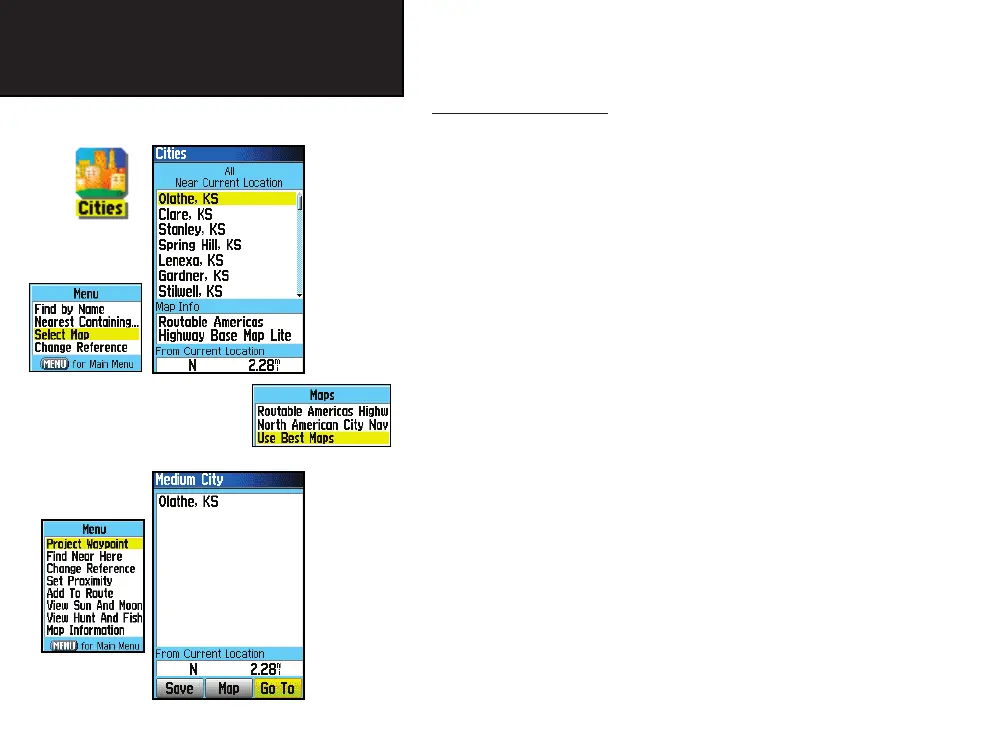
The Find Cities feature allows you to search for any city listed in the
mapping database (either in the basemap or from downloaded detailed
mapping data)
To fi nd a city:
1. Use the ROCKER key to select the ‘Cities’ option, then press it
display the fi nd by ‘Nearest’ list of cities.
2. If using fi nd ‘By Name’, begin spelling the name of the city by
using the keyboard. When you have entered enough characters
to defi ne the name, a match list displays. If you are using fi nd
‘By Nearest’ scroll through the list to fi nd the city you want.
Use the ROCKER key to select the desired city from the list and
then press ENTER to display the Information Page for that city.
3. With the Information Page displayed, you can select ‘Go To’,
‘Map’, or ‘Save’ options.
Find Cities
List
Cities Options
Menu
Select Maps
Options
City Information
Page
City Page
Options
GPSmap 60C Owner's Guide copy.indd 28 12/19/2003, 2:03:59 PM















 To Next Page