3
Follow the on-screen instructions.
Getting More Information
You can find more information about this product on the Garmin
website.
• Go to support.garmin.com for additional manuals, articles,
and software updates.
• Go to buy.garmin.com, or contact your Garmin dealer for
information about optional accessories and replacement
parts.
Battery Information
The actual battery life depends on your device settings, such as
the tracking and message checking intervals.
Battery Life Mode
Up to 200 hr. Expedition mode with 30-minute LiveTrack interval
Up to 35 hr. Default mode with 10-minute LiveTrack interval with auto
recording
Up to 1 yr. Turned off
Maximizing Battery Life
• Turn on Expedition Mode (Turning On Expedition Mode,
page 17).
• Turn on Battery Save mode (Turning On Battery Save Mode,
page 17).
• Turn off Bluetooth wireless technology (Bluetooth Settings,
page 14).
Turning On Battery Save Mode
You can use battery save mode to prolong the battery life.
Select Setup > Display > Battery Save > On.
In battery save mode, the screen shuts off when the backlight
times out. You can select the power key to turn on the screen.
Turning On Expedition Mode
You can use expedition mode to prolong the battery life. In
expedition mode, the screen shuts off, the device enters low
power mode, and the device collects fewer GPS track points.
1
Select Setup > Expedition Mode.
2
Select an option:
• To enable the device to prompt you to turn on expedition
mode when you turn off the device, select Prompted.
• To automatically turn on expedition mode after two
minutes of inactivity, select Auto.
• To never turn on expedition mode, select Never.
In expedition mode, the green LED flashes occasionally.
Long-Term Storage
When you do not plan to use the device for several months, you
should charge the battery to at least 50% before you store the
device. You should store the device in a cool, dry place with
temperatures around the typical household level. After storage,
you should fully recharge the device before using it.
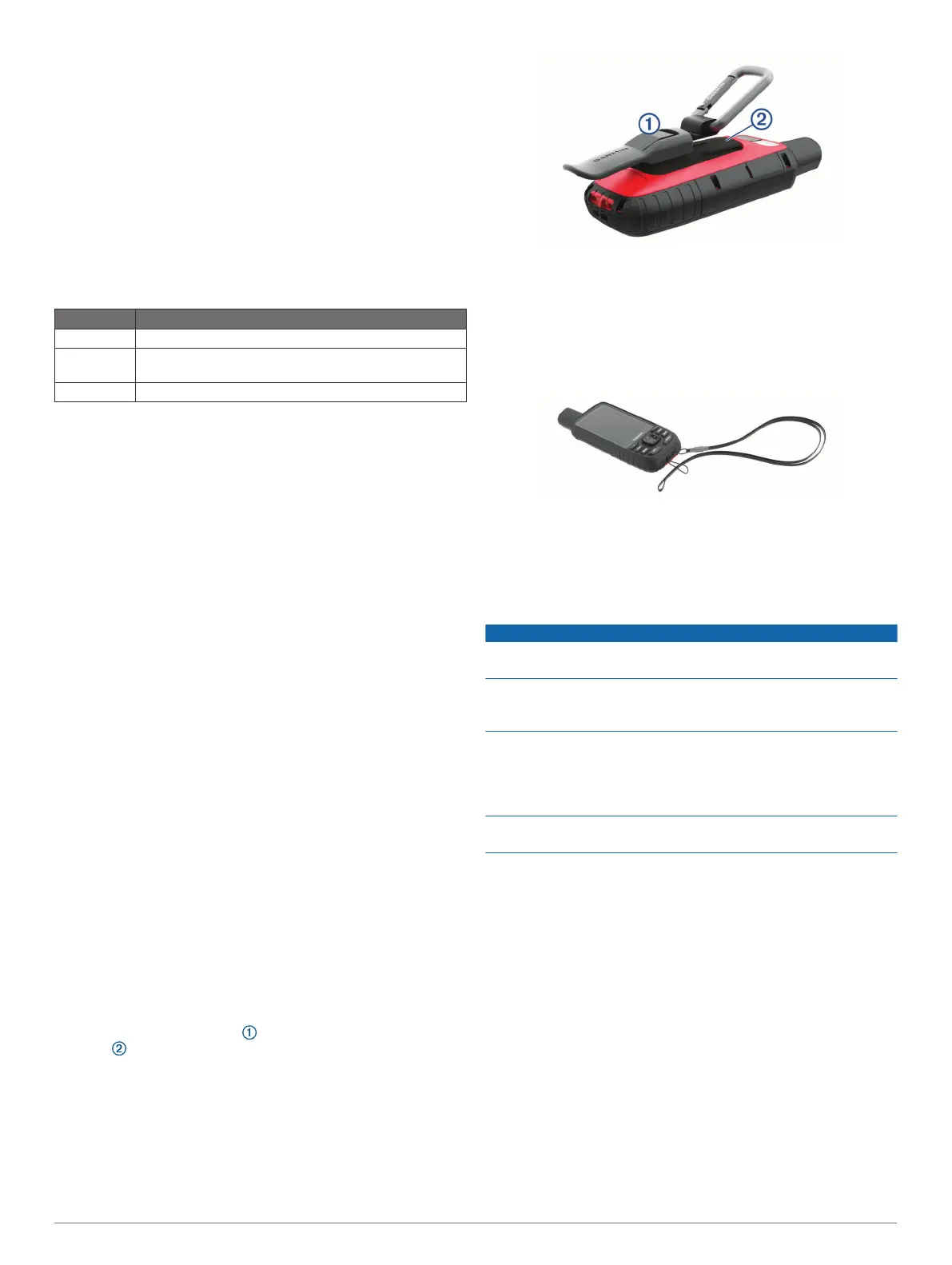
Attaching the Carabiner Clip
1
Position the carabiner clip in the slots on the mounting
spine of the device.
2
Slide the carabiner clip up until it locks in place.
Removing the Carabiner Clip
Lift up on the bottom of the carabiner clip, and slide the
carabiner clip off the mounting spine.
Attaching a Lanyard
1
Insert the loop of the lanyard through the slot in the device.
2
Thread the other end of the lanyard through the loop, and pull
it tight.
3
If necessary, attach the lanyard to your clothing or backpack
to tether it during an activity.
Device Care
NOTICE
Avoid chemical cleaners, solvents, and insect repellents that can
damage plastic components and finishes.
Do not store the device where prolonged exposure to extreme
temperatures can occur, because it can cause permanent
damage.
The device is water resistant to IEC Standard 60529 IPX7. It can
withstand accidental immersion in 1 meter of water for 30
minutes. Prolonged submersion can cause damage to the
device. After submersion, be certain to wipe dry and air dry the
device before using or charging.
Thoroughly rinse the device with fresh water after exposure to
chlorinated or salt water environments.
Cleaning the Device
1
Wipe the device using a cloth dampened with a mild
detergent solution.
2
Wipe it dry.
After cleaning, allow the device to dry completely.
Data Management
NOTE: The device is not compatible with Windows
®
95, 98, Me,
Windows NT
®
, and Mac
®
OS 10.3 and earlier.
File Types
The handheld device supports these file types:
• Files from Garmin Explore.
• GPX route, track, and waypoint files.
• GPX geocache files (Downloading Geocaches Using a
Computer, page 11).
• JPEG photo files.
• GPI custom POI files from the Garmin POI Loader. Go to
www.garmin.com/products/poiloader.
Device Information 17















 To Next Page