Memory Cards
You can use optional memory cards with the chartplotter. Map cards allow you to view high-resolution satellite
imagery and aerial reference photos of ports, harbors, marinas, and other points of interest. You can use blank
memory cards to record Garmin Quickdraw
™
Contours mapping, record sonar (with a compatible transducer),
transfer data such as waypoints and routes to another compatible chartplotter or a computer, and use the
ActiveCaptain
®
app.
This device supports up to a 32 GB memory card, formatted to FAT32 with speed class 4 or higher. Use of
an 8 GB or larger memory card with speed class 10 is recommended. An 8GB memory card is included with
GPSMAP 8x10/8x12/8x16 models.
Model Memory Card Location Memory Card Type
8x10 Back of the device microSD
8x12 Back of the device microSD
8x16 Back of the device microSD
8x17 External card reader SD
®
8x22 External card reader SD
8x24 External card reader SD
87xx External card reader SD
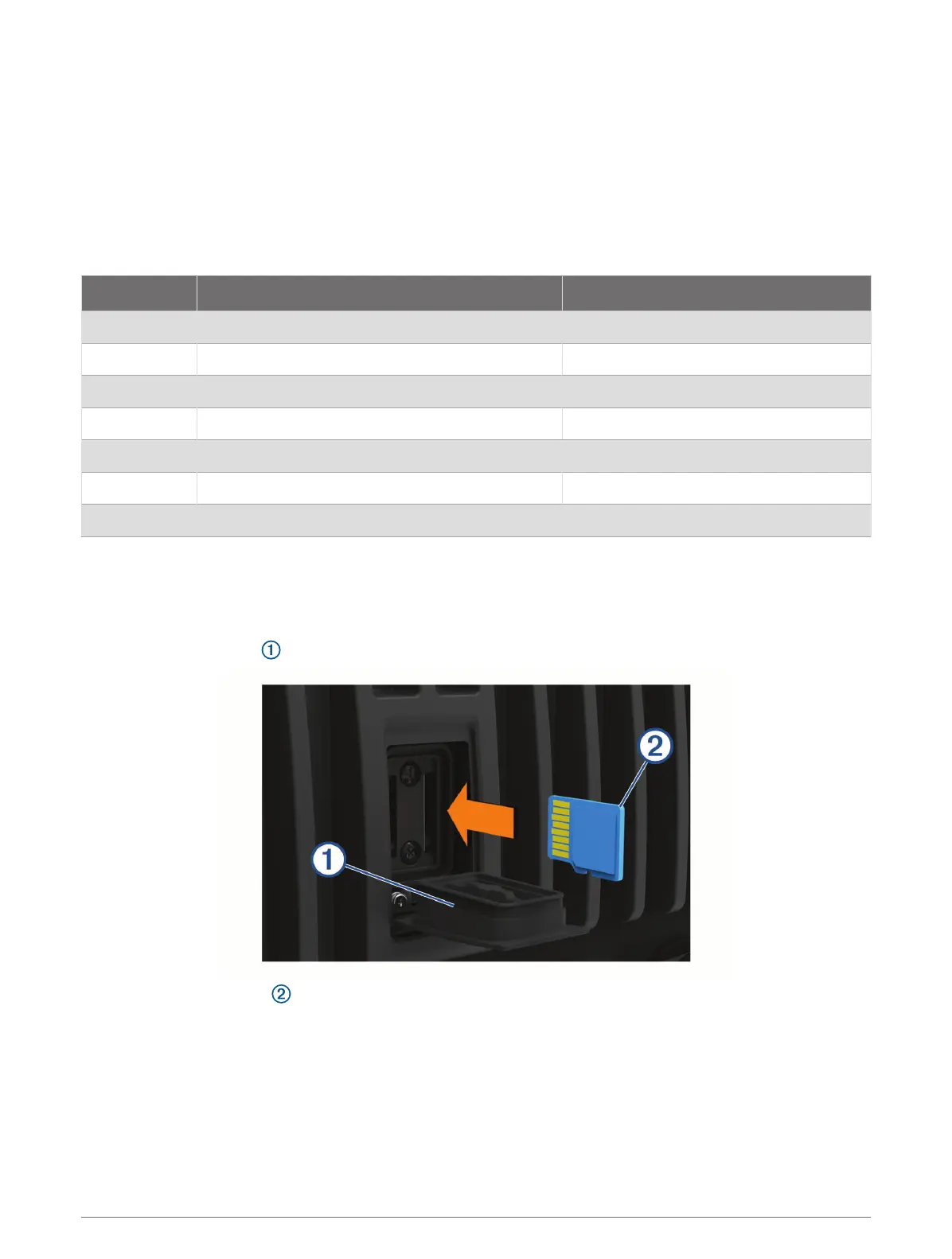
Inserting Memory Cards (GPSMAP 8x10/8x12/8x16)
This device supports up to a 32 GB microSD memory card, formatted to FAT32 with speed class 4 or higher.
Use of an 8 GB or larger memory card with speed class 10 is recommended. An 8GB memory card is included
with GPSMAP 8x10/8x12/8x16 models.
1 Open the weather cap on the back of the chartplotter.
2 Insert the memory card .
3 Press the card in until it clicks.
4 Press the weather cap firmly shut to prevent corrosion.
Introduction 9




 To Next Page