EasyManua.ls Logo

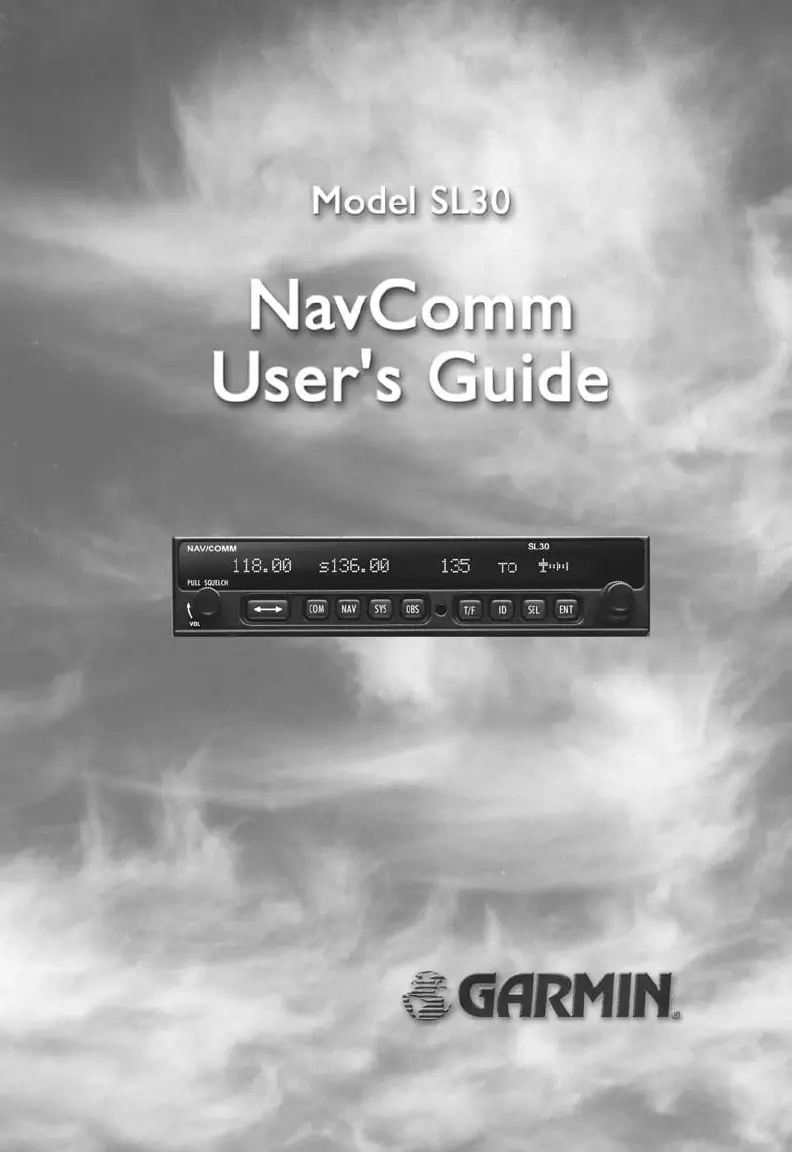
Garmin NavComm SL30 - User Manual

Garmin NavComm SL30
48 pages
Print Icon
To Next Page IconTo Next Page
Loading...

Other manuals for Garmin NavComm SL30

Questions and Answers

  • S
    sharonfrederickAug 15, 2025
    Why is my Garmin SL30 Transceiver not transmitting?
    • J
      Jeffery AllenAug 15, 2025
      If the Garmin SL30 Transceiver does not transmit, ensure that you have selected a valid frequency, as transmitting on the weather channel is not permitted. Also, verify the power connections and check the microphone key input connection.
  • C
    Christopher VazquezAug 18, 2025
    What to do if Garmin SL30 Transceiver does not power on?
    • C
      Colin BellAug 18, 2025
      If your Garmin SL30 Transceiver doesn't power on, the issue might be due to a lack of power reaching the unit. First, check the power connections, breakers, and the main avionics switch. If the wiring or connection is faulty, it is recommended to contact your dealer to perform an electrical system test.
  • J
    Jacqueline MooreAug 22, 2025
    How to fix Garmin Transceiver intercom when it doesn’t function?
    • D
      Daniel StewartAug 22, 2025
      If the intercom on your Garmin Transceiver isn’t functioning, verify that all input connections are properly connected. Also, check the Com Options in the System page to ensure that voice activation is enabled and the intercom level is appropriately adjusted. If the voice activation is enabled, you may need to speak louder.
  • J
    jmartinAug 25, 2025
    How to restore Nav audio on a Garmin Transceiver?
    • K
      Katherine SpencerAug 26, 2025
      If you are not getting any navigation audio from your Garmin Transceiver, check the System page, then Nav options, and verify the Nav Audio Level is appropriately set and not disabled.
  • J
    Jesse ForbesAug 28, 2025
    What to do if sidetone level is too low or too high on Garmin Transceiver?
    • H
      heatherlopezAug 28, 2025
      If the sidetone level on your Garmin Transceiver is too low or too high, it may be due to using the wrong type of headset or needing a level adjustment. Check the System page, navigate to Nav Options, and adjust the Sidetone level accordingly.
  • A
    Alexis RobbinsAug 31, 2025
    Why is Nav audio mixed with Comm on my Garmin Transceiver?
    • M
      mike89Aug 31, 2025
      If you're hearing navigation audio in the Comm of your Garmin Transceiver, check the System page, go to Nav Options, and verify the Mix Nav Audio with Comm setting.
  • Y
    Yesenia AndrewsSep 4, 2025
    What to do if I can’t change active frequency on Garmin Transceiver?
    • D
      dwilliamsSep 4, 2025
      If you can’t change the active frequency on your Garmin Transceiver, the Comm Radio may not be communicating correctly, it is recommended to contact your dealer.
  • M
    milesmelanieSep 7, 2025
    What does it mean when OBS readout displays “---” on Garmin Transceiver?
    • J
      Jonathan WilkinsSep 7, 2025
      If the OBS readout on your Garmin Transceiver displays “---”, this may be due to resolver failure or calibration error. It is recommended to contact your dealer or recalibrate the resolver.
  • M
    Michael VelasquezSep 12, 2025
    What does 'Incorrect Calibration Checksum' mean on Garmin Transceiver display?
    • R
      Robert ArnoldSep 12, 2025
      If your Garmin Transceiver display shows “Incorrect Calibration Checksum” at start-up, it indicates corrupted system calibration parameters, it is recommended to contact the factory.

Summary

Welcome and Manual Overview

Manual Information

Details revisions, ordering, and overview of the manual's sections.

Getting Started

Front Panel Description

Identifies and explains the SL30 unit's front panel controls and indicators.

Unit Controls

Covers power, volume, squelch, knobs, buttons, and their basic functions.

Selecting Frequencies

Guides users on how to select Comm and Nav frequencies.

System, OBS, and Emergency Modes

Introduces system mode, OBS mode, recalling frequencies, and emergency channel access.

Advanced Operation

Comm Radio Mode Operations

Details advanced operations for the Comm radio function, including monitoring, saving, and lists.

Device Functions: Stuck Mic and Intercom

Covers stuck mic protection and intercom functionality.

Nav Radio Mode Operations

Details advanced operations for the Nav radio function, including monitoring, navigation, audio, and lists.

System Mode Configuration

Guides on configuring SL30 system settings and options like Nav, Comm, audio levels, and VOR tests.

Appendix

Troubleshooting Guide

Provides common problems and solutions for the SL30.

Installation Configurations

Illustrates feature availability based on installation type.

Specifications Summary

Lists general, NAV, Comm, physical, and performance specifications of the SL30.

Frequency Reference Tables

Lists localizer/glideslope and VOR station frequencies for reference.

Garmin NavComm SL30 Specifications

General IconGeneral
BrandGarmin
ModelNavComm SL30
CategoryGPS
LanguageEnglish

Related product manuals