4
7. Plug the other end of the vehicle power
cable into a power outlet in your vehicle.
Your unit should turn on automatically if it
is plugged in and the vehicle is running.
8. Ifyouareusingatrafcreceiverin
Europe,securethetrafcreceiver’s
antenna to the windshield using the
suctioncups.(Thetrafcreceiveris
included in the nüvi 865 package.)
Step 3: Activate and Mount
the Speech Recognition
Remote Control
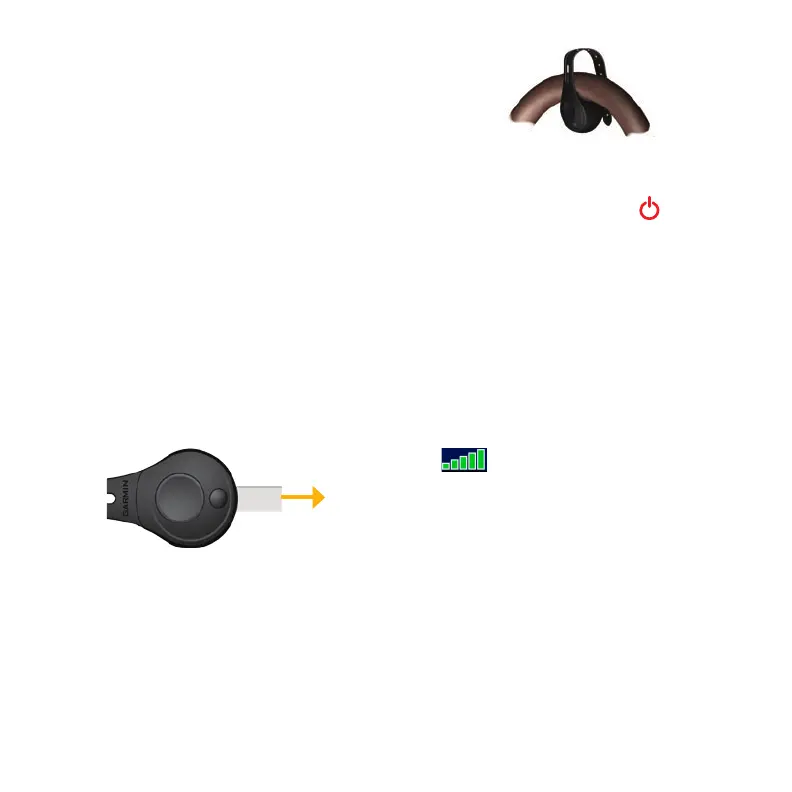
Pull the clear tab out of the remote control to
activate it.
Mount the remote control in a convenient
location in your vehicle, such as on your
steering wheel. Use the strap to secure the
remote control in place.
Step 4: Congure the nüvi
To turn on your nüvi, slide the Power
key to the left and let go after one second.
Follow the on-screen instructions.
Step 5: Acquire Satellites
Go outdoors to an open area, out of garages,
and away from tall buildings. Stop your
vehicle, and turn on the nüvi. Acquiring
satellite signals may take a few minutes.
The bars indicate GPS satellite
strength. When one bar is green, the nüvi
has acquired satellite signals. Now you can
select a destination and navigate to it. For
more information about GPS, visit
www.garmin.com/aboutGPS.



 To Next Page