Replacing the Memory Card
You can replace the memory card to increase the storage capacity or to replace a card that has reached the end
of its useful life. The device requires an 8 to 128 GB microSD
®
memory card with a speed rating of Class 10 or
higher.
NOTE: A memory card is included so your device is ready to use out of the box. All memory cards have a limited
life and must be replaced periodically.
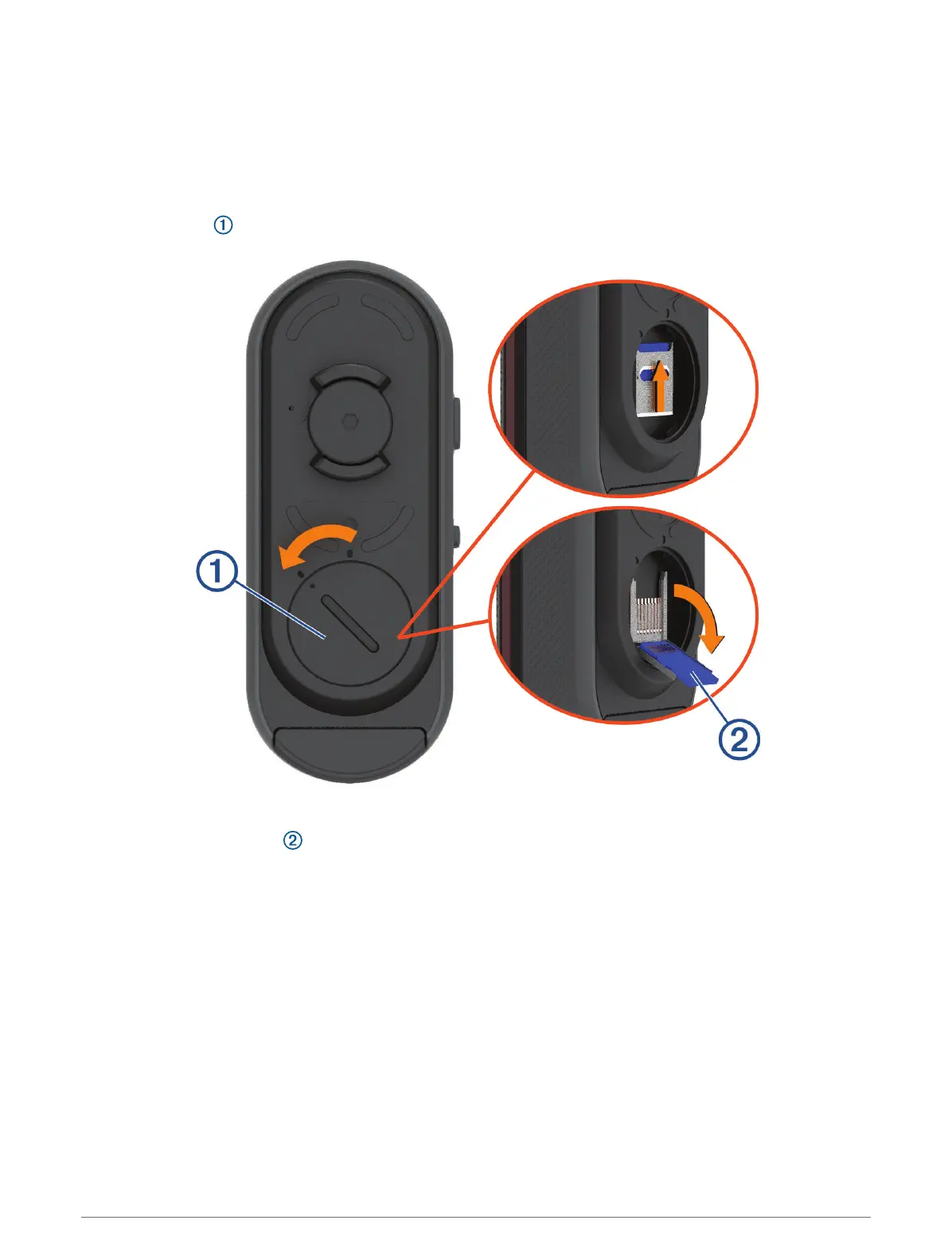
1 Open the cover .
2 Slide the card holder toward the mount, and lift up.
3 Pull open the card holder .
4 Insert the memory card into the memory card slot with the contacts facing the device.
Device Information 17


 To Next Page
 Loading...