EasyManua.ls Logo

Garrett GTI 2500 - User Manual

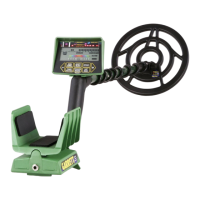
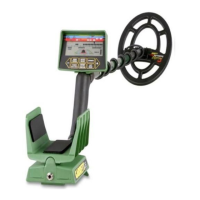
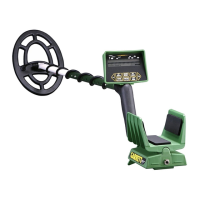
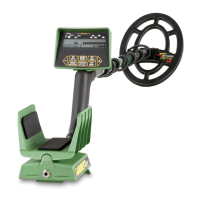
Garrett GTI 2500
105 pages
Print Icon
To Next Page IconTo Next Page
Loading...
Question and Answer IconNeed help?

Do you have a question about the Garrett GTI 2500 and is the answer not in the manual?

Summary

Special Notice

To The Owner

Assembly

Parts Identification

Lists all components included in the GTI 2500 package for assembly.

Step-by-Step Assembly Instructions

Step-by-step instructions for assembling the metal detector components.

Touchpads

Power Touchpad

Controls detector ON/OFF and factory reset functions.

Menu;Scroll Touchpad

Navigates through detector settings and options.

All-Metal (Fast Track) Touchpad

Activates All-Metal mode and ground balancing.

Accept; Reject Touchpad

Manages target discrimination by accepting or rejecting segments.

Treasure Imaging (Pinpoint) Touchpad

Activates target pinpointing, size, and depth analysis.

+;- Adjustment Touchpads

Fine-tune detector settings like sensitivity and volume.

Display Screen

Treasure Vision

Target ID Guide

Explains how the screen displays target conductivity and identification.

Imaging Grid Descriptions

Details target sizes A through E and their corresponding depths.

Basic Hunting Instructions

Getting Started: Initial Setup

Initial steps to power on and start using the metal detector.

Scanning Techniques and Target Detection

Techniques for swinging the searchcoil and identifying targets.

Discriminate Mode

Overview of Discrimination Modes

Overview of available modes like Coins, Jewelry, Relics, Zero, Custom.

Coins Mode Settings

Settings optimized for identifying coins and rejecting trash.

Jewelry Mode Settings

Settings optimized for finding jewelry and ignoring trash.

Relics Mode Settings

Settings optimized for relic hunting, reducing common trash signals.

Zero Mode (No Discrimination)

Mode with no target discrimination, signals all metal types.

Custom Mode Configuration

Allows users to set personalized discrimination preferences.

Setting Discrimination (Notches)

Setting Notches: Cursor Method

Using touchpad controls to select segments to accept or reject.

Setting Notches: Target Method

Using physical targets to set accept/reject notches.

Benefits of Using Notches

Explains the benefits of customizing discrimination for specific hunting scenarios.

Operating Settings

Adjusting Sensitivity for Depth

Controls detection depth and affects stability in various ground conditions.

Setting the Audio Threshold

Sets the baseline audible sound level for target detection.

Adjusting Operating Frequency

Selects operating frequency to minimize interference from other detectors.

Adjusting Audio Volume

Controls the loudness of target audio signals.

Adjusting Audio Tone

Modifies the pitch of target audio signals for better identification.

Search Aids

Search Image Functionality

Provides continuous display of target size and depth during searches.

Surface Elimination Function

Eliminates detection of shallow metallic trash items.

Salt Elimination Function

Reduces interference caused by high salt content environments.

Audio Choices

Belltone Audio Choice

Special ringing sound to signal high conductivity targets like coins.

Bi-Level Audio Choice

Uses two different sound pitches for higher and lower conductivity targets.

Battery Choices

Battery Level Indicator

Displays the current battery level on the detector screen.

Using Rechargeable Batteries

Information on using and selecting rechargeable batteries.

All-Metal Mode

Fast Track Ground Balancing Feature

Feature for automatic ground balancing of the detector.

Manual Ground Balance Adjustment

Allows manual adjustment of ground balance for specific conditions.

Auto Track Ground Balancing Feature

Provides continuous automatic ground balancing during use.

Treasure Imaging

Interpreting Depth on Lower Scale

Interpreting target depth using the lower scale indicators.

Interpreting Size;Depth on Imaging Grid

Understanding target size and depth as shown on the visual grid.

Understanding the Cone Effect

Understanding ambiguous readings indicating deep or small targets.

Bench Testing

Field Operations

Field Target Identification

Methods for identifying discovered targets based on signals.

Using Search Image in the Field

Benefits of using Search Image for constant target size/depth display.

Target Recovery and Pinpointing

Techniques for accurately locating targets before digging.

Proper Digging Techniques

Proper methods for digging targets and refilling holes.

Headphone Jack

Searchcoils

Battery Information

Checking Battery Condition

How to monitor the battery level indicator on the screen.

Using Rechargeable Batteries

Information on using and selecting rechargeable batteries.

Battery Replacement Guide

Step-by-step guide for safely replacing the detector's batteries.

Recommended Accessories

Maintenance

Specialized Hunting

Specialized Hunting: Coins

Utilizing detector features for effective coin detection and sizing.

Specialized Hunting: Gold

Strategies for finding gold nuggets and ore using the detector.

Specialized Hunting: Relics

Techniques for locating relics while minimizing common trash targets.

Repair Service

Recommended Reading

Warning!

Specifications

Code of Ethics

Patent Protection

Summary

Special Notice

To The Owner

Assembly

Parts Identification

Lists all components included in the GTI 2500 package for assembly.

Step-by-Step Assembly Instructions

Step-by-step instructions for assembling the metal detector components.

Touchpads

Power Touchpad

Controls detector ON/OFF and factory reset functions.

Menu;Scroll Touchpad

Navigates through detector settings and options.

All-Metal (Fast Track) Touchpad

Activates All-Metal mode and ground balancing.

Accept; Reject Touchpad

Manages target discrimination by accepting or rejecting segments.

Treasure Imaging (Pinpoint) Touchpad

Activates target pinpointing, size, and depth analysis.

+;- Adjustment Touchpads

Fine-tune detector settings like sensitivity and volume.

Display Screen

Treasure Vision

Target ID Guide

Explains how the screen displays target conductivity and identification.

Imaging Grid Descriptions

Details target sizes A through E and their corresponding depths.

Basic Hunting Instructions

Getting Started: Initial Setup

Initial steps to power on and start using the metal detector.

Scanning Techniques and Target Detection

Techniques for swinging the searchcoil and identifying targets.

Discriminate Mode

Overview of Discrimination Modes

Overview of available modes like Coins, Jewelry, Relics, Zero, Custom.

Coins Mode Settings

Settings optimized for identifying coins and rejecting trash.

Jewelry Mode Settings

Settings optimized for finding jewelry and ignoring trash.

Relics Mode Settings

Settings optimized for relic hunting, reducing common trash signals.

Zero Mode (No Discrimination)

Mode with no target discrimination, signals all metal types.

Custom Mode Configuration

Allows users to set personalized discrimination preferences.

Setting Discrimination (Notches)

Setting Notches: Cursor Method

Using touchpad controls to select segments to accept or reject.

Setting Notches: Target Method

Using physical targets to set accept/reject notches.

Benefits of Using Notches

Explains the benefits of customizing discrimination for specific hunting scenarios.

Operating Settings

Adjusting Sensitivity for Depth

Controls detection depth and affects stability in various ground conditions.

Setting the Audio Threshold

Sets the baseline audible sound level for target detection.

Adjusting Operating Frequency

Selects operating frequency to minimize interference from other detectors.

Adjusting Audio Volume

Controls the loudness of target audio signals.

Adjusting Audio Tone

Modifies the pitch of target audio signals for better identification.

Search Aids

Search Image Functionality

Provides continuous display of target size and depth during searches.

Surface Elimination Function

Eliminates detection of shallow metallic trash items.

Salt Elimination Function

Reduces interference caused by high salt content environments.

Audio Choices

Belltone Audio Choice

Special ringing sound to signal high conductivity targets like coins.

Bi-Level Audio Choice

Uses two different sound pitches for higher and lower conductivity targets.

Battery Choices

Battery Level Indicator

Displays the current battery level on the detector screen.

Using Rechargeable Batteries

Information on using and selecting rechargeable batteries.

All-Metal Mode

Fast Track Ground Balancing Feature

Feature for automatic ground balancing of the detector.

Manual Ground Balance Adjustment

Allows manual adjustment of ground balance for specific conditions.

Auto Track Ground Balancing Feature

Provides continuous automatic ground balancing during use.

Treasure Imaging

Interpreting Depth on Lower Scale

Interpreting target depth using the lower scale indicators.

Interpreting Size;Depth on Imaging Grid

Understanding target size and depth as shown on the visual grid.

Understanding the Cone Effect

Understanding ambiguous readings indicating deep or small targets.

Bench Testing

Field Operations

Field Target Identification

Methods for identifying discovered targets based on signals.

Using Search Image in the Field

Benefits of using Search Image for constant target size/depth display.

Target Recovery and Pinpointing

Techniques for accurately locating targets before digging.

Proper Digging Techniques

Proper methods for digging targets and refilling holes.

Headphone Jack

Searchcoils

Battery Information

Checking Battery Condition

How to monitor the battery level indicator on the screen.

Using Rechargeable Batteries

Information on using and selecting rechargeable batteries.

Battery Replacement Guide

Step-by-step guide for safely replacing the detector's batteries.

Recommended Accessories

Maintenance

Specialized Hunting

Specialized Hunting: Coins

Utilizing detector features for effective coin detection and sizing.

Specialized Hunting: Gold

Strategies for finding gold nuggets and ore using the detector.

Specialized Hunting: Relics

Techniques for locating relics while minimizing common trash targets.

Repair Service

Recommended Reading

Warning!

Specifications

Code of Ethics

Patent Protection

Garrett GTI 2500 Specifications

General IconGeneral
BrandGarrett
ModelGTI 2500
Operating Frequency7.2 kHz
Target IDYes
Depth IndicatorYes
Audio Tone ID Levels3
Ground BalanceAutomatic and Manual
Pinpoint ModeYes
DisplayLCD
Adjustable LengthYes
Sensitivity AdjustmentYes
Search ModesAll Metal, Jewelry, Custom, Relic, Coin
Target IdentificationGraphic Target Imaging
Battery Type8 AA batteries
WaterproofSearch coil only
Weight4.6 lbs (2.1 kg)

Related product manuals