IC7 USER MANUAL
6
Screen settings
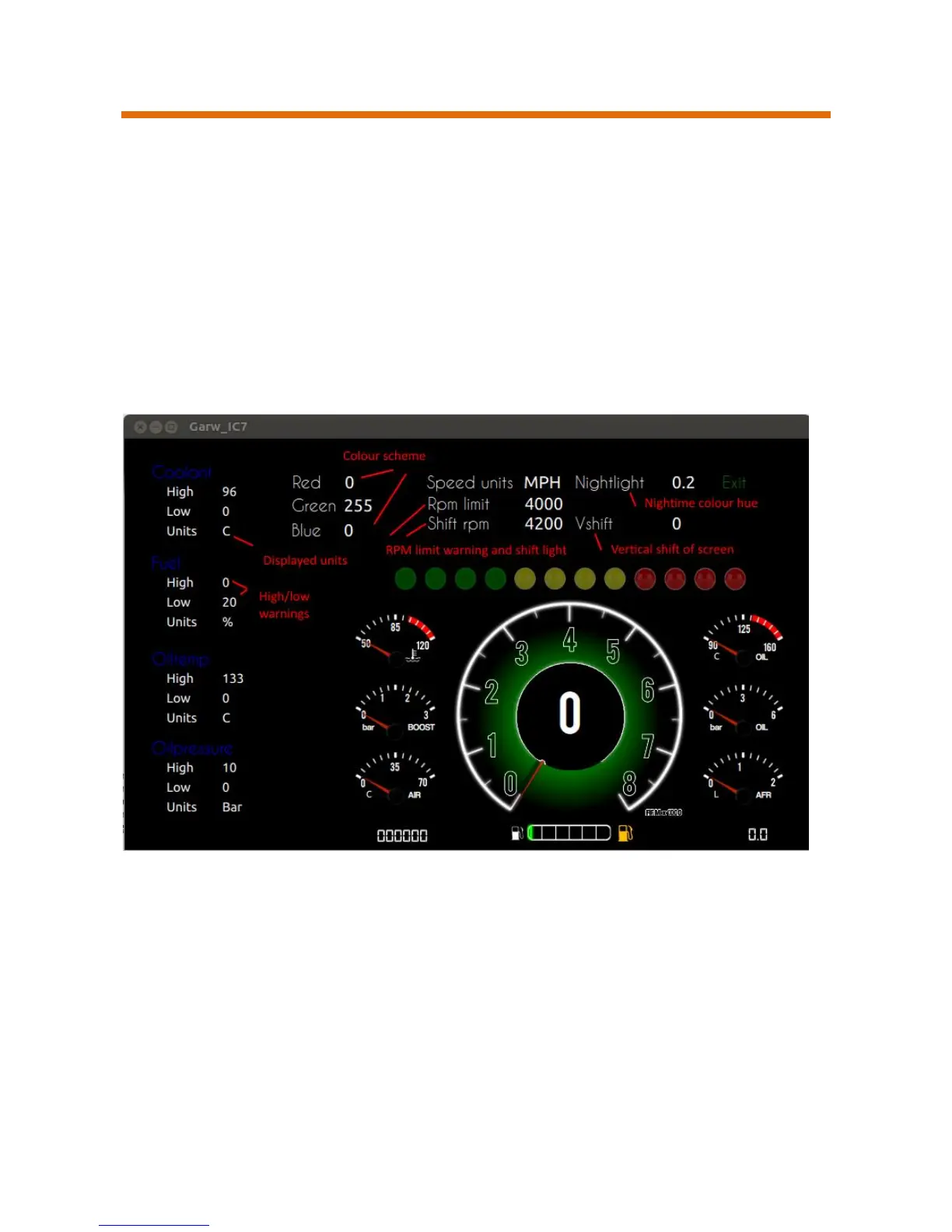
Each driving screen has its own settings which are access by pressing the
up arrow on the app
These settings allow changes to be made for low and high warnings, local
units for temperature and speed, colour scheme.
Left and right arrow to move between parameters
Up and down arrows to change or increment/decrement the parameter
*Not all parameters are active on all screens
Nightlight: - When set this applies a colour overlay for night time driving.
Active when vehicle light are on
VShift:- Moves the screen position up/down to help visibility
Colour scheme: - depending on screen the colours of various elements can
be set with RGB values


 To Next Page