EasyManua.ls Logo

Gas Clip Technologies Infrared - User Manual

Gas Clip Technologies Infrared
21 pages
Print Icon
To Next Page IconTo Next Page
Loading...
Users Manual
GASCLIPTECH.COM
Multi Gas Clip Pump
Infrared
Multi Gas Clip Pump
Pellistor
Question and Answer IconNeed help?

Do you have a question about the Gas Clip Technologies Infrared and is the answer not in the manual?

Summary

Warning Statements

Read First Before Operation

Essential safety and operational guidelines to follow before using the device.

Detector Components

Display Components

Display Layout

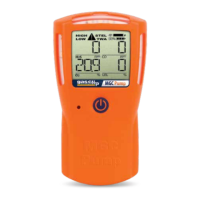
Diagram illustrating the arrangement of icons and data on the detector's screen.

Display Details

Explains the meaning of various icons and indicators shown on the detector display.

Alarm

Default Alarms

Factory pre-set alarm levels for different gases (Low, High, TWA, STEL).

Alarm Behavior

Describes audible, vibration, and visual responses to various alarm conditions.

Basic Operation

Button Usage

Details the functions controlled by the single button on the detector.

Turning On the Detector

Step-by-step guide for powering on the gas detector and its initial self-test.

Turning Off the Detector

Instructions for safely shutting down the gas detection device.

Detector Records (Logs)

Event Log

Records the last 25 alarm events, including time, duration, and sensor readings.

Bump Log

Stores the last 25 bump test results, including method and sensor performance.

Calibration Log

Records the last 25 calibration attempts, including date and gas concentrations.

Data Logs

Logs sensor readings and status conditions every second for extended periods.

How to Retrieve Data Logs Using the GCT IR Link

Step-by-step guide for downloading data logs from the detector using the IR Link.

Detector Options;Menus

Adjustable Options

Explains how to configure various detector settings like alarm limits and messages.

Detector Maintenance

Applying Gas from a Gas Cylinder

Procedures for applying calibration gas from cylinders to the detector.

Battery

Information on battery status, charging, and low battery warnings.

Storage

Guidelines for storing the detector properly to maintain its condition.

Bump Testing

Manual Bump Test Instructions

Detailed steps for performing a manual bump test on the detector.

Calibration

Manual Calibration Instructions

Detailed steps for performing a manual calibration of the detector's sensors.

Filter Replacement

Pump Testing

Accessories and Replacement Parts

Limited Warranty

Detector Specifications

Summary

Warning Statements

Read First Before Operation

Essential safety and operational guidelines to follow before using the device.

Detector Components

Display Components

Display Layout

Diagram illustrating the arrangement of icons and data on the detector's screen.

Display Details

Explains the meaning of various icons and indicators shown on the detector display.

Alarm

Default Alarms

Factory pre-set alarm levels for different gases (Low, High, TWA, STEL).

Alarm Behavior

Describes audible, vibration, and visual responses to various alarm conditions.

Basic Operation

Button Usage

Details the functions controlled by the single button on the detector.

Turning On the Detector

Step-by-step guide for powering on the gas detector and its initial self-test.

Turning Off the Detector

Instructions for safely shutting down the gas detection device.

Detector Records (Logs)

Event Log

Records the last 25 alarm events, including time, duration, and sensor readings.

Bump Log

Stores the last 25 bump test results, including method and sensor performance.

Calibration Log

Records the last 25 calibration attempts, including date and gas concentrations.

Data Logs

Logs sensor readings and status conditions every second for extended periods.

How to Retrieve Data Logs Using the GCT IR Link

Step-by-step guide for downloading data logs from the detector using the IR Link.

Detector Options;Menus

Adjustable Options

Explains how to configure various detector settings like alarm limits and messages.

Detector Maintenance

Applying Gas from a Gas Cylinder

Procedures for applying calibration gas from cylinders to the detector.

Battery

Information on battery status, charging, and low battery warnings.

Storage

Guidelines for storing the detector properly to maintain its condition.

Bump Testing

Manual Bump Test Instructions

Detailed steps for performing a manual bump test on the detector.

Calibration

Manual Calibration Instructions

Detailed steps for performing a manual calibration of the detector's sensors.

Filter Replacement

Pump Testing

Accessories and Replacement Parts

Limited Warranty

Detector Specifications

Gas Clip Technologies Infrared Specifications

General IconGeneral
Sensor TypeInfrared (IR)
Operating Temperature-20°C to +50°C (-4°F to +122°F)
Alarm TypeVisual, audible, and vibration alarms
Measurement Range0-100% LEL
Resolution1% LEL
DisplayLCD
AlarmsLow Alarm, High Alarm

Related product manuals