GASSONIC OBSERVER-i
86
8.3.5. Microphone Replacement
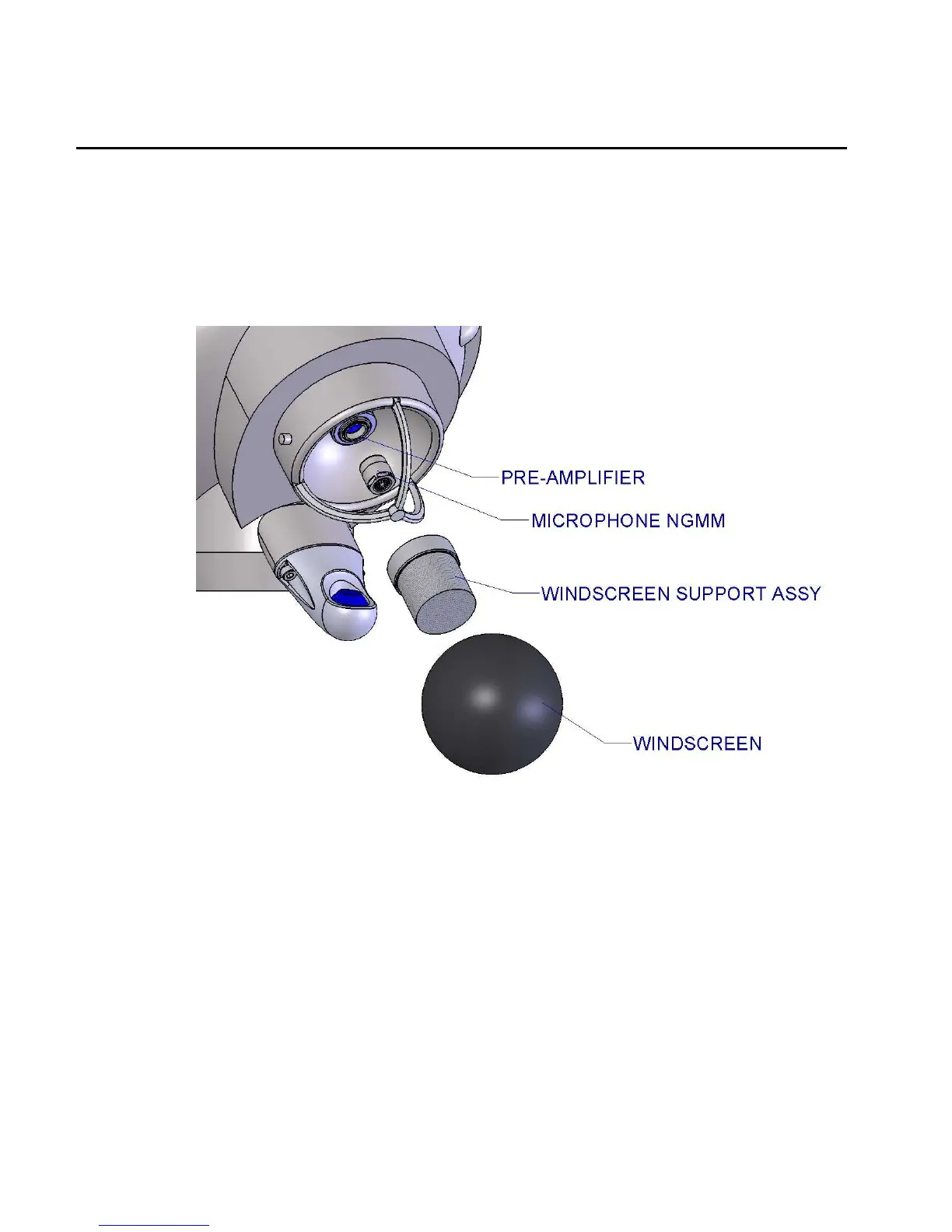
To replace the microphone, pull out the foam windscreen and unscrew the windscreen support
assembly. Unscrew the microphone. Check to make sure that the new microphone (805773-1) has
two spring-pin contacts. Be careful not to cross-thread the microphone as it is installed. It should
screw in smoothly. Replace the windscreen support assembly and then the windscreen. Twist the
windscreen back and forth a few times so that it seats properly over the support. Calibrate the
instrument per the calibration procedure.
Figure 10: Microphone Replacement


 To Next Page