6
Gates Corporation
SETUP
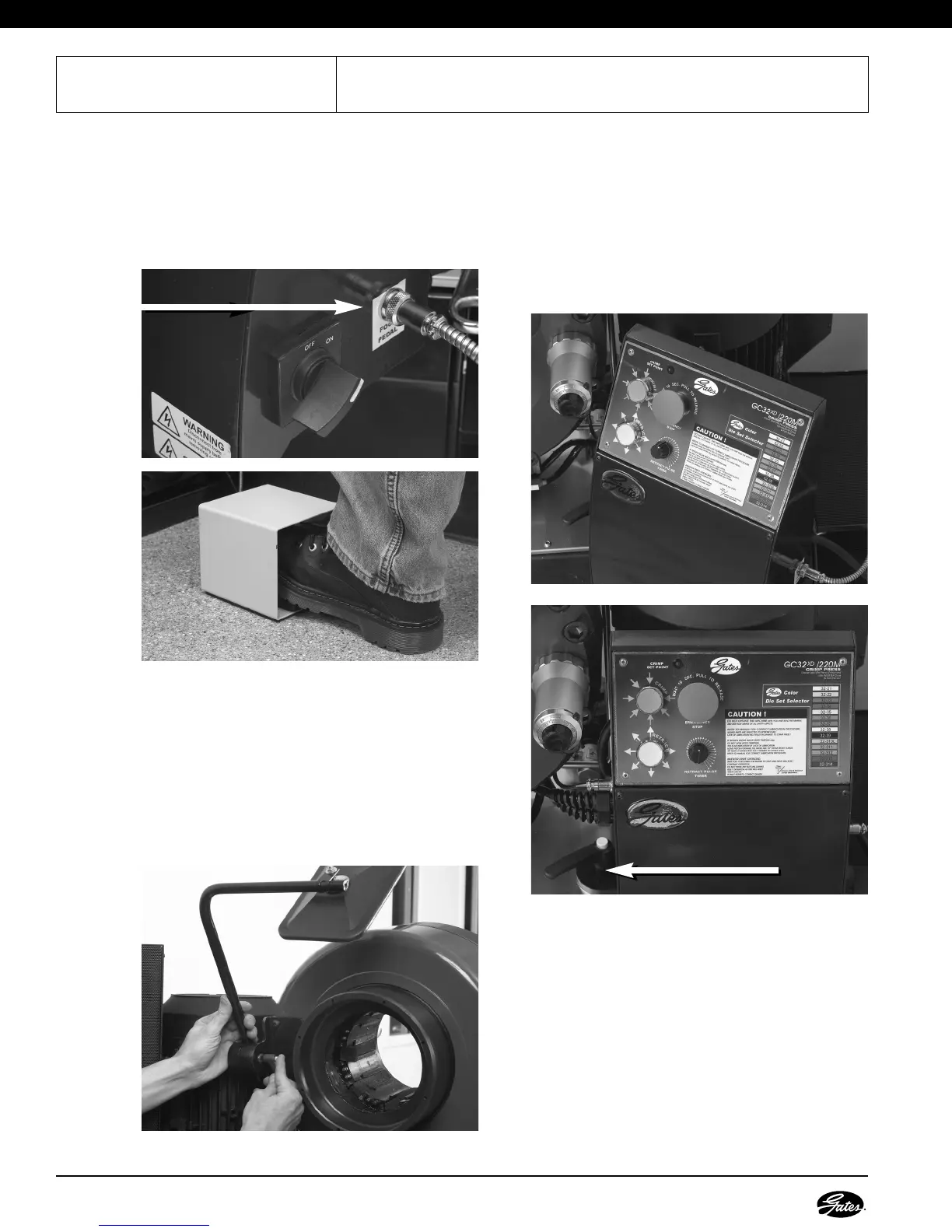
7. INSTALL FOOT PEDAL.
This crimper can also be activated by using a foot
pedal. The protective metal case surrounding the
pedal will avoid accidental activation. Install foot
pedal by plugging it into the lower right side of
control panel next to the power switch.
8. INSTALL MIRROR.
Install the mirror on either side of the back of
crimper head with 5mm Allen head bolts (included).
The pivot bolt incorporated on the mirror mount
contains an integrated wrench. Grasping the wrench
handle and pulling out allows for free travel. Once
in desired position, either tighten or loosen nut
underneath and engage handle by pushing down.
Handle works similar to a socket wrench.
9. PLACE CONTROL PANEL IN
COMFORTABLE WORKING
POSITION.
The control panel can be rotated to a position that is
more accessible depending on where the operator
is working. Loosening the locking handle located to
the left of the control panel will allow panel to pivot
approximately 90 degrees left or right.
Plug In
Locking Handle



 To Next Page