CHAPTER 6: Using Multimedia www.gateway.com
70
Creating a video DVD using CyberLink Power2Go
To create a video DVD using Cyberlink Power2Go:
1 Insert a blank, writable DVD into your DVD drive.
2 If a dialog box opens, click Take no action, then click OK.
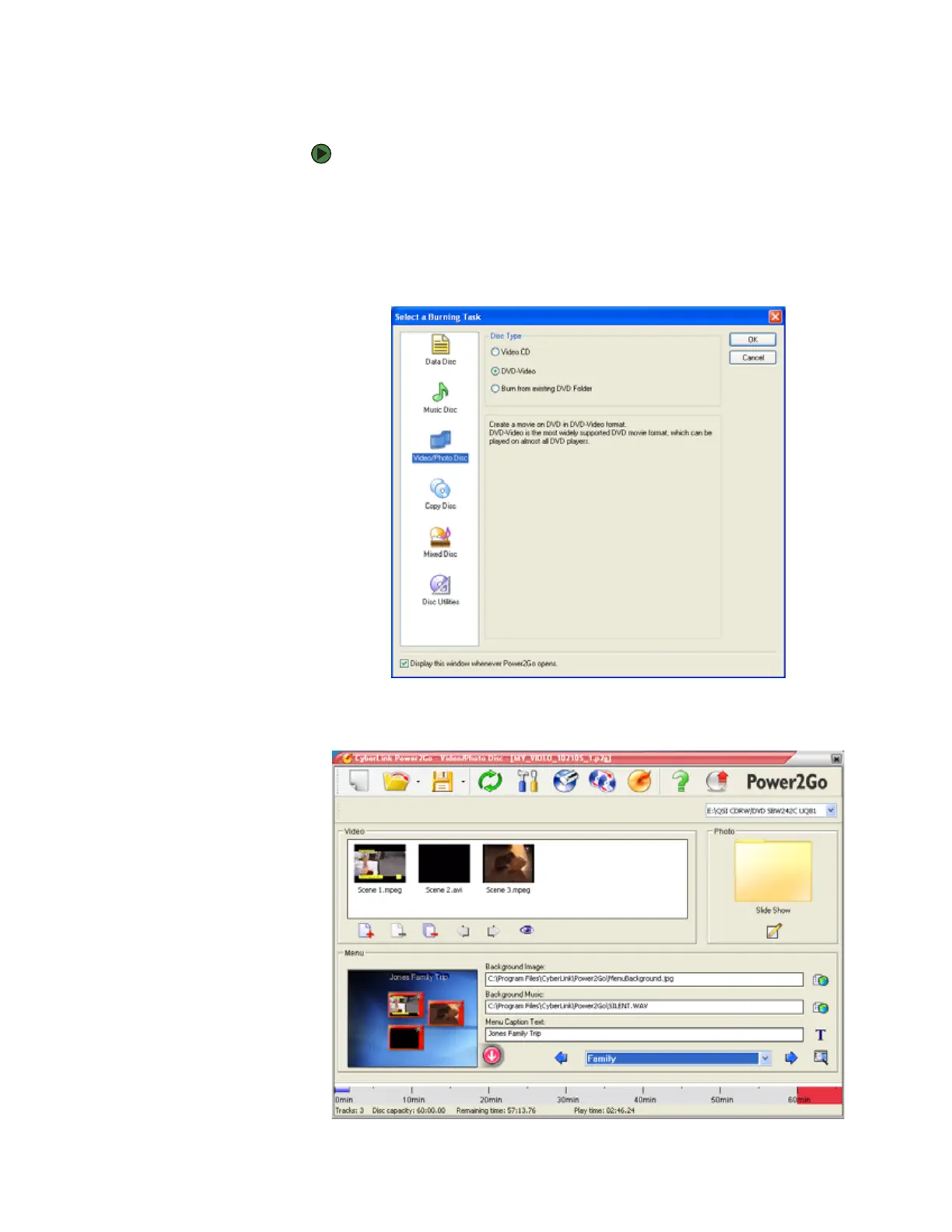
3 Click Start, All Programs, CyberLink DVD Solution, Power2Go, then
click Power2Go. Power2Go opens along with the Select a Burning Task
dialog box.
4 Click Video/Photo Disc in the left column, select your disc type in the right
column, then click OK. The Select a Burning Task dialog box closes.












 To Next Page