26
www.gateway.com
Chapter 3: Getting Started
Using the keyboard
Keyboard features
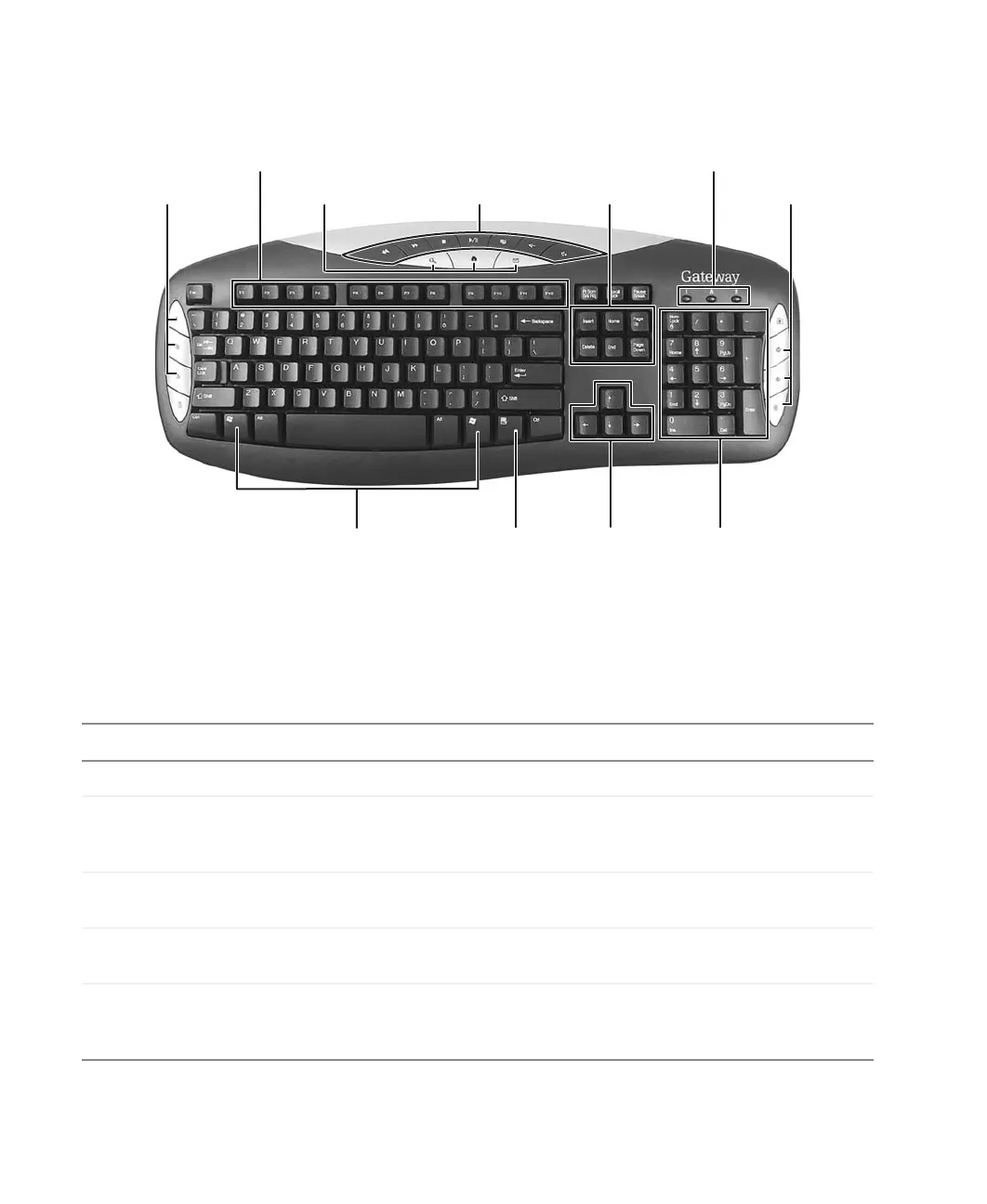
The keyboard has several different types of keys and buttons. Your keyboard also has status
indicators that show which keyboard feature is active.
Feature Icon Description
Editing buttons Use these buttons to copy, cut, and paste.
Function keys Start program actions. Each program uses different function keys for
different purposes. See the program documentation to find out more
about the function key actions.
Internet buttons Use these buttons to launch your Internet home page, search, or e-mail
programs.
Audio playback
buttons
Use these buttons to play your audio files and to adjust the volume.
Navigation keys Press these keys to move the cursor to the beginning of a line, to the
end of a line, up the page, down the page, to the beginning of a
document, or to the end of a document.
Function keys
Navigation keys
Indicators
Windows keys Application
key
Directional
keys
Numeric
keypad
Editing buttons Internet buttons
Audio playback
buttons
Internet buttons



 To Next Page