57
www.gateway.com
Replacing the system battery
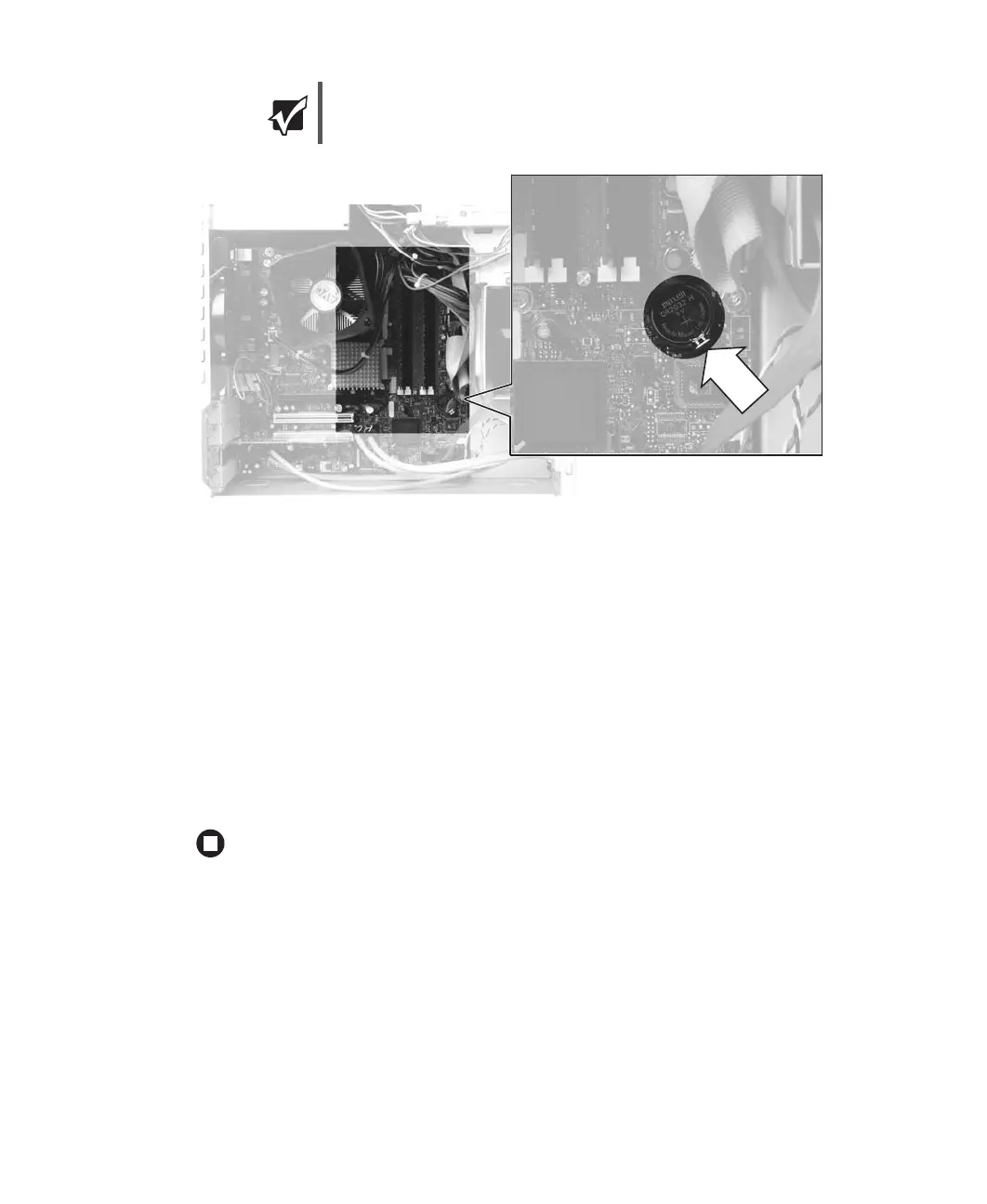
9 Make sure that the positive (+) side of the new battery is facing up, then press the
battery into the socket until it snaps into place.
10 Replace the side panel by following the instructions in “Replacing the side panel” on
page 52.
11 Reconnect all external cables and the power cord.
12 Turn on your computer.
13 Open the BIOS Setup utility.
14 In the BIOS Setup utility, restore any settings that you wrote down in Step 3.
15 Save all your settings and exit the BIOS Setup utility.
Important
Your computer’s battery location may vary from the illustration below.



 To Next Page