CHAPTER 1: Using Your Gateway Flat-Panel Monitor
4
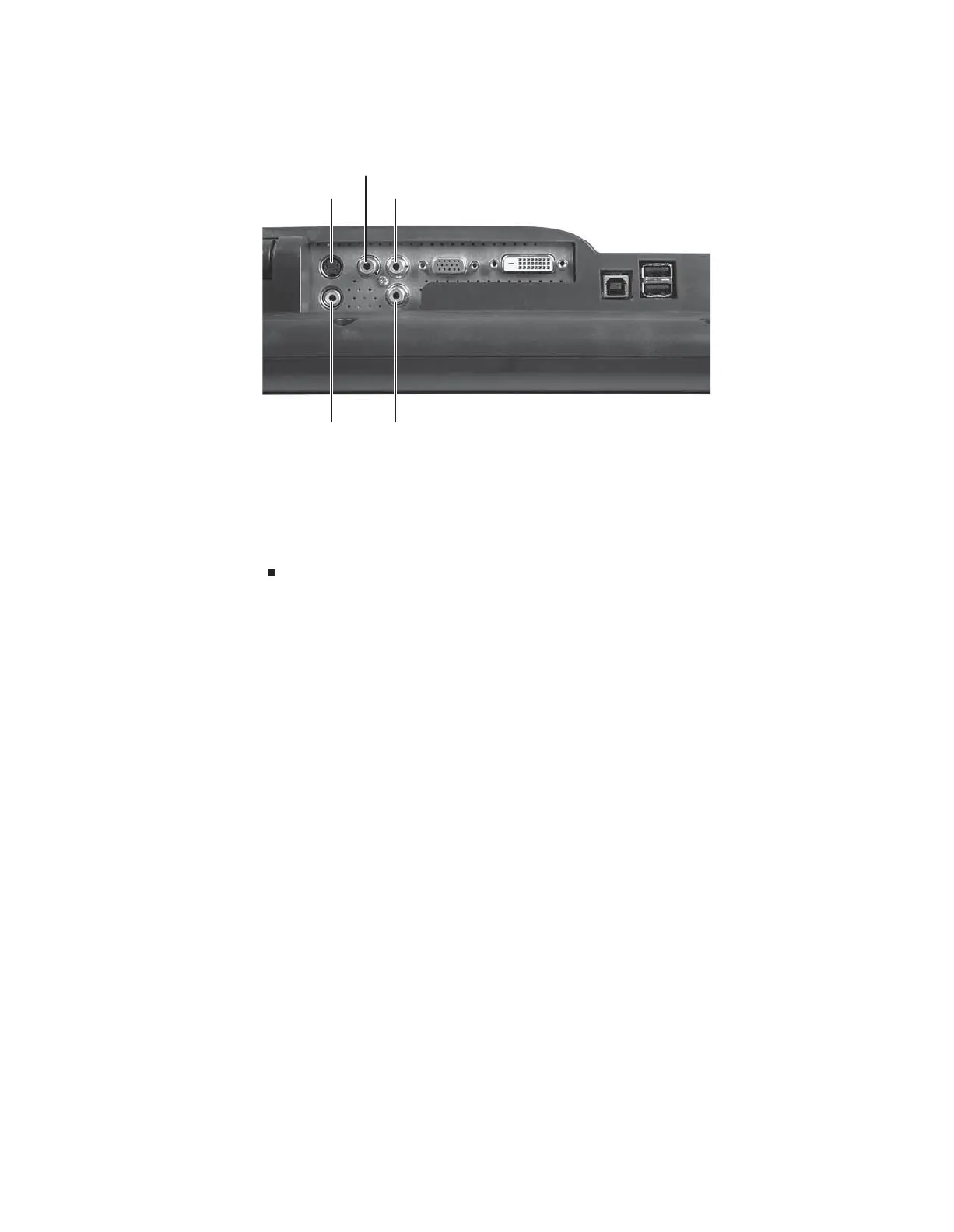
4 Connect other video sources (such as a DVD player, video camera, or receiver) to the
appropriate video jacks on the back of the monitor.
• For basic video quality, connect your video device’s composite video in jack to the
corresponding jack on the back of your monitor. (cable not included)
• For better video quality, connect your video device’s S-Video jack to the corresponding
jack on the back of your monitor. (cable not included)
• For best video quality, connect your video device’s component video (green Y,
blue Pb, and red Pr) jacks to the corresponding jacks on the back of your monitor.
(cables not included)
S-Video jack
Component red Pr jack
Component blue Pb jack
Composite video in jack Component green Y jack
8512088.book Page 4 Friday, January 12, 2007 3:31 PM



 To Next Page