www.gateway.com
11
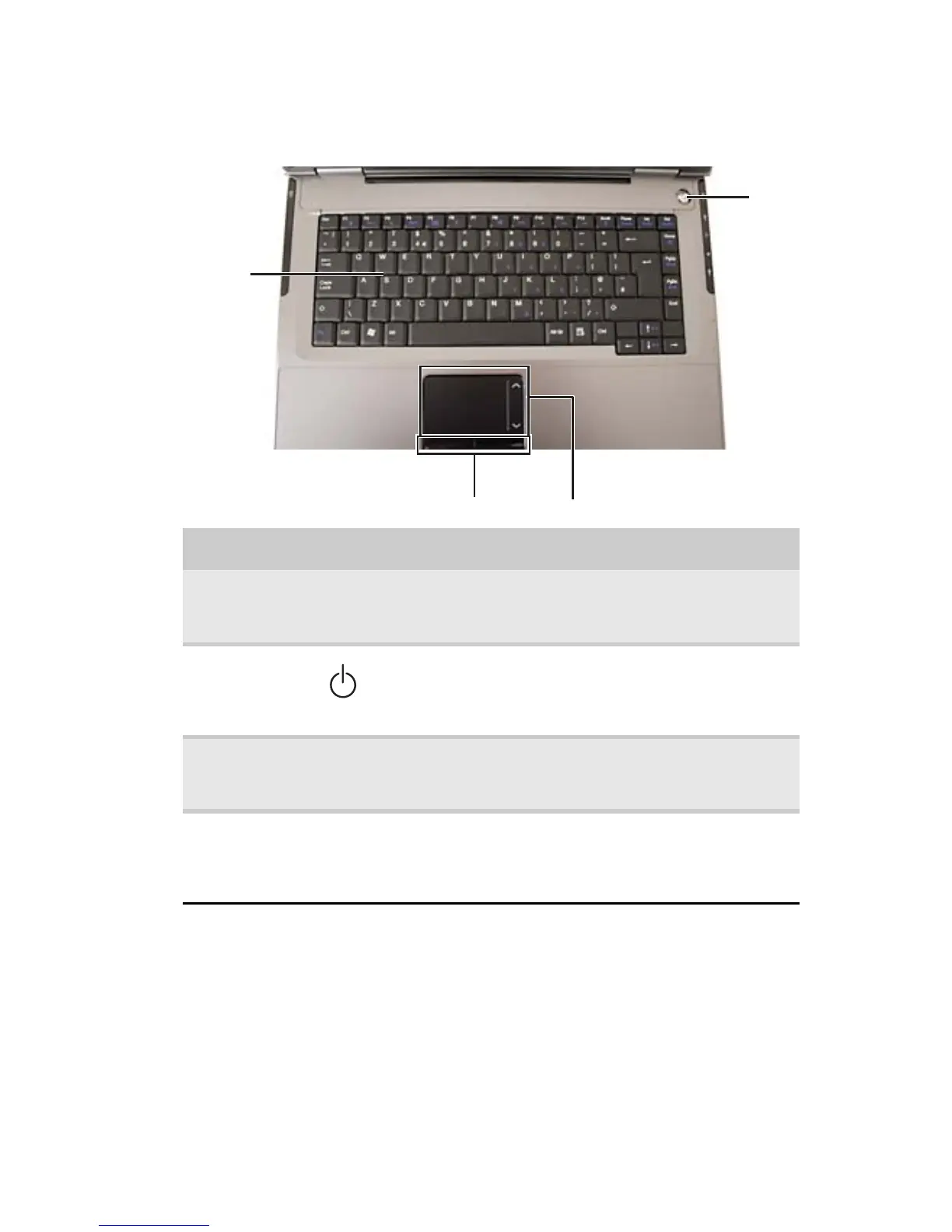
Keyboard area
Component Icon Description
Keyboard Provides all the features of a full-sized, computer
keyboard. For more information, see “Using the
keyboard” on page 24.
Power button Press to turn the power on or off. You can also
configure the power button for Sleep/Resume mode.
For more information on configuring the power button
mode, see “Changing advanced settings” on page 58.
Touchpad Provides all the functionality of a mouse. For more
information, see “Using the EZ Pad touchpad” on
page 28.
Status
indicators
Inform you when a drive is in use or when a button
has been pressed that affects how the keyboard is
used. For more information, see “Using the status
indicators” on page 23.
Status indicators
Power
button
Keyboard
Touchpad


 To Next Page