www.gateway.com
47
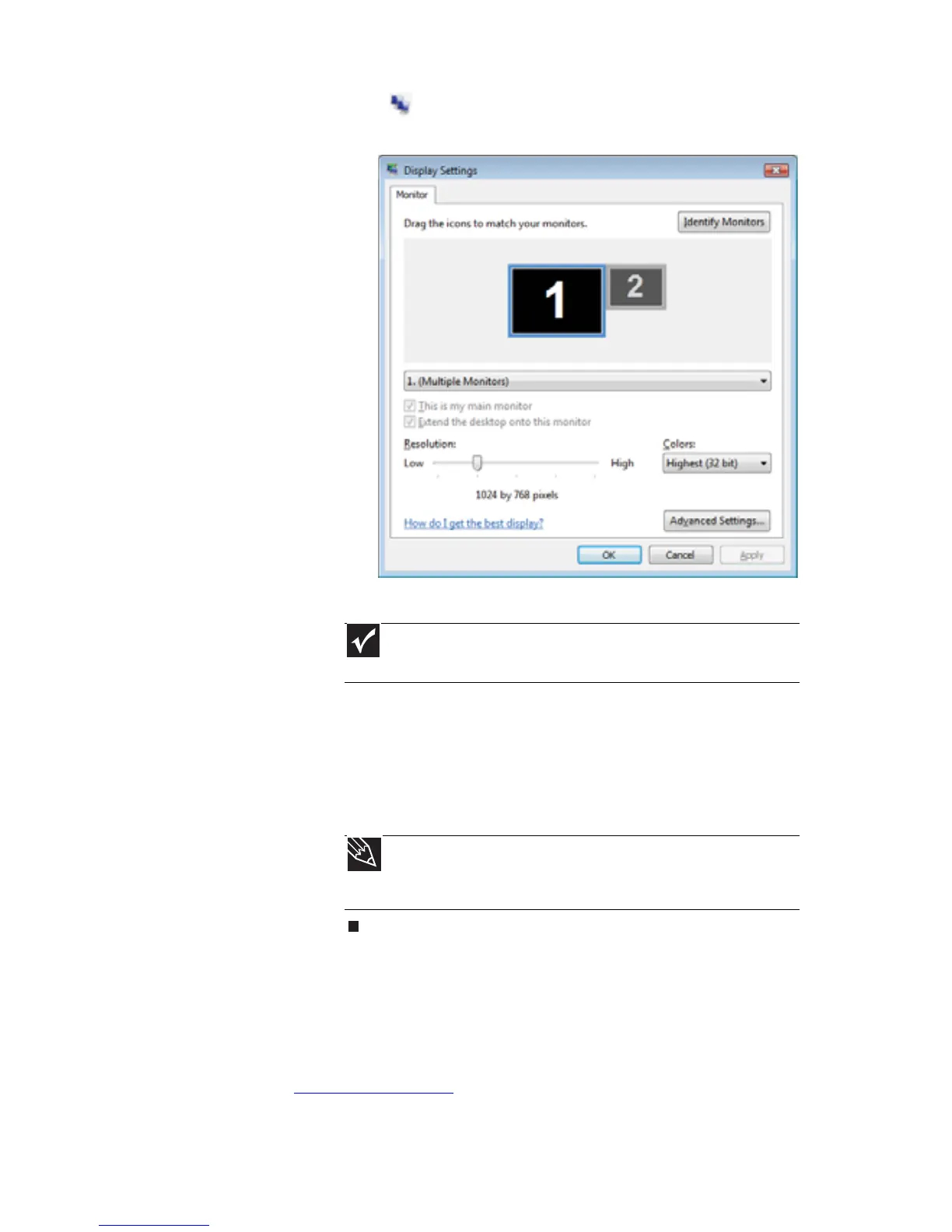
2 Click (Change display settings). The Display
Settings dialog box opens.
3 Click Advanced Settings.
4 Click Intel Graphics Media Accelerator Driver for
Mobile.
5 Click Graphics Properties.
6 Click on a tab and make changes to the television
settings as necessary.
Ordering accessories
To order accessories, visit the Accessory Store at
www.gateway.com
. Accessories may not be available in all
localities.
Important
Depending on the graphic processor installed in your notebook,
the remaining steps may vary.
Tip
If you are traveling internationally, you may need to change the
video standard. For example, many televisions outside of the United
States use PAL instead of NTSC.


 To Next Page