2.4. Connection and power supply for the video interface
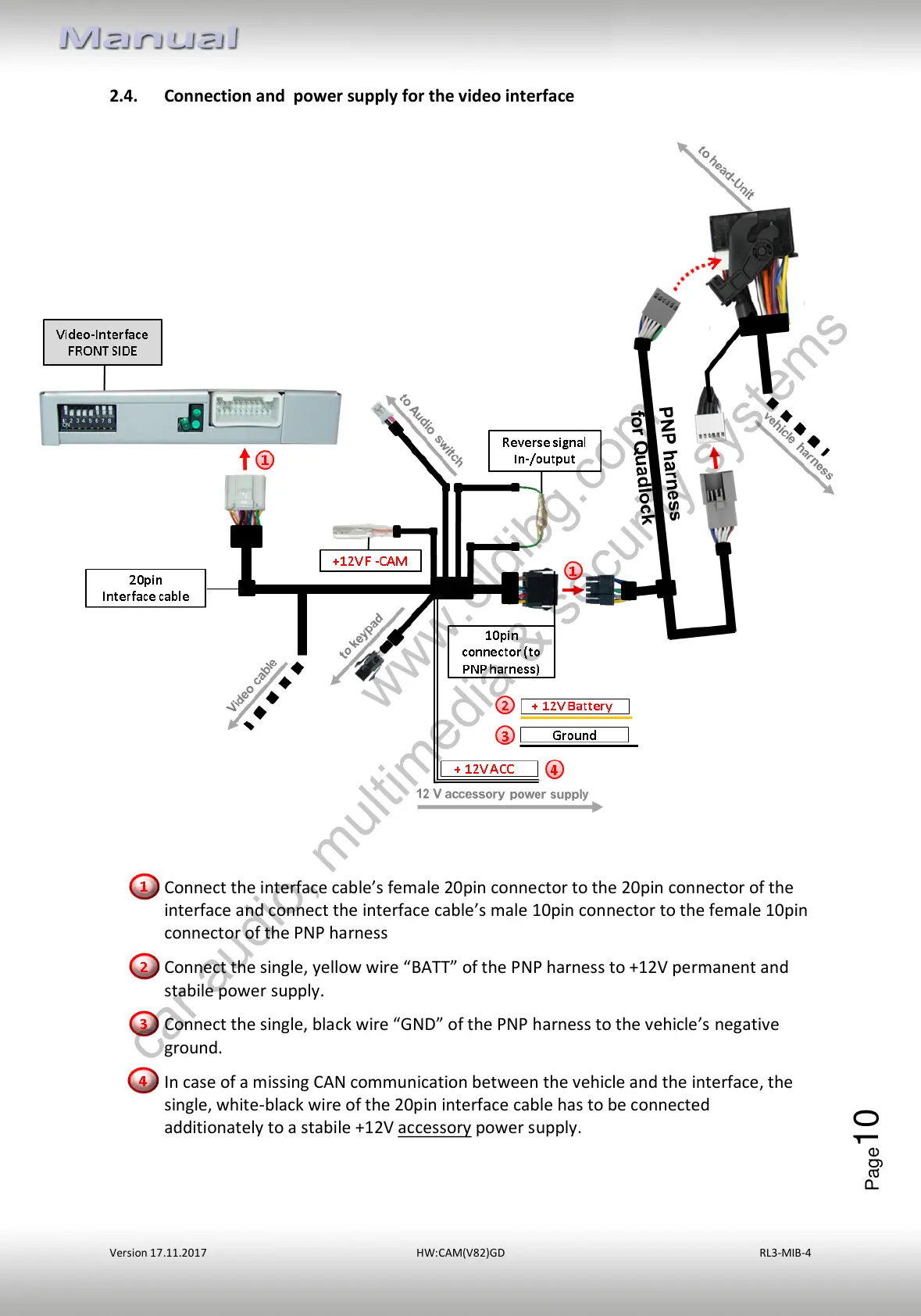
Connect the interface cable’s female 20pin connector to the 20pin connector of the
interface and connect the interface cable’s male 10pin connector to the female 10pin
connector of the PNP harness
Connect the single, yellow wire “BATT” of the PNP harness to +12V permanent and
stabile power supply.
Connect the single, black wire “GND” of the PNP harness to the vehicle’s negative
ground.
In case of a missing CAN communication between the vehicle and the interface, the
single, white-black wire of the 20pin interface cable has to be connected
additionately to a stabile +12V accessory power supply.



 To Next Page