Version 17.11.2017 HW:CAM(V82)GD RL3-MIB-4
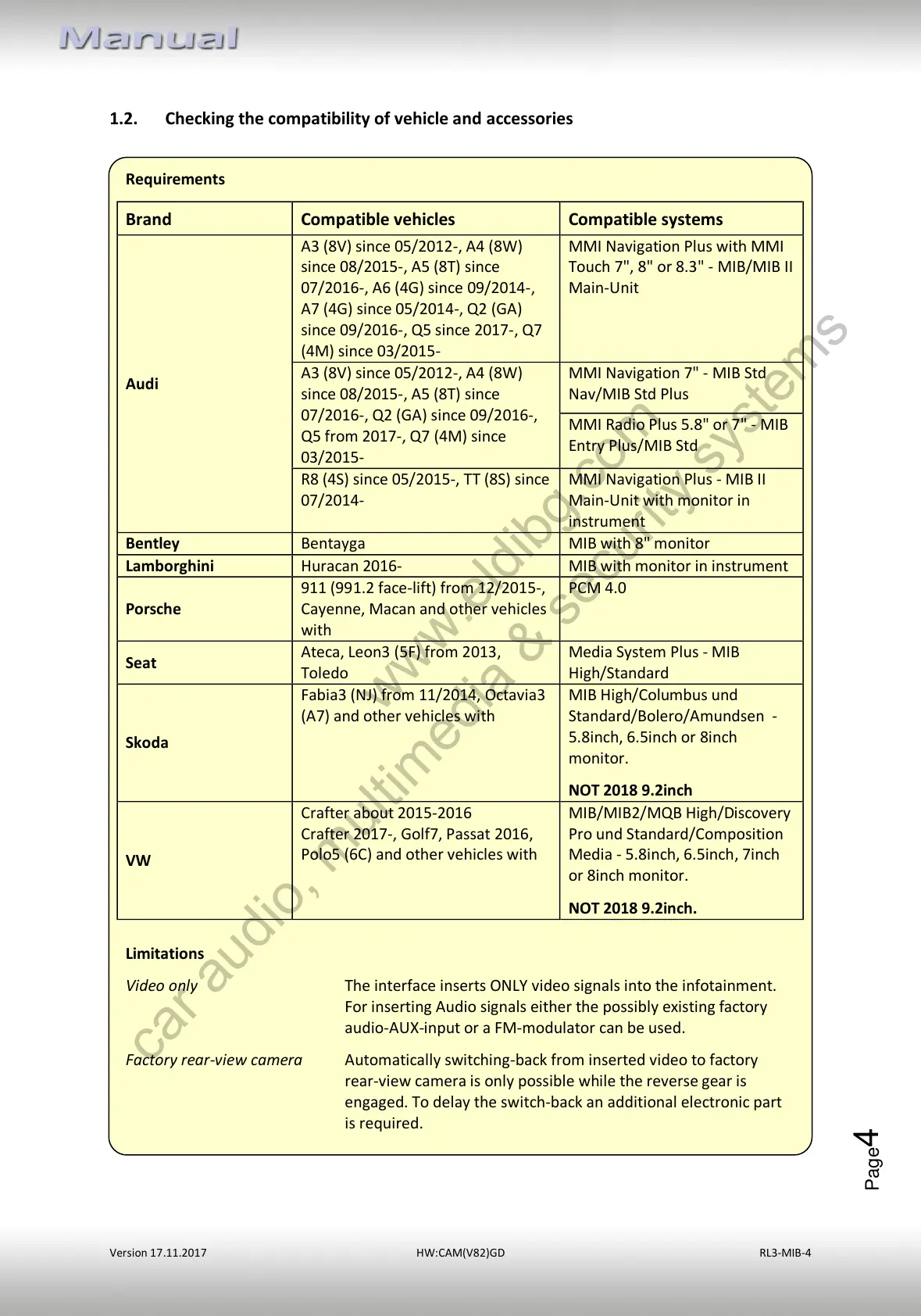
A3 (8V) since 05/2012-, A4 (8W)
since 08/2015-, A5 (8T) since
07/2016-, A6 (4G) since 09/2014-,
A7 (4G) since 05/2014-, Q2 (GA)
since 09/2016-, Q5 since 2017-, Q7
(4M) since 03/2015-
MMI Navigation Plus with MMI
Touch 7", 8" or 8.3" - MIB/MIB II
Main-Unit
A3 (8V) since 05/2012-, A4 (8W)
since 08/2015-, A5 (8T) since
07/2016-, Q2 (GA) since 09/2016-,
Q5 from 2017-, Q7 (4M) since
03/2015-
MMI Navigation 7" - MIB Std
Nav/MIB Std Plus
MMI Radio Plus 5.8" or 7" - MIB
Entry Plus/MIB Std
R8 (4S) since 05/2015-, TT (8S) since
07/2014-
MMI Navigation Plus - MIB II
Main-Unit with monitor in
instrument
MIB with monitor in instrument
911 (991.2 face-lift) from 12/2015-,
Cayenne, Macan and other vehicles
with
Ateca, Leon3 (5F) from 2013,
Toledo
Media System Plus - MIB
High/Standard
Fabia3 (NJ) from 11/2014, Octavia3
(A7) and other vehicles with
MIB High/Columbus und
Standard/Bolero/Amundsen -
5.8inch, 6.5inch or 8inch
monitor.
NOT 2018 9.2inch
Crafter about 2015-2016
Crafter 2017-, Golf7, Passat 2016,
Polo5 (6C) and other vehicles with
MIB/MIB2/MQB High/Discovery
Pro und Standard/Composition
Media - 5.8inch, 6.5inch, 7inch
or 8inch monitor.
NOT 2018 9.2inch.
Limitations
Video only The interface inserts ONLY video signals into the infotainment.
For inserting Audio signals either the possibly existing factory
audio-AUX-input or a FM-modulator can be used.
Factory rear-view camera Automatically switching-back from inserted video to factory
rear-view camera is only possible while the reverse gear is
engaged. To delay the switch-back an additional electronic part
is required.
1.2. Checking the compatibility of vehicle and accessories
www.eldibg.com
car audio, multimedia & security systems
All manuals and user guides at all-guides.com



 To Next Page