GCAN-PLC user manual
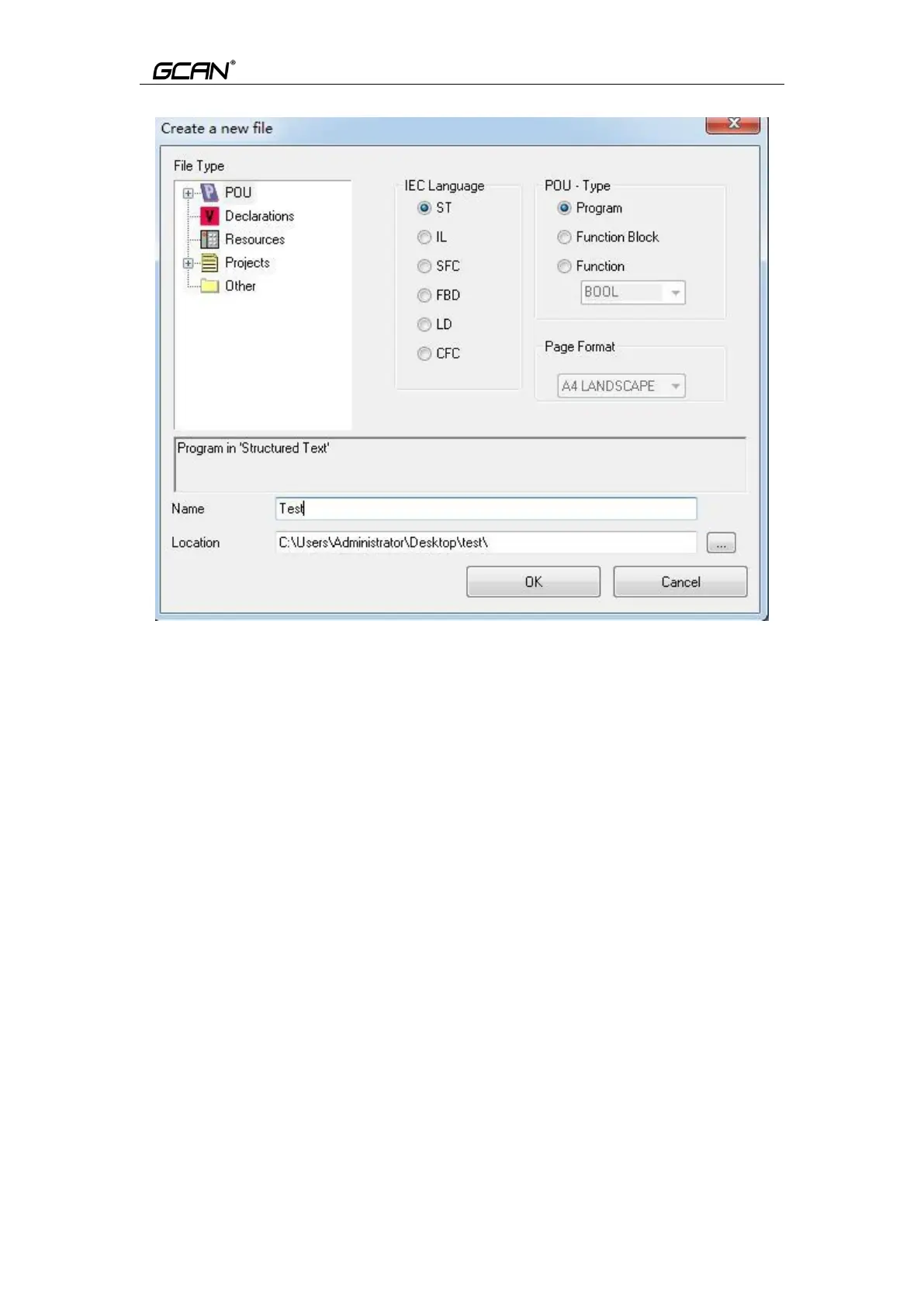
Figure 5.3 Create a new file
5.3.3 Programming
First define the variable in the variable area (VAR to END_VAR) VAR
v1:INT:=0; v2:INT:=0;
oled at%Q0.0:Byte; END_VAR
After the variable is defined, start programming. The following is a simple
routine statement written in ST:
LED Marquee routines:
IF v1<100 then v1:=v1+1;
ELSE
v1:=0; v2:=v2+1;
if v2>=255 then v2:=0;
end_if;
oled:=int_to_byte(v2); end_if;
5.3.4 Set up debug connection
Click “PLC”, then select “Connections..”, as shown in Figure5.4.



 To Next Page