GCI E84 Emulator Getting Started Manual Version 2.4a
GCI E84 Emulator Getting Started Manual
4
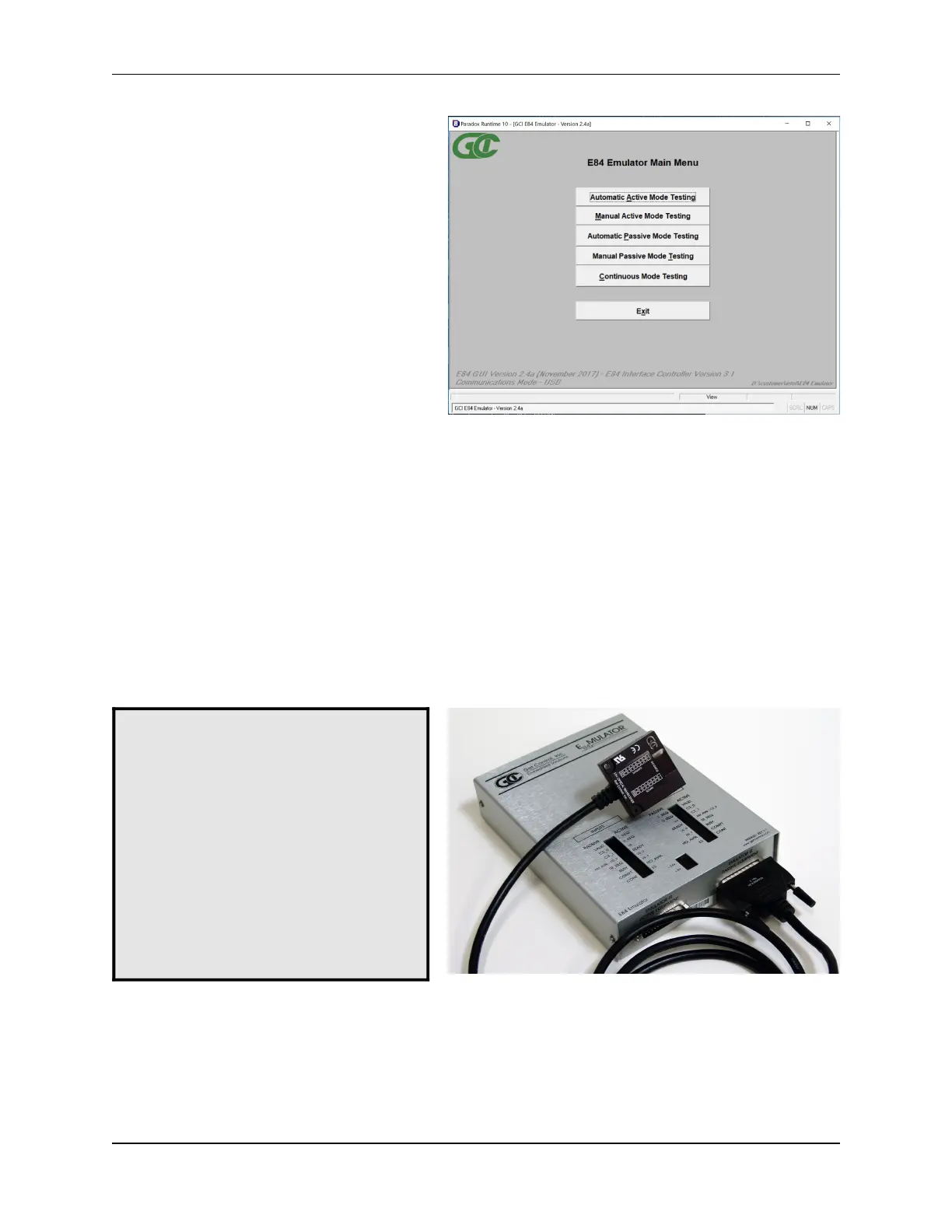
E84 Emulator Main Menu
Optical Transceiver connects to the Emulator as
Passive Equipment Female DB-25 connector
Plug an E84 compatible optical transceiver
into the female DB-25 port on the E84
Emulator labeled Emulator as Passive
Equipment as shown. With an optical
transceiver connected in this way, the E84
Emulator Application can run both Active
and Passive mode tests.
Do not attempt to install a gender changer
between the optical transceiver and the
E84 Emulator. Connecting the optical
transceiver to the male DB-25 port labeled
Emulator as Active Equipment using a
gender changer will not work.
Connection Status Indicator
Launch the E84 Emulator Application from the
shortcut in the Startup menu. The Main Menu
will be displayed, and all option buttons are
enabled as shown.
The Communications status is displayed in the
lower left of the Main Menu. It will display
Communications Mode - USB when the E84
Emulator Application is properly
communicating with the E84 Emulator USB
Interface.
When the user attempts to use any of the four
test buttons, the E84 Emulator Application
attempts to communicate with the E84
Emulator. With communication established,
testing continues normally. If the E84
Emulator Application cannot communicate
with the E84 Emulator, a Communication Error Message will be displayed, and testing will be disabled.
Using Optical Transceivers
The Get Control E84 Emulator is shipped with a 15' connecting cable used for hardwired E84 emulation.
The E84 Emulator is compatible with all E84 compatible Optical Transceivers. GCI produces several
optical transceivers that can be used with the E84 Emulator.
P/N GCI04002 - GCI E84 Optical Transceiver (available in 2 and 5 meter cable lengths)
P/N GCI04100 - GCI RJ-11 E84 Optical Transceiver (with data logging)
Optical transceivers from GCI are compatible as shipped. Other optical transceivers must first be properly
terminated with a male DB-25 connector, according to the E84 specification.



 To Next Page