Page 13
Troubleshooting 3D Models
Machine Maintenance
Dust and Debris
The gMax was designed with robust components however all machines are susceptible to dust and
debris causing performance issues especially if the electronics are not
getting proper cooling.
We recommend blowing out the fans on the power supply, inside the
electronics case and on the extruder often.
Make sure to clear loose filament or debris from the belts, pulleys, and
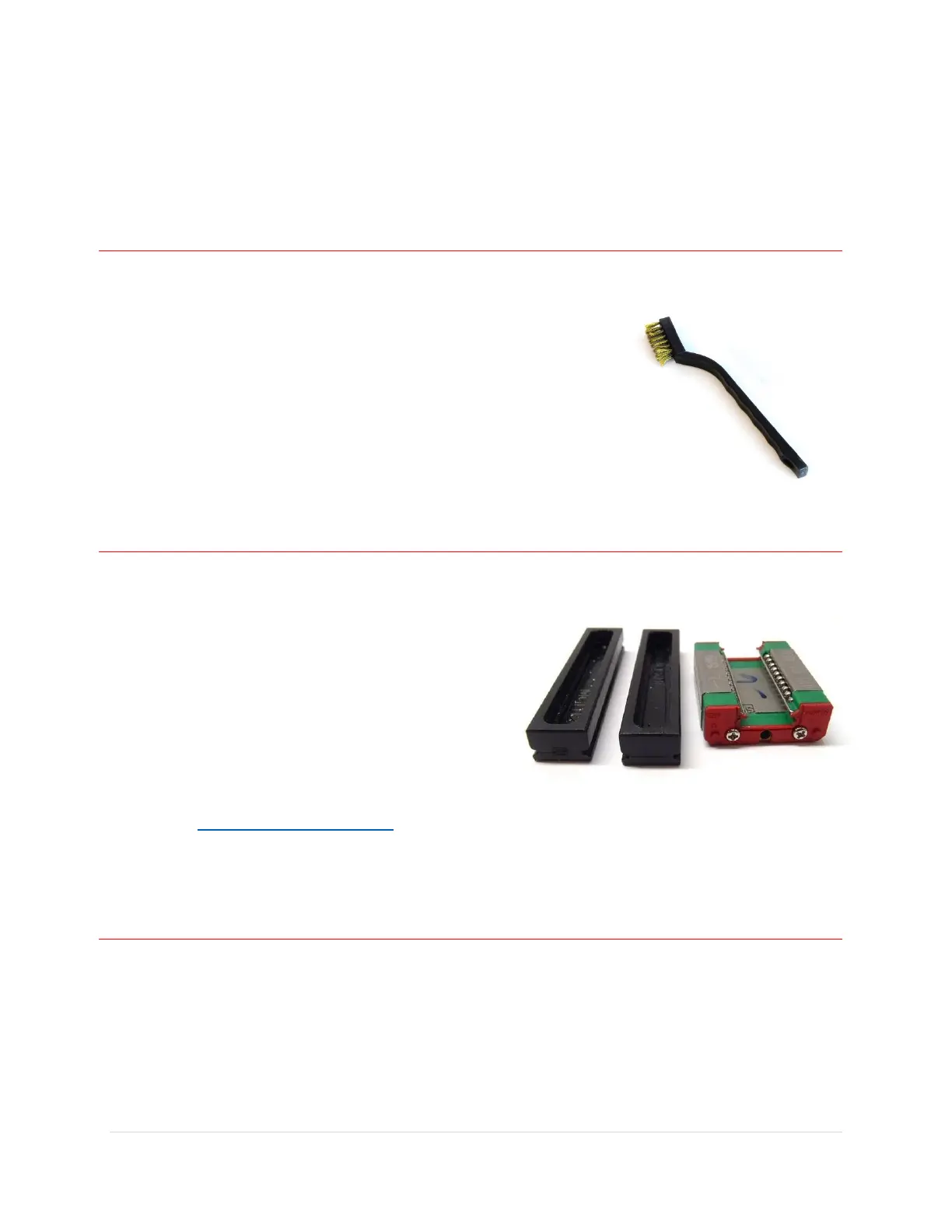
guide rails. Also make sure to use the supplied metal bristle brush to
clean filament off the nozzle when it is hot
Lubricating linear rails
The gMax 2 Pro uses Hiwin linear guide rails and blocks. The guide blocks contain rows of recirculating
ball bearings and it performs best when lubricaled and clear of debris.
The X and Z axis use Hiwin MGN15C rails and the Y axis
uses EGH15C rails.
Warning. Do not remove the linear block from the rail
without the use of a plastic stopper or you risk having
the ball bearings fall out and ruin the block.
To clean and lubricate the rails we recommend wiping
them clean with a paper towel and spraying with
CorrosionX (http://www.corrosionx.com) ensuring the
lubricant gets inside the bearings.
Tightening or replacing belts
The gMax printer uses 6mm wide GT2 fiber reinforced timing belts. Use the guide below to replace or
tighten the belts. Do not use metal reinforced belts as the tight radius of the pulleys will weaken the
metal fibers over time causing the belt to break.


 To Next Page