10
9. Server eth2 (from the installed gigabit card) can be used for transferring content from the
TMS/LMS as in normal operation.
5. UPGRADE PROCEDURE
5.1 Run the ServerID Upgrade
“ServerID upgrade” prepares your server for the DCI software upgrade and MUST run before
running the main upgrade.
The following upgrade package must run based on your serial number:
upgrade-serverID_A00xxx…tgz.enc
upgrade-serverID_A01xxx…tgz.enc
upgrade-serverID_A20xxx…tgz.enc
5.2 Apply Upgrade Package 1
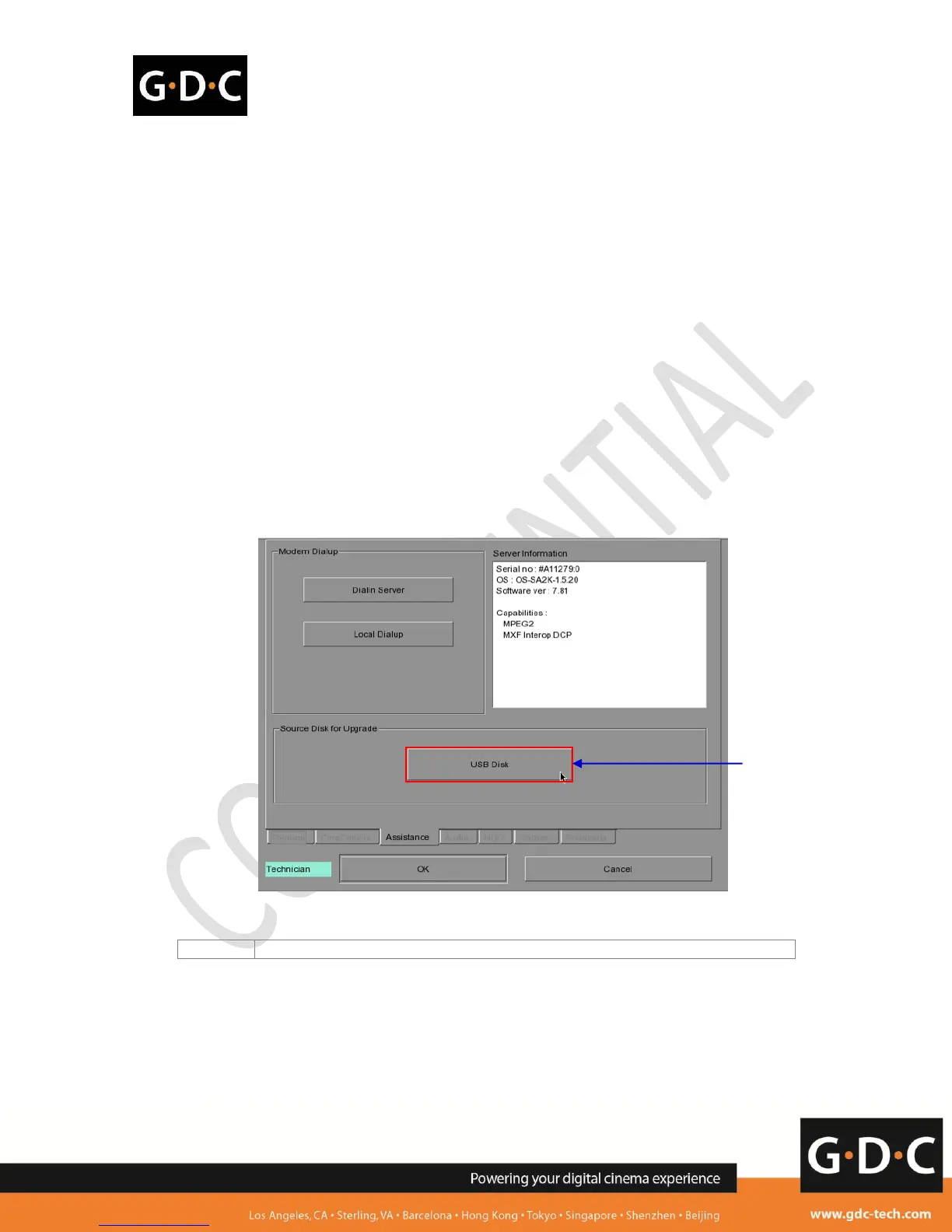
Figure 2 Upgrading from an USB disk.
Install from SMS->Configuration->Assistance->USB Disk



 To Next Page