1
Installing the Phone
Installing the Handset Battery
NOTE: You must connect the handset battery before use.
CAUTION: To reduce the risk of re or personal injury, use
only the Thomson Inc. approved Nickel-metal Hydride (Ni-MH)
battery model 5-2734, that is compatible with this unit.
1. Locate the battery which is packaged inside a plastic bag and is separate from
the handset.
. Locate the battery compartment on the back of the handset.
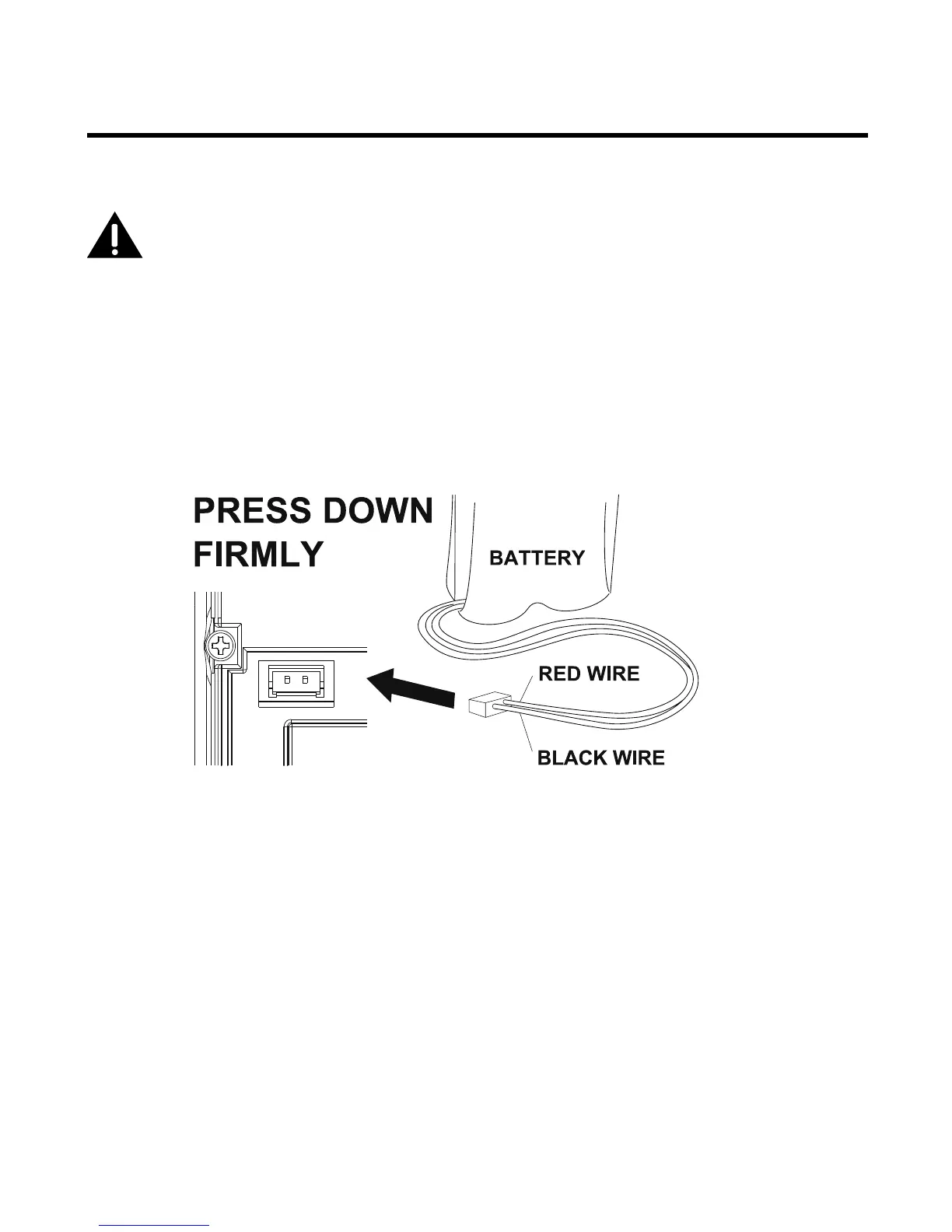
. Plug the battery pack cord into the jack inside the compartment.
NOTE: To ensure proper battery installation, the connector is keyed
and can be inserted only one way.
4. Insert the battery pack.
5. Close the battery compartment by placing the handset back cover slightly higher
than the handset, then slide the cover down into position.



 To Next Page