8
De-Registration
Deregistration cancels registration. During the deregistration process, keep the
handset near the base.
WARNING: It is not recommended that a handset be deregistered
unless absolutely necessary because once a handset is
deregistered, that handset’s telephone features cannot be used
until the handset is re-registered.
1. Make sure your phone is OFF (not in talk mode).
. Press the menu button to go to the main menu and use the cid/vol (3or4)
button to scroll to Registration.
. Press the menu button to conrm.
4.
Use the cid/vol (3or4) button to scroll to the Remove handset.
5.
Press the menu button to enter the menu. The screen displays Remove handset? .
6.
Press the menu button again to conrm de-registration.
NOTE: If a handset is de-registered, the screen displays Not
Register in Standby and Unavailable if the TALK button is pressed.
Telephone Operation
Charge Indicator on Base
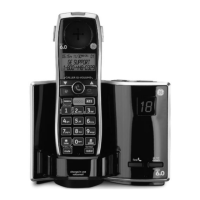
The charge indicator on the base illuminates when a handset is in the base charging.
Making a Call
1. Press the talk/call back button. Dial the desired number.
- OR -
Dial the number rst, then press the talk/call back
button.
. When nished, press the talk/call back button or put the handset back into the
cradle to hang up.
NOTE: If you want to delete the pre-dial number you entered, press
the mute/clear button until all of the digits are erased.



 To Next Page