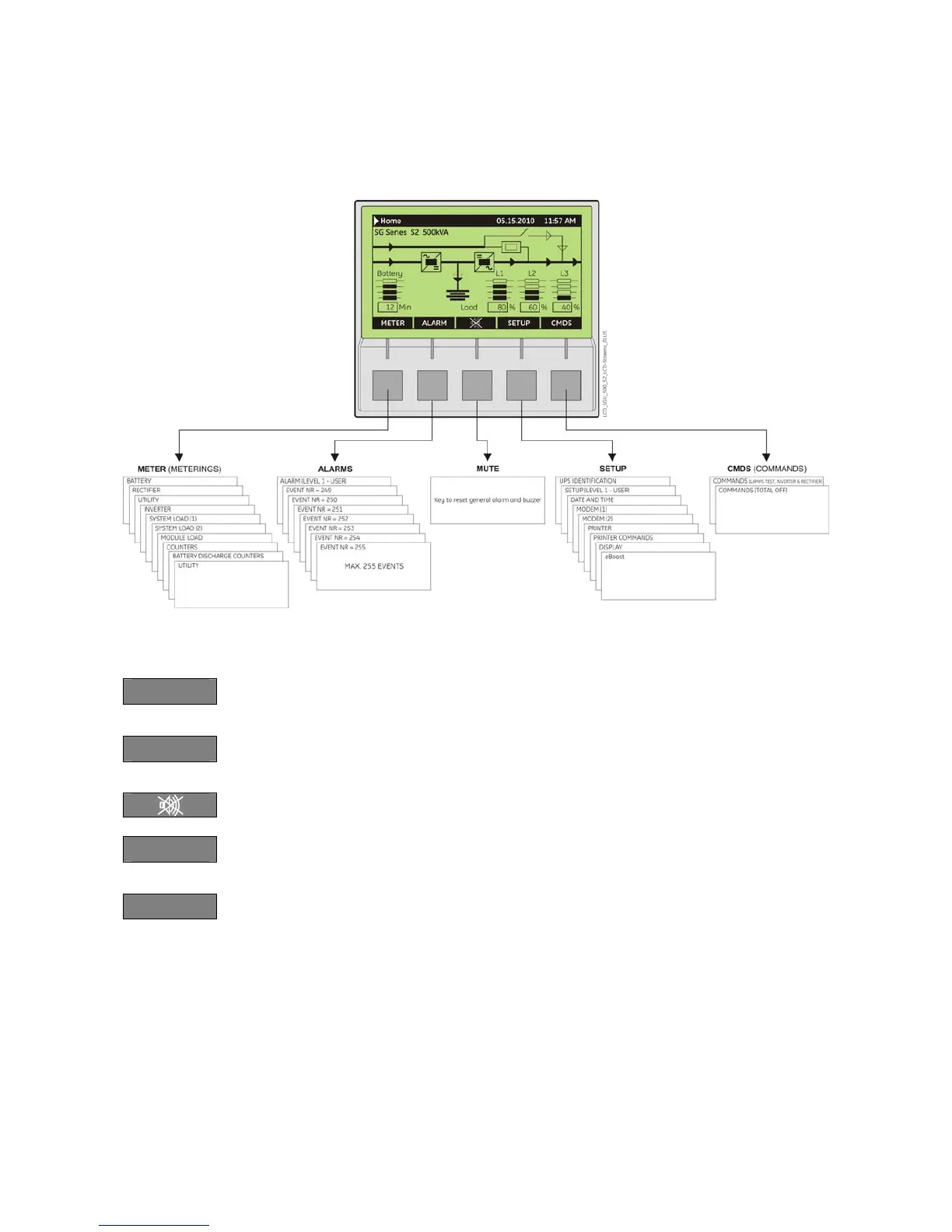
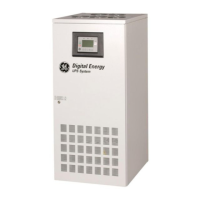
Fig. 6.1-1 LCD display
The buttons perform the following functions:
METER
METERING View electric parameters values and statistics of use.
See Section 6.2.
ALARM
ALARMS Shows in chronological order, all the events occurred (alarms,
messages, commands, handling, etc.). See Section 6.3.
MUTE Key to reset general alarm and buzzer.
SETUP
SETUP Allows the user to customize some UPS functions to specific
requirements and to view UPS identification data. See Section 6.4.
CMDS
COMMANDS Allows the user to execute UPS operation commands.
See Section 6.5.
The LCD screen, after 5 minutes of inactivity, shuts down the backlight.
To reactivate it, it is sufficient to press any pushbuttons.
If the keypad remains inactive for 5 minutes or longer, during the viewing of a screen such as
MEASURES, ALARMS, SETUP or COMMANDS, the LCD screen returns automatically to the main screen.
It is possible to view any pushbutton functional description by pushing the button for more than 3
seconds.
Pushing the pushbuttons “METER” (1
st
button) and “ALARM” (2
nd
button) together automatically sets the
LCD communication for “ENGLISH”.






 To Next Page