EasyManua.ls Logo

GE 7 - Installing the Handset Battery

GE 7
68 pages
Print Icon
To Next Page IconTo Next Page
To Previous Page IconTo Previous Page
Loading...
1






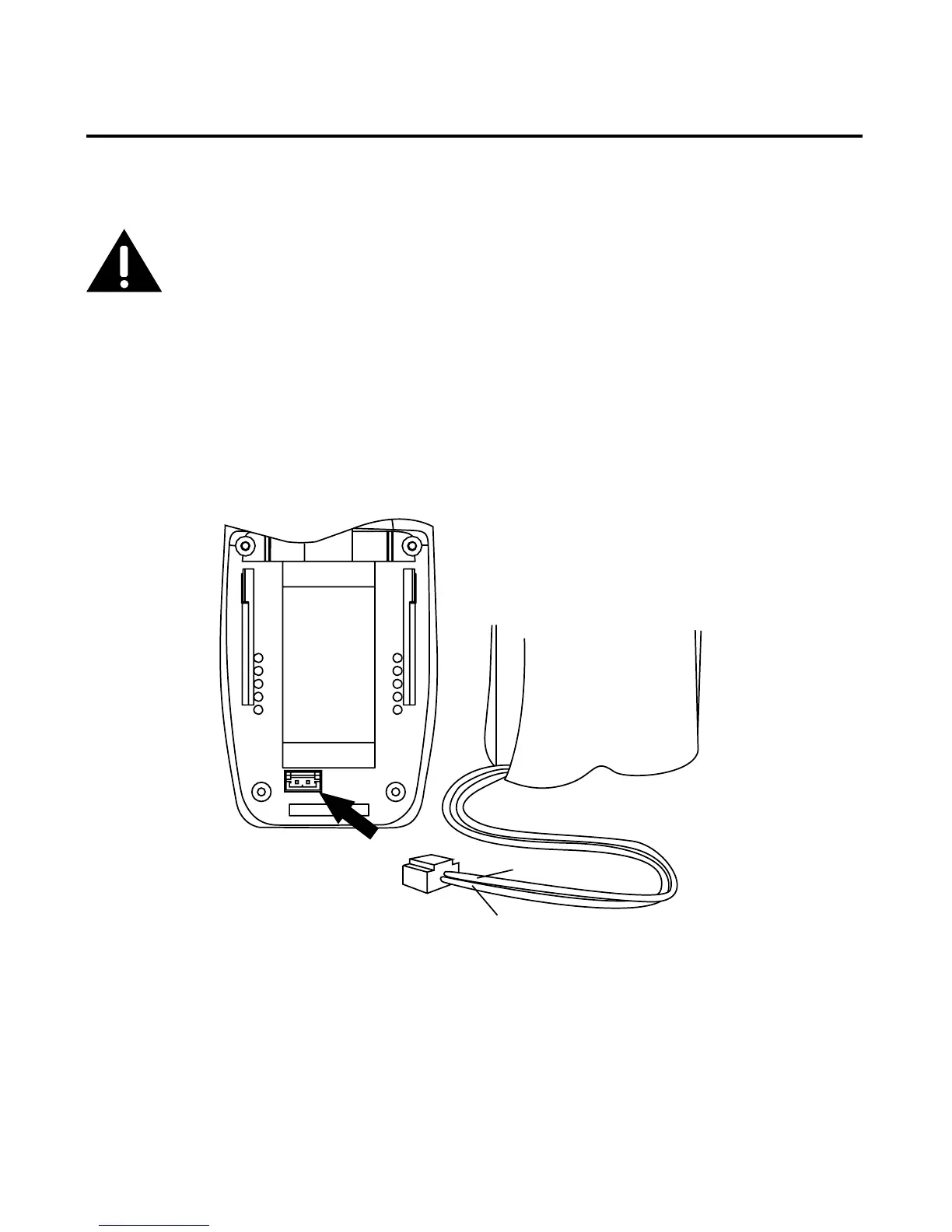
1. Locate battery and battery door which are packaged together inside a plastic bag
and are separate from the handset.
. Locate the battery compartment on the back of the handset.
. Plug the battery pack cord into the jack inside the compartment.





. Insert the battery pack.
5. Close the battery compartment by pushing the door up until it snaps into place.




Table of Contents

Related product manuals