18 19
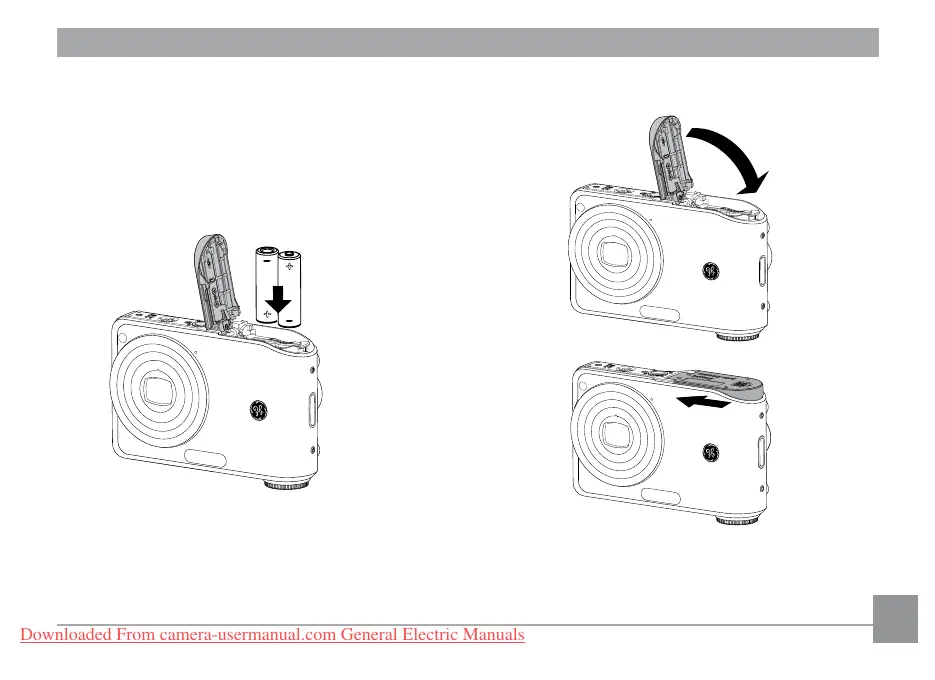
2. Insert the battery while observing
the correct polarity. Use the side of
battery to press down the stopper
as shown, allowing the battery to
be inserted properly.
3. Close the battery compartment.
Downloaded From camera-usermanual.com General Electric Manuals



 To Next Page
 Loading...








