20 2120 21
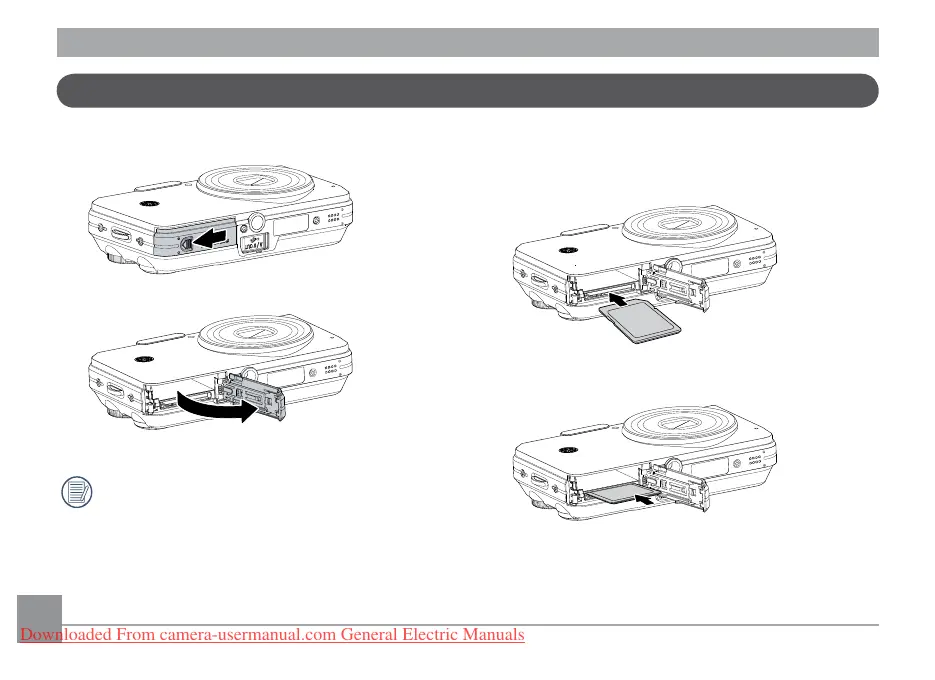
Inserting an optional SD/SDHC card
1. Open the battery compartment. 2. Insert an optional SD/SDHC card into
the memory card slot as shown.
Optional SD/SDHC cards are not included.
The use of 64MB to 4GB memory cards from
recognized manufacturers such as SanDisk,
Panasonic and Toshiba is recommended for
reliable data storage.
Downloaded From camera-usermanual.com General Electric Manuals



 To Next Page
 Loading...








