66 67
cancel and return to the Playback menu.
4. Press the button to conrm the setting.
The rotated image will be saved as a new
le, and the original image will remain
intact in memory.
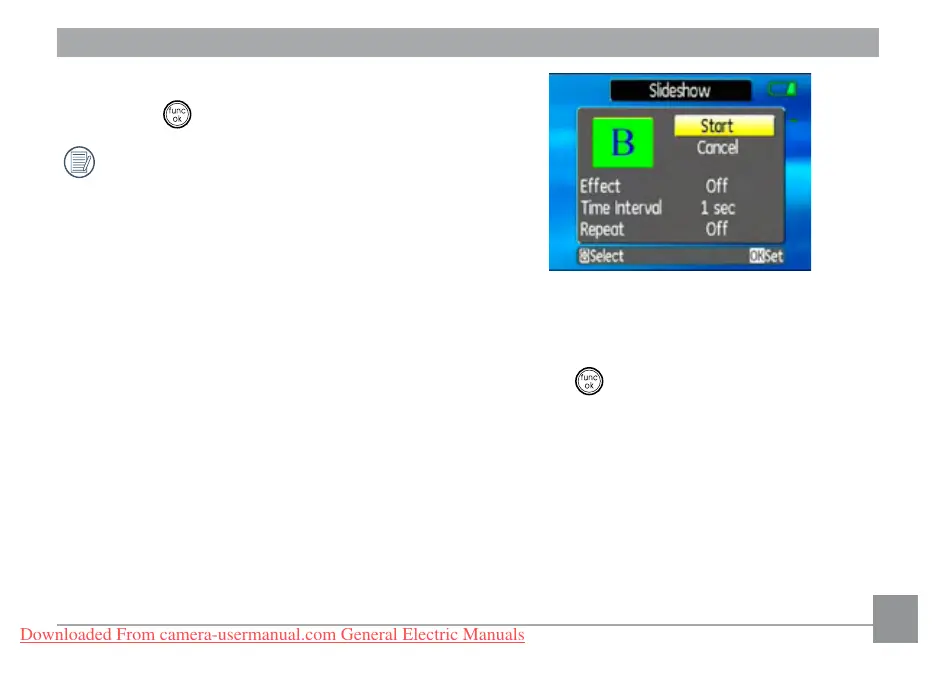
Slide show
This setting allows you to view all the stored
pictures as a slideshow.
1. Select the Slide show setting from the
Playback menu as described previously.
2. Use the Up/Down navigation buttons to
select Eect, Interval time, or Repeat and
use the Left/Right navigation buttons to
adjust the setting.
3. Use the Up/Down navigation buttons to
select Start to run the slideshow or Cancel
to return to the Playback menu.
4. Press the button to conrm the setting.
Red-eye removal
Use this setting to remove red-eye eect in your
photos.
1. Select the Red-eye removal setting from
the Playback menu as described previously.
Downloaded From camera-usermanual.com General Electric Manuals



 To Next Page
 Loading...








