EasyManua.ls Logo

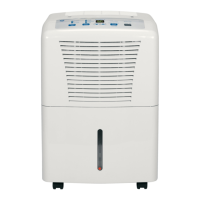
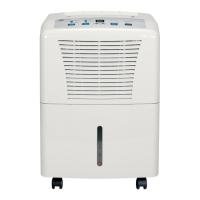
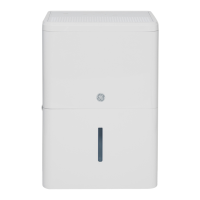
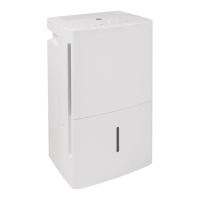
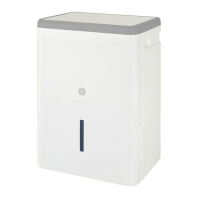
GE ADEL35 - User Manual

GE ADEL35
24 pages
Print Icon
To Next Page IconTo Next Page
Loading...
Write the model and serial
numbers here:
Model # _________________
Serial # _________________
You can find them on a label on
the back of the dehumidifier.
GE is a trademark of the General Electric Company. Manufactured under trademark license.
OWNER’S MANUAL
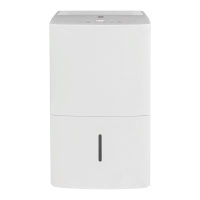
DEHUMIDIFIER
49-5000428 Rev. 0 09-19 GEA
ADEL35
ADEW35
ADEL50
SAFETY INFORMATION .........3
OPERATING INSTRUCTIONS
Controls ..............................4
How the Dehumidifier Operates .........5
Automatic Defrost .....................5
Choosing a Location ...................5
Removing Collected Water .............6
Water Level ...........................6
Bucket Operation ......................6
CARE AND CLEANING
Grille and Case ........................7
Water Bucket .........................7
Air Filter ..............................7
TROUBLESHOOTING TIPS .......8
ELECTRIC SCHEMATIC
DIAGRAM .........................10
CONSUMER SUPPORT
Limited Warranty ..................... 11
Consumer Support ....................12
ENGLISH/ESPAÑOL

Questions and Answers

  • C
    cwilsonAug 2, 2025
    Why GE ADEL35 Dehumidifier does not start?
    • F
      francisco67Aug 2, 2025
      Several factors can prevent your GE dehumidifier from starting. First, ensure the dehumidifier's plug is completely pushed into the outlet. Check your house's fuse or circuit breaker box, replacing the fuse or resetting the breaker if necessary. If the dehumidifier has reached its preset level, change to a lower setting, or if the bucket is full, empty it and replace it properly. Also, the bucket must be correctly placed and securely seated for the dehumidifier to operate. Finally, after a power failure, there is a protective time delay of up to 3 minutes to prevent tripping the compressor overload; the unit may not start normal dehumidification during this time.
  • M
    Mr. Erik JohnsonAug 6, 2025
    How to fix GE ADEL35 that runs too much?
    • V
      vleeAug 6, 2025
      If your GE dehumidifier runs excessively, it might be due to the area being too large for the unit's capacity. Also, open doors and windows can cause the dehumidifier to work harder. Ensure all doors and windows are closed to the outside.
  • H
    holdenmichaelAug 10, 2025
    What to do if GE ADEL35 Dehumidifier does not dry the air as it should?
    • K
      Kathryn WilcoxAug 11, 2025
      If your GE dehumidifier isn't drying the air sufficiently, several factors could be at play. When first installed, allow at least 24 hours to achieve the desired dryness. Ensure that curtains, blinds, or furniture aren't blocking the front or back of the unit. For drier air, lower the humidity control setting. Check that all doors, windows, and other openings are securely closed. Position the dehumidifier away from the clothes dryer, and ensure the dryer is vented outside. Note that lower room temperatures reduce the moisture removal rate; these models are designed to operate above 65°F.
  • L
    Luis StephensAug 15, 2025
    What to do if the bucket full LED light is flashing and alarm sounds while drain hose is connected to my GE ADEL35 Dehumidifier?
    • B
      Brian RossAug 15, 2025
      If the 'Bucket Full' LED is flashing and the alarm sounds on your GE dehumidifier while the drain hose is connected, check the drain hose connection to ensure it is tight on the fitting. Also, make sure the drain hose is pointed straight down to the floor and is not kinked.
  • R
    reginagomezAug 19, 2025
    Why is my GE Dehumidifier fan so noisy?
    • R
      Rachel MartinAug 19, 2025
      If you're noticing fan noise from your GE dehumidifier, it's likely due to air moving through the unit, which is normal.
  • K
    kgarciaAug 25, 2025
    Why does frost appear on the coils of my GE Dehumidifier?
    • J
      Julie ThomasAug 25, 2025
      If you notice frost on the coils of your GE dehumidifier, especially after turning it on recently or if the room temperature is below 41°F (5°C), don't worry! This is normal, and the frost should disappear within 25 minutes.
  • D
    Daniel WyattAug 27, 2025
    What to do if there is water on the floor near my GE Dehumidifier?
    • L
      lchristianAug 28, 2025
      If you find water on the floor near your GE dehumidifier, first, check the hose connection to ensure it is secure. If you're using a bucket to collect water, disconnect the hose.

Summary

Safety Information

Use of Extension Cords

Guidelines on using extension cords with the dehumidifier to prevent fire hazards.

How to Connect Electricity

Instructions for proper grounding and connecting the dehumidifier to an electrical outlet.

Recycling Information

Information on how to recycle the appliance and where to find more details.

Operating Instructions - Controls

Control Panel Overview

Explanation of control panel buttons, indicators, and display functions.

Other Features

Details on special functions like Empty Light, Alarm, Auto Shut Off, Auto Defrost, and Power Outage.

Operating Instructions - Operation

How the Dehumidifier Operates

Explanation of how the unit draws in humid air, condenses moisture, and releases dry air.

Automatic Defrost and Location

Description of automatic defrost and guidance on selecting an optimal location for the unit.

Operating Instructions - Water Management

Removing Collected Water

Instructions for emptying the water bucket or using a hose for continuous drainage.

Water Level and Bucket Operation

Details on the water level shut-off feature and proper bucket placement for operation.

Care and Cleaning

Grille, Case, and Bucket Cleaning

Instructions for cleaning the exterior, front grille, and water bucket of the dehumidifier.

Air Filter Cleaning Procedure

Procedure for checking, removing, cleaning, and replacing the air filter.

Troubleshooting Tips

Dehumidifier Not Starting or Drying

Addresses issues when the dehumidifier fails to power on or remove moisture effectively.

Operational Issues and Water Leaks

Troubleshooting common problems like frost, control errors, fan noise, and water leaks.

Electric Schematic Diagram

Diagram for ADEL35

Schematic diagram illustrating the electrical components and connections for the ADEL35 model.

Diagram for ADEL20;ADEL50

Schematic diagram for ADEL20 and ADEL50 models, noting potential changes without notice.

Limited Warranty

Warranty Coverage and Claim Process

Details the one-year period, how to file a claim, and what is excluded from coverage.

Warranty Exclusions

Lists exclusions from warranty coverage, such as improper installation or accidental damage.

Consumer Support

Website, Registration, and Service

Accessing the website for assistance, registering the appliance, and scheduling repairs.

Parts, Warranties, and Contact

Ordering parts, purchasing extended warranties, and how to contact customer relations.

GE ADEL35 Specifications

General IconGeneral
ModelADEL35
TypeDehumidifier
Energy Star RatedYes
Filter TypeWashable Filter
Continuous Drain OptionYes
Capacity35 pints per day
Operating Temperature41°F - 90°F

Related product manuals