EasyManua.ls Logo

GE ADHL22 - User Manual

GE ADHL22
28 pages
Print Icon
To Next Page IconTo Next Page
Loading...
Write the model and serial
numbers here:
Model # _________________
Serial # _________________
You can find them on a label on
the back of the dehumidifier.
GE is a trademark of the General Electric Company. Manufactured under trademark license.
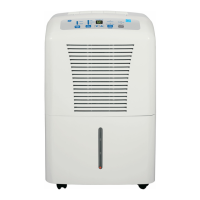
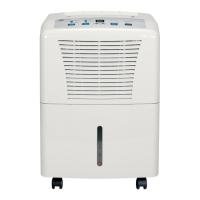
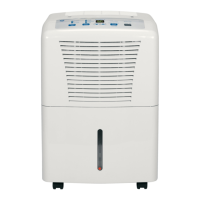
OWNER’S MANUAL
DEHUMIDIFIER
49-5000545 Rev. 3 11-23
ADHL22
ADHL25
ADHL35
ADHL50
APHL50
AWHL50
SAFETY INFORMATION .........3
OPERATING INSTRUCTIONS
Controls ..............................4
Other Features ........................5
Caster Installation .....................6
How the Dehumidifier Operates .........6
Choosing a Location ...................6
Automatic Defrost .....................7
Removing Collected Water .............7
Water Level ...........................7
Bucket Operation ......................7
CARE AND CLEANING
Grille and Case ........................9
Water Bucket .........................9
Air Filter ..............................9
TROUBLESHOOTING TIPS ......10
WIFI SETUP ...................... 11
CONSUMER SUPPORT
Limited Warranty .....................13
Consumer Support ....................14
ENGLISH/ESPAÑOL
Before you begin
Record the GE module number and
password for wifi setup. To locate this
information, see page 11.
GE Module Number #____________
Password #____________________

Questions and Answers

  • J
    Jennifer WilsonAug 18, 2025
    How to troubleshoot GE ADHL22 Dehumidifier that does not start?
    • T
      Tracey HuffAug 18, 2025
      If your GE Dehumidifier isn't starting, first ensure it's fully plugged into the outlet. Then, check your house's fuse or circuit breaker and replace the fuse or reset the breaker if needed. Also, the dehumidifier turns off automatically when it reaches the set humidity or the bucket is full, so adjust the settings or empty the bucket. Make sure the bucket is correctly placed for the dehumidifier to work. Finally, after a power failure, there's a 3-minute delay to protect the compressor, so wait before it starts.
  • K
    Kelly SalazarAug 20, 2025
    Why is my GE ADHL22 Dehumidifier not drying the air properly?
    • J
      jmoodyAug 20, 2025
      If your GE Dehumidifier isn't drying the air well enough, give it at least 24 hours after setup to reach the desired dryness. Ensure that curtains, blinds, or furniture aren't blocking airflow to the unit. You may also need to clean the filter. Adjust the humidity control to a lower percentage or the Nonstop setting for maximum dehumidification. Check that doors and windows are closed tightly, and ensure your clothes dryer isn't blowing moisture into the room, and vent the dryer to the outside. Keep in mind that moisture removal works best at temperatures above 41°F (5°C).
  • C
    cwarrenAug 22, 2025
    Why does my GE ADHL22 Dehumidifier run too much?
    • H
      hcampbellAug 23, 2025
      If your GE Dehumidifier runs too much, it might be that the area is too large for the unit's capacity. Also, make sure all doors and windows are closed to the outside.
  • T
    Thomas RodgersAug 26, 2025
    Why my GE ADHL22 does not start?
    • S
      Scott ValdezAug 26, 2025
      If your GE Dehumidifier doesn't start, ensure it's fully plugged into the outlet. Also, check your house's fuse or circuit breaker and replace the fuse or reset the breaker if needed. The dehumidifier might also be at its preset level, or the bucket might be full. In this case, change to a lower setting or empty the bucket and replace it properly. Ensure the bucket is correctly positioned for the dehumidifier to operate. Finally, after a power failure, there's a protective time delay of up to 3 minutes to prevent compressor overload, so wait before normal dehumidification restarts.
  • W
    William JonesAug 28, 2025
    Why does my GE ADHL22 Dehumidifier run constantly?
    • T
      thomasmichaelAug 28, 2025
      If your GE Dehumidifier runs too much, it might be due to the area being too large for the unit's capacity. Consider whether a higher-capacity dehumidifier is needed. Also, check that all doors and windows to the outside are closed to prevent continuous operation.
  • A
    Alan BradleyAug 30, 2025
    Why does frost appear on the coils of my GE ADHL22 Dehumidifier?
    • K
      kimberly54Aug 30, 2025
      If you see frost on the coils of your GE Dehumidifier, it might be because the room temperature is below 41°F (5°C). Try to operate the unit at temperatures above this. The frost should disappear within 60 minutes. This can happen even at temperatures above 41°F (5°C), and it is considered normal.
  • R
    ronald12Sep 2, 2025
    What to do if there is water on the floor near my GE ADHL22 Dehumidifier?
    • E
      emily78Sep 2, 2025
      If you find water on the floor near your GE Dehumidifier, check the hose connection to make sure it's tight. If you're using the bucket to collect water, disconnect the hose.
  • A
    Andrea RiveraSep 4, 2025
    How to improve the drying performance of my GE Dehumidifier?
    • M
      Michael MeyerSep 4, 2025
      If your GE Dehumidifier isn't drying the air as expected, start by giving it at least 24 hours after initial setup to reach the desired dryness. Ensure that curtains, blinds, or furniture aren't blocking the top or back of the unit, restricting airflow. Make sure the humidity control is set appropriately; for drier air, lower the percentage value or set it to 16 Nonstop for maximum dehumidification. Check that all doors, windows, and other openings are securely closed. Also, ensure the dehumidifier is away from the clothes dryer and that the dryer is vented to the outside. Keep in mind that lower room temperatures reduce the moisture removal rate.
  • J
    jennifer74Sep 6, 2025
    What to do if the control cannot be set on my GE Dehumidifier?
    • S
      scottthomasSep 7, 2025
      If you cannot set the control on your GE Dehumidifier, remember that the compressor turns off, but the fan continues to run automatically for about 3 minutes at a fixed setting. This is normal. Wait approximately 3 minutes before setting the fan as desired.
  • M
    Marie SandersSep 9, 2025
    Why is my GE ADHL22 Dehumidifier making fan noise?
    • L
      Lisa MedinaSep 9, 2025
      The fan noise from your GE Dehumidifier is normal, as it is simply the sound of air moving through the unit.

Summary

Important Safety Information

Operating Instructions

Controls

Details the functions of each button on the dehumidifier's control panel.

Other Features

Explains various operational features such as alarm, auto shut-off, and auto defrost.

Caster Installation

Step-by-step guide for installing the casters on the dehumidifier unit.

How the Dehumidifier Operates

Describes the internal process of moisture removal and air circulation.

Choosing a Location

Provides recommendations for optimal placement of the dehumidifier for best performance.

Water Level

Explains the automatic shut-off mechanism when the water bucket is full.

Bucket Operation

Important notes regarding the water bucket's components and proper seating.

Automatic Defrost

Details the unit's function to manage frost on evaporator coils.

Removing Collected Water

Outlines the three methods for emptying the collected water from the unit.

Use the Internal Pump

Instructions for connecting and operating the internal pump for continuous drainage.

Care and Cleaning

Grille and Case

Instructions for cleaning the exterior grille and case of the dehumidifier.

Water Bucket

Procedure for cleaning the water bucket to prevent mold and mildew.

Air Filter

Guidance on checking, cleaning, and replacing the air filter for optimal performance.

Troubleshooting Tips

WiFi Setup

Limited Warranty

Consumer Support

GE ADHL22 Specifications

General IconGeneral
BrandGE
ModelADHL22
CategoryDehumidifier
LanguageEnglish

Related product manuals