EasyManua.ls Logo

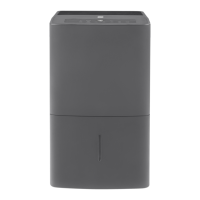
GE APEL70LW - User Manual

GE APEL70LW
24 pages
Print Icon
To Next Page IconTo Next Page
Loading...
Write the model and serial
numbers here:
Model # _________________
Serial # _________________
You can find them on a label on
the back of the dehumidifier.
GE is a trademark of the General Electric Company. Manufactured under trademark license.
OWNER’S MANUAL
DEHUMIDIFIER
49-7766 10-16 GEA
APEL70
ENGLISH/ESPAÑOL
SAFETY INFORMATION .........3
OPERATING INSTRUCTIONS
Controls ..............................4
How the Dehumidifier Operates .........5
Automatic Defrost .....................5
Choosing a Location ...................5
Removing Collected Water .............6
Water Level ...........................7
Bucket Operation ......................7
CARE AND CLEANING
Grille and Case ........................8
Water Bucket .........................8
Air Filter ..............................8
Bucke Filter ...........................9
Storage. . . . . . . . . . . . . . . . . . . . . . . . . . . . . . .9
TROUBLESHOOTING TIPS ......10
CONSUMER SUPPORT
Warranty ............................ 11
Consumer Support ....................12

Questions and Answers

  • T
    Theresa WelchAug 13, 2025
    Why GE APEL70LW Dehumidifier does not start?
    • S
      Suzanne HughesAug 13, 2025
      Your GE Dehumidifier might not be starting due to several reasons. First, ensure the dehumidifier's plug is fully inserted into the outlet. Also, check your house fuse or circuit breaker and replace or reset if necessary. The unit automatically turns off if it has reached its preset level or the bucket is full; in this case, select a lower setting or empty the bucket and replace it correctly. Ensure the bucket is correctly placed and securely seated. Finally, after a power failure, there's a protective 3-minute delay to prevent compressor overload, so wait before normal operation resumes.
  • T
    Tyler HarveyAug 17, 2025
    What to do if GE Dehumidifier does not dry the air as it should?
    • H
      howerussellAug 17, 2025
      If your GE Dehumidifier isn't drying the air adequately, several factors could be at play. Initially, allow the unit at least 24 hours to reach the desired dryness level. Ensure that curtains, blinds, or furniture aren't blocking the front or back of the dehumidifier. For drier air, lower the humidity control setting, setting it to 16 for maximum dehumidification. Confirm that all doors, windows, and other openings are tightly closed. Also, position the dehumidifier away from the clothes dryer, ensuring the dryer vents outside. Remember that moisture removal works best at higher room temperatures; lower temperatures reduce its effectiveness.
  • J
    Joseph WhiteheadAug 21, 2025
    Why my GE APEL70LW Dehumidifier runs too much?
    • C
      Christopher JohnsonAug 21, 2025
      If your GE Dehumidifier is running excessively, it could be because the area you're trying to dehumidify is too large for its capacity. Also, check that all doors and windows are closed to prevent outside air from entering the space.
  • H
    hoffmantimothyAug 25, 2025
    What to do if bucket full LED light flashing and alarm sounds while drain hose is connected to GE APEL70LW Dehumidifier?
    • C
      cummingscarrieAug 25, 2025
      If the Bucket Full LED is flashing and the alarm sounds even with the drain hose connected on your GE Dehumidifier, check the drain hose connection to make sure it is tight on the fitting. Also, make sure the drain hose is pointed straight down to the floor without any kinks.
  • A
    Amber SmithAug 28, 2025
    Why frost appears on the coils of my GE APEL70LW Dehumidifier?
    • L
      Laura ChristensenAug 28, 2025
      The appearance of frost on the coils of your GE Dehumidifier is normal if the unit has been recently turned on or if the room temperature is below 41°F (5°C). The frost should dissipate within approximately 30 minutes.
  • J
    Juan CollierSep 1, 2025
    Why control cannot be set on GE APEL70LW?
    • D
      Dorothy GarzaSep 1, 2025
      It is normal that the compressor will turn off and the fan will continue to run automatically for about 3 minutes at a fixed setting. Wait approximately 3 minutes, and then set the fan as desired.
  • D
    Dr. Kevin KaneSep 4, 2025
    Why there is water on floor near GE Dehumidifier?
    • S
      Sabrina CobbSep 5, 2025
      If you find water on the floor near your GE Dehumidifier, it could be due to a loose hose connection. Check the hose connection. Alternatively, if you're using the bucket to collect water, ensure the hose is disconnected.
  • J
    Jonathan SmithSep 8, 2025
    Why my GE APEL70LW Dehumidifier makes fan noise?
    • C
      Connor FoxSep 8, 2025
      The fan noise from your GE Dehumidifier is normal, as it is caused by air moving through the unit.

Summary

SAFETY INFORMATION

Use of Extension Cords

Warnings and prohibition against using extension cords with the dehumidifier.

How to Connect Electricity

Instructions for proper grounding and electrical connection to prevent shock hazards.

OPERATING INSTRUCTIONS

Controls

Overview of the dehumidifier's control panel buttons and their functions.

Dehumidifier Operation Guide

How the Dehumidifier Operates

Explanation of the dehumidifier's internal working mechanism for moisture removal.

Choosing a Location

Recommendations for optimal placement of the dehumidifier for effective operation.

Removing Collected Water

TROUBLESHOOTING TIPS

Dehumidifier Does Not Start

Possible causes and solutions when the dehumidifier fails to power on.

Dehumidifier Not Drying Air

Troubleshooting steps if the unit is not removing moisture effectively.

Water on Floor

Troubleshooting leaks and water on the floor, often related to hose connections.

Bucket Full Light & Alarm

Solutions for the bucket full indicator and alarm when a drain hose is connected.

GE APEL70LW Specifications

General IconGeneral
ModelAPEL70LW
Capacity70 pints per day
Energy Star RatedYes
Filter TypeWashable Filter
Continuous Drain OptionYes
Operating Temperature41°F to 90°F

Related product manuals