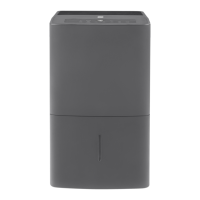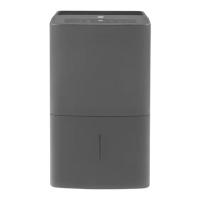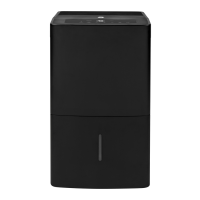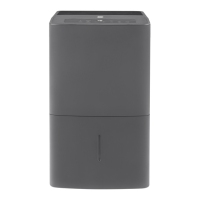
EasyManua.ls Logo

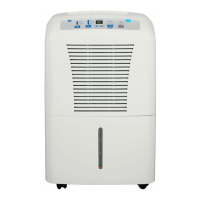
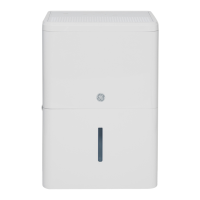
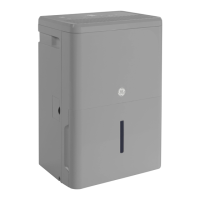
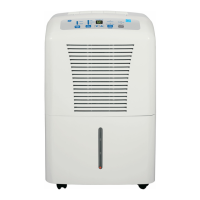
GE APEL45 Series - User Manual

GE APEL45 Series
28 pages
Print Icon
To Next Page IconTo Next Page
Loading...
Write the model and serial
numbers here:
Model # _________________
Serial # _________________
You can find them on a label on
the back of the dehumidifier.
GE is a trademark of the General Electric Company. Manufactured under trademark license.
OWNER’S MANUAL
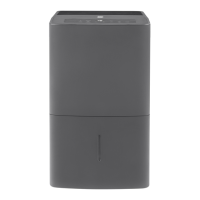
DEHUMIDIFIER
49-5000398 Rev. 0 03-19 GEA
APEL45
ENGLISH/ESPAÑOL
SAFETY INFORMATION .........3
OPERATING INSTRUCTIONS
Controls ..............................4
How the Dehumidifier Operates .........5
Automatic Defrost .....................5
Choosing a Location ...................5
Removing Collected Water .............6
Water Level ...........................7
Bucket Operation ......................7
CARE AND CLEANING
Grille and Case ........................8
Water Bucket .........................8
Air Filter ..............................8
Bucket Filter ..........................9
Storage. . . . . . . . . . . . . . . . . . . . . . . . . . . . . . .9
TROUBLESHOOTING TIPS ......10
ELECTRIC SCHEMATIC
DIAGRAM .........................12
LIMITED WARRANTY ...........13
CONSUMER SUPPORT ..........14

Questions and Answers

  • A
    Ashley Hicks MDJul 27, 2025
    Why won't my GE APEL45 Dehumidifier start?
    • D
      deborahhicksJul 27, 2025
      If your GE Dehumidifier doesn't start, several factors could be at play. First, ensure the dehumidifier's plug is fully inserted into the outlet. Check your house's fuse or circuit breaker box, replacing the fuse or resetting the breaker if necessary. The dehumidifier might have reached its preset level, or the bucket might be full; in this case, adjust to a lower setting or empty and replace the bucket correctly. Verify that the bucket is correctly positioned, as it needs to be securely seated for operation. Lastly, if there was a power failure, there's a protective time delay of up to 3 minutes to prevent compressor overload, so the unit may delay normal operation after being turned back on.
  • K
    Katherine GrahamJul 31, 2025
    Why is my GE Dehumidifier not drying the air properly?
    • C
      Christopher SnyderJul 31, 2025
      If your GE Dehumidifier isn't drying the air sufficiently, consider these points: Allow at least 24 hours initially for it to reach the desired dryness. Ensure no obstructions like curtains, blinds, or furniture block the front or back of the unit. For drier air, lower the humidity control setting or set it to '16 Nonstop' for maximum dehumidification. Confirm that all doors, windows, and other openings are tightly closed. Position the dehumidifier away from the clothes dryer, and ensure the dryer vents outside. Remember that moisture removal works best at higher room temperatures.
  • B
    bericksonAug 4, 2025
    How to stop GE APEL45 Dehumidifier from running too much?
    • G
      Gary AlvaradoAug 4, 2025
      If your GE Dehumidifier is running excessively, it might be due to a couple of reasons. The area you're trying to dehumidify might be too large for the unit's capacity. Also, check that all doors and windows to the outside are closed to prevent continuous operation.
  • B
    Bobby Walker MDAug 9, 2025
    What to do if there is water on the floor near my GE APEL45?
    • H
      Heather BennettAug 9, 2025
      If you notice water on the floor near your GE Dehumidifier, check the hose connection to make sure it's secure. If you're using the bucket to collect water, ensure that any attached hose is disconnected.
  • C
    Chase FullerAug 13, 2025
    Why does frost appear on the coils of my GE APEL45?
    • P
      Paul SmithAug 14, 2025
      If frost appears on the coils of your GE Dehumidifier, especially after turning it on or if the room temperature is below 41°F (5°C), this is generally normal. The frost should disappear within about 10 minutes.
  • M
    Mark FosterAug 17, 2025
    Why control cannot be set on my GE Dehumidifier?
    • L
      Lindsey RogersAug 17, 2025
      If you find that the control settings on your GE Dehumidifier cannot be adjusted, it may be because the compressor turns off, but the fan continues to run for about 3 minutes at a fixed setting. This is normal operation. Wait approximately 3 minutes before attempting to set the fan as desired.
  • H
    Heather SmithAug 21, 2025
    Why is my GE APEL45 making fan noise?
    • J
      Jennifer LongAug 21, 2025
      The fan noise from your GE Dehumidifier is normal, as it indicates that air is moving through the unit.

Summary

Safety Information

General Safety Precautions

Essential safety guidelines to minimize risks of fire, electric shock, or personal injury during operation.

Extension Cord Usage Warning

Specific prohibitions and warnings regarding the use of extension cords with the dehumidifier.

Electrical Connection and Grounding

Instructions for proper electrical connection, including grounding and outlet requirements.

Appliance Recycling Guidelines

Information and resources for responsible recycling of the dehumidifier.

Operating Instructions

Control Panel Overview

Explanation of the dehumidifier's buttons, indicator lights, and display functions.

Setting Humidity and Fan Speed

Guidance on adjusting humidity levels, fan speeds, and using continuous operation modes.

Water Removal Methods

Detailed steps for draining water using the bucket, hose, or internal pump.

Operational Features and Placement

Covers how the unit operates, automatic defrost, and optimal location advice.

Automatic Shut-off and Alerts

Information on bucket full indicators, alarms, and auto shut-off functions.

Care and Cleaning

Cleaning Exterior Surfaces

Instructions for cleaning the grille and case of the dehumidifier.

Water Bucket Maintenance

Procedure for cleaning the water bucket to prevent mold and bacteria growth.

Air Filter Maintenance

Steps for cleaning the air filter to ensure optimal performance and air quality.

Bucket Filter Cleaning

Guidance on cleaning the filter located inside the water bucket assembly.

Storage Procedures

Instructions on how to prepare the dehumidifier for extended periods of storage.

Troubleshooting Tips

Dehumidifier Not Starting

Troubleshooting steps for when the dehumidifier fails to power on or start.

Poor Drying Performance

Diagnosing and resolving issues related to insufficient moisture removal.

Unit Runs Continuously or Stops

Addressing problems with the dehumidifier running too much or stopping unexpectedly.

Frost on Coils and Control Issues

Solutions for frost buildup on coils and problems with setting controls.

Water Leaks and Alarms

Troubleshooting water on the floor, loose hose connections, and bucket full alarms.

Electric Schematic Diagram

Limited Warranty Information

Consumer Support

GE Appliances Website and Registration

Accessing online support, product registration, and information.

Scheduling Service and Extended Warranties

How to schedule repair services and purchase extended warranty coverage.

Parts, Accessories, and Contact

Information on ordering parts, accessories, and how to contact customer support.

GE APEL45 Series Specifications

General IconGeneral
BrandGE
ModelAPEL45 Series
CategoryDehumidifier
LanguageEnglish

Related product manuals