EasyManua.ls Logo

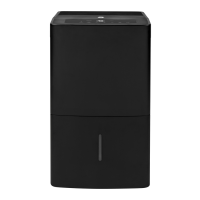
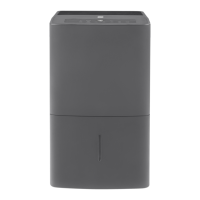
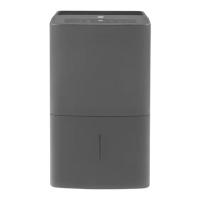
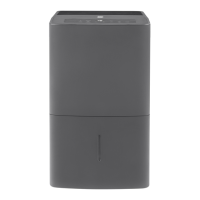
GE APER50LZ - User Manual

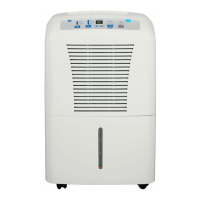
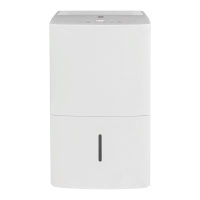
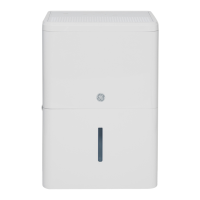
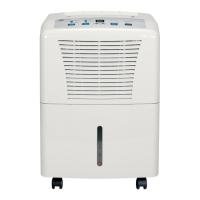
GE APER50LZ
24 pages
Print Icon
To Next Page IconTo Next Page
Loading...
Write the model and serial
numbers here:
Model # _________________
Serial # _________________
You can find them on a label on
the back of the dehumidifier.
GE is a trademark of the General Electric Company. Manufactured under trademark license.
OWNER’S MANUAL
DEHUMIDIFIER
49-5000427 Rev. 1 01-20 GEA
APEL50
APEW50
APER50
ENGLISH/ESPAÑOL
SAFETY INFORMATION .........3
OPERATING INSTRUCTIONS
Controls ..............................4
How the Dehumidifier Operates .........5
Automatic Defrost .....................5
Choosing a Location ...................5
Removing Collected Water .............6
Water Level ...........................7
Bucket Operation ......................7
CARE AND CLEANING
Grille and Case ........................8
Water Bucket .........................8
Air Filter ..............................8
Bucket Filter ..........................9
Storage. . . . . . . . . . . . . . . . . . . . . . . . . . . . . . .9
TROUBLESHOOTING TIPS ......10
LIMITED WARRANTY ........... 11
CONSUMER SUPPORT ..........12

Questions and Answers

  • C
    Cassidy SmithAug 12, 2025
    What to do if my GE APER50LZ Dehumidifier does not start?
    • S
      Samantha CobbAug 12, 2025
      If your GE Dehumidifier doesn't start, ensure it's fully plugged into the outlet. Check the house fuse or circuit breaker and replace or reset if necessary. If the bucket is full or the unit has reached its preset level, empty the bucket or adjust to a lower setting. Make sure the bucket is correctly positioned. Also, after a power failure, there may be a 3-minute delay before normal operation resumes.
  • D
    Danielle BrockAug 16, 2025
    Why is the 'Bucket Full' light flashing on my GE APER50LZ when the drain hose is connected?
    • L
      Lindsay RobinsonAug 16, 2025
      If the 'Bucket Full' LED is flashing and the alarm sounds on your GE Dehumidifier while the drain hose is connected, check the drain hose connection to ensure it is tight. Also, make sure the drain hose is pointed straight down to the floor without any kinks.
  • S
    Shelley RodriguezAug 19, 2025
    Why can't I set the control on my GE APER50LZ?
    • E
      Emily MaldonadoAug 19, 2025
      If you cannot set the control on your GE Dehumidifier, note that the compressor turns off, but the fan continues to run for about 3 minutes at a fixed setting. This is normal operation. Wait approximately 3 minutes before setting the fan as desired.
  • C
    curtis49Aug 23, 2025
    Why is my GE Dehumidifier not drying the air properly?
    • L
      Lisa ReynoldsAug 23, 2025
      If your GE Dehumidifier isn't drying the air adequately, allow at least 24 hours after initial setup for it to reach the desired dryness. Ensure that curtains, blinds, or furniture aren't blocking airflow to the unit. Make sure the humidity control is set to a lower percentage or to 'Nonstop' for maximum dehumidification. Check that all doors and windows are tightly closed, and position the dehumidifier away from the clothes dryer, ensuring the dryer vents outside. Note that moisture removal is most effective at temperatures above 65°F.
  • B
    barryjenniferAug 27, 2025
    Why does my GE Dehumidifier run too much?
    • C
      Christina GordonAug 27, 2025
      If your GE Dehumidifier runs excessively, it might be due to the area being too large for the unit's capacity. Also, check if any doors or windows are open, and close them to prevent the dehumidifier from overworking.
  • S
    Shannon GillAug 31, 2025
    What to do if there is water on the floor near my GE APER50LZ Dehumidifier?
    • S
      Sheila DavisAug 31, 2025
      If you find water on the floor near your GE Dehumidifier, first check the hose connection to ensure it is tight. If you are using the bucket to collect water, make sure the hose is disconnected.
  • R
    Rachel JonesSep 4, 2025
    Why does frost appear on the coils of my GE APER50LZ?
    • L
      lauramcbrideSep 4, 2025
      If frost appears on the coils of your GE Dehumidifier, especially soon after turning it on or if the room temperature is below 41°F (5°C), this is normal. The frost should disappear within about 20 minutes.
  • M
    Mary HarrisonSep 7, 2025
    Why is my GE Dehumidifier making fan noise?
    • W
      Willie CrosbySep 7, 2025
      If you notice fan noise from your GE Dehumidifier, it is normal as air moves through the unit.

Summary

IMPORTANT SAFETY INFORMATION

How to Connect Electricity

Instructions for connecting the appliance to power, including proper grounding.

Recycling Information

Information on how to recycle the appliance responsibly.

OPERATING INSTRUCTIONS

Controls

Description of the dehumidifier's control panel buttons and indicators.

Other Features

Explanation of additional features like empty light, alarm, and auto shut off.

How the Dehumidifier Operates

Explanation of the dehumidifier's operating principle and air circulation.

Automatic Defrost

Details on how the automatic defrost function works.

Choosing a Location

Guidance on selecting the optimal placement for the dehumidifier.

Removing Collected Water

Instructions on how to safely remove accumulated water from the unit.

Water Level

Information regarding the water level indicator and shut-off.

Bucket Operation

Details on the proper use and function of the water collection bucket.

CARE AND CLEANING

Grille and Case

Instructions for cleaning the exterior surfaces of the dehumidifier.

Water Bucket

Steps for cleaning the water collection bucket to prevent mold and mildew.

Air Filter

Guidance on checking, removing, and cleaning the air filter.

Bucket Filter

Instructions for removing, cleaning, and replacing the filter inside the bucket.

Storage

Steps to prepare the dehumidifier for long-term storage.

TROUBLESHOOTING TIPS

LIMITED WARRANTY

CONSUMER SUPPORT

GE APER50LZ Specifications

General IconGeneral
ModelAPER50LZ
Capacity50 pint
Energy Star RatedYes
Filter TypeWashable
Continuous Drain OptionYes
Auto RestartYes
Auto DefrostYes
Noise Level51 dBA
Operating Temperature Range41°F to 90°F
Power Supply115V, 60Hz

Related product manuals