EasyManua.ls Logo

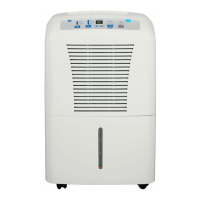
GE ADEL70 - User Manual

GE ADEL70
20 pages
Print Icon
To Next Page IconTo Next Page
Loading...
Safety Instructions ......................... 2, 3
Operating Instructions
About the Controls
on the Dehumidifier .................................... 4
Automatic Defrost ......................................... 5
Choosing a Location .................................... 5
How the Dehumidifier Operates ............ 5
Removing Collected Water .................... 6
Water Level ...................................................... 6
Care and Cleaning
Air Filter ............................................................. 7
Grille and Case ................................................ 7
Water Bucket ................................................... 7
Troubleshooting Tips ......................... 8
Consumer Support
Consumer Support ...................Back Cover
Warranty ........................................................... 9
Dehumidifiers
49-7707-2 07-15 GE
ADEL50
ADEL70
Owner’s Manual
Write the model and serial numbers here:
Model # _________________________
Serial # _________________________
You can find them on a label on the back
of the dehumidifier.
Deshumedificador
Manual del propietario
La sección en español empieza en la página 10

Questions and Answers

  • T
    thomasdouglasJul 27, 2025
    What to do if my GE ADEL70 does not start?
    • M
      Marissa Hicks PhDJul 27, 2025
      If your GE Dehumidifier doesn't start, there could be several reasons. First, check the house fuse or circuit breaker box and replace the fuse or reset the breaker if needed. Also, ensure the bucket is correctly placed and securely seated. If the dehumidifier has reached its preset level or the bucket is full, change to a lower setting or empty the bucket. Finally, remember that after a power failure, there is a protective time delay of up to 3 minutes to prevent tripping the compressor overload.
  • K
    Kaitlin MendezJul 31, 2025
    Why is my GE ADEL70 not drying the air properly?
    • J
      jamesbergerAug 1, 2025
      If your GE Dehumidifier isn't drying the air well, several factors could be at play. Ensure you've allowed at least 24 hours for it to reach the desired dryness when first installed. Check that no curtains, blinds, or furniture are blocking the front or back of the unit. Also, make sure all doors, windows, and other openings are securely closed. The humidity control might not be set low enough; for drier air, set it to a lower percent value or to CO (continuous). Ensure the dehumidifier is away from the clothes dryer, and the dryer is vented outside. Remember that moisture removal works best at temperatures above 41°F (5°C).
  • C
    Cindy GuzmanAug 6, 2025
    How to stop my GE ADEL70 Dehumidifier from running too much?
    • E
      emeyerAug 6, 2025
      If your GE Dehumidifier runs too much, it might be due to a couple of reasons. The area you're trying to dehumidify might be too large for the unit's capacity. Also, check if any doors or windows are open, and close them to the outside.
  • C
    crodriguezAug 11, 2025
    What to do if there is water on the floor near my GE ADEL70?
    • K
      kathryn80Aug 11, 2025
      If you find water on the floor near your GE Dehumidifier, check the hose connection to make sure it is not loose. If you are using the bucket to collect water, disconnect the hose.
  • I
    isaiah23Aug 16, 2025
    Why does frost appear on the coils of my GE ADEL70?
    • T
      tannerbrownAug 16, 2025
      It's normal for frost to appear on the coils if the dehumidifier has been turned on recently or if the room temperature is below 41°F (5°C). The frost will usually disappear within 60 minutes.
  • K
    kayla92Aug 21, 2025
    Why is my GE ADEL70 Dehumidifier making fan noise?
    • J
      Joshua MyersAug 21, 2025
      The fan noise is normal, it is caused by air moving through the dehumidifier.

Summary

Safety Instructions

Important Safety Information

Essential safety precautions to minimize risks before operating the appliance.

General Safety Precautions

Lists general safety measures to follow while using the dehumidifier.

Extension Cord Usage Warning

Warns against using extension cords and surge protectors due to fire risk.

Operating Instructions

Dehumidifier Control Panel Overview

Explains the function of each button and indicator light on the control panel.

How the Dehumidifier Works

Details the working principle of drawing moist air over coils and releasing dry air.

Choosing an Optimal Location

Guides on selecting an optimal placement for effective dehumidification and air circulation.

Removing Collected Water

Describes two methods to empty the water collected by the dehumidifier: using the bucket or a hose.

Water Bucket Level Indicator

Explains how the unit automatically stops when the bucket is full or removed.

Care and Cleaning

Cleaning the Grille and Case

Instructions for cleaning the exterior parts using mild detergent.

Cleaning the Water Bucket

Steps for cleaning the water bucket to prevent mold and mildew.

Air Filter Maintenance

Guidance on checking, cleaning, and replacing the air filter for optimal performance.

Troubleshooting Tips

Unit Not Starting or Drying Properly

Covers issues like unit not starting, poor drying, restricted airflow, and environmental factors.

Operational and Control Issues

Addresses problems like excessive running, frost on coils, unresponsive controls, and fan noise.

Water Collection and Leakage Problems

Deals with bucket full indicators, improper bucket placement, and water on the floor.

One-Year Limited Warranty

Making a Warranty Claim

Outlines the process for initiating a warranty claim within the first 90 days and thereafter.

Warranty Exclusions

Lists conditions and damages that are excluded from the warranty terms.

Consumer Support

GE Website and Online Resources

Information on accessing support, manuals, and ordering parts online via the GE website.

Ordering Parts and Accessories

How to order replacement parts and accessories directly from GE.

Contacting Customer Service

How to contact GE's customer relations department if unsatisfied with service.

GE ADEL70 Specifications

General IconGeneral
ModelADEL70
Energy Star RatedYes
Noise Level51 dB
Continuous Drain OptionYes
Auto-RestartYes
Voltage115 V
Capacity70 pints
Filter TypeWashable
Operating Temperature41°F to 95°F
Humidity Removal70 Pints/Day

Related product manuals