EasyManua.ls Logo

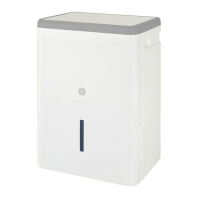
GE ADEL30 - User Manual

GE ADEL30
36 pages
Print Icon
To Next Page IconTo Next Page
Loading...
Safety Instructions 
Operating Instructions







Care and Cleaning



Troubleshooting Tips
Consumer Support







GEAppliances.com

49-7701 08-12 GE
ADEL30
ADEL40
Owner’s Manual
Write the model and serial numbers here:
Model # _________________________
Serial # _________________________


Manuel d’utilisation
Manual del propietario
La section française commence à la page 14
La sección en español empieza en la página 26
In Canada, contact us at:
www.GEAppliances.ca

Questions and Answers

  • R
    ricardograntAug 21, 2025
    Why does my GE Dehumidifier run too much?
    • S
      smithcynthiaAug 21, 2025
      If your GE Dehumidifier runs too much, it could be due to a couple of reasons. First, the area you're trying to dehumidify might be too large for the unit's capacity. Second, open doors and windows will allow moisture to enter the room. Closing all external doors and windows could solve this.
  • B
    Brianna StricklandAug 23, 2025
    Why does frost appear on the coils of my GE ADEL30?
    • J
      Jasmin ThompsonAug 25, 2025
      If frost appears on the coils of your GE Dehumidifier, it's likely normal if the unit was recently turned on or if the room temperature is below 41°F (5°C). The frost should disappear within 60 minutes.
  • R
    Rebecca BrownAug 26, 2025
    Why is my GE Dehumidifier making fan noise?
    • M
      Mark GillAug 26, 2025
      Fan noise is normal for GE Dehumidifier, as air is moving through the unit.
  • K
    Kayla RandallAug 27, 2025
    How to fix GE Other dehumidifier that does not start?
    • R
      Richard LewisAug 27, 2025
      If your GE Other dehumidifier isn't starting, first, ensure it's fully plugged into the outlet. Then, check your house's fuse or circuit breaker box; replace the fuse or reset the breaker if needed. Also, the dehumidifier might have reached its preset level, or the bucket could be full. Try changing to a lower setting or emptying the bucket. Finally, make sure the bucket is correctly placed, as the dehumidifier won't work unless it's securely seated. There may also be a protective time delay of up to 3 minutes to prevent tripping of the compressor overload. For this reason, the unit may not start normal heating or cooling for 3 minutes after it turned back on.
  • R
    Regina MarshSep 1, 2025
    Why is Bucket Full LED light flashing on my GE ADEL30 with drain hose connected?
    • J
      jessica24Sep 1, 2025
      If the 'Bucket Full' LED light is flashing and the alarm sounds while the drain hose is connected to your GE Dehumidifier, check the drain hose connection to ensure it is tight on the fitting. Also, make sure the drain hose is pointed straight down to the floor and is not kinked in any way.
  • T
    Todd DuncanSep 3, 2025
    Why does my GE Other dehumidifier run too much?
    • E
      Erik RodriguezSep 3, 2025
      If your GE Other dehumidifier runs too much, it might be due to the area being too large for the unit's capacity. Alternatively, open doors and windows can cause the dehumidifier to overwork. Closing all doors and windows to the outside may resolve the issue.
  • S
    Scott BrownSep 5, 2025
    What to do if my GE Other dehumidifier does not dry the air as it should?
    • M
      Mrs. Pamela Andrews MDSep 5, 2025
      If your GE Other dehumidifier isn't drying the air adequately, give it at least 24 hours after initial setup to reach the desired dryness. Ensure no curtains, blinds, or furniture are blocking airflow to the unit. Check that the humidity control is set low enough; for drier air, set it to a lower percentage or to '16 Nonstop' for maximum dehumidification. Verify that all doors, windows, and openings are tightly closed. Also, consider if a clothes dryer is blowing moisture into the room; if so, move the dehumidifier away from the dryer and vent the dryer to the outside. Note that these models operate best above 65°F (18°C).
  • J
    Julia MitchellSep 7, 2025
    Why is there water on the floor near my GE Other dehumidifier?
    • L
      Laurie PettySep 7, 2025
      If you notice water on the floor near your GE Other dehumidifier, check the hose connection to ensure it's tight. Also, if you're using a bucket to collect water, disconnect any attached hose.
  • J
    Joe SpencerSep 9, 2025
    Why is the 'Bucket Full' light flashing on my GE Other dehumidifier when the drain hose is connected?
    • D
      dixonsusanSep 9, 2025
      If the 'Bucket Full' LED light is flashing and an alarm sounds on your GE Other dehumidifier while the drain hose is connected, check the drain hose connection to ensure it is tight. Also, make sure the drain hose is pointed straight down to the floor without any kinks.
  • C
    Charles DavisSep 10, 2025
    Why my GE ADEL30 Dehumidifier does not start?
    • T
      Tyler WilsonSep 12, 2025
      If your GE Dehumidifier doesn't start, there are several potential causes. First, ensure the dehumidifier's plug is fully inserted into the outlet. Second, check your house's fuse or circuit breaker box and replace the fuse or reset the breaker if necessary. Third, the dehumidifier automatically turns off when it reaches its preset level or the bucket is full; in this case, change to a lower setting or empty the bucket and replace it properly. Fourth, make sure the bucket is correctly positioned and securely seated. Finally, remember that after a power failure, there's a protective time delay (up to 3 minutes) to prevent compressor overload, so the unit may not start dehumidifying immediately.

Summary

Safety Instructions

Safety Precautions

General safety rules and precautions for operating the dehumidifier safely.

How to Connect Electricity

Guidance on proper grounding and electrical outlet connections for safe operation.

Use of Extension Cords

Critical warnings against using extension cords and surge protectors to prevent fire hazards.

Operating Instructions

Controls Overview

Explanation of the dehumidifier's control panel buttons and indicator lights.

Other Features

Description of special functions like alarms, auto-defrost, and power outage restart.

How the Dehumidifier Operates

Detailed explanation of the dehumidifier's moisture removal and air circulation process.

Automatic Defrost

Information on the automatic defrost cycle when frost builds up on coils.

Choosing a Location

Recommendations for optimal placement to ensure effective dehumidification and air circulation.

Removing Collected Water

Instructions on how to empty the water bucket or use a hose for continuous drainage.

Water Level and Bucket Operation

Details on the auto shut-off feature and proper bucket placement for operation.

Care and Cleaning

Grille and Case Cleaning

Instructions for cleaning the exterior grille and casing using mild detergent.

Water Bucket Cleaning

Procedure for cleaning the water bucket to prevent mold and mildew growth.

Air Filter Maintenance

Guidance on cleaning or replacing the air filter for optimal performance and air quality.

Troubleshooting Tips

Consumer Support

U.S.A. One-Year Limited Warranty

Details of the one-year limited warranty for dehumidifiers purchased in the USA.

Canada One-Year Limited Warranty

Details of the one-year limited warranty for dehumidifiers purchased in Canada.

GE Appliances Website

Information on accessing the GE Appliances website for manuals, parts, and support.

Real Life Design Studio

Information on GE's Universal Design concepts and applications for accessibility.

Parts and Accessories

Instructions on how to order replacement parts and accessories directly from GE.

Contact GE for Support

Guidance on how to contact GE customer support via website or mail for assistance.

GE ADEL30 Specifications

General IconGeneral
BrandGE
ModelADEL30
CategoryDehumidifier
LanguageEnglish

Related product manuals