EasyManua.ls Logo

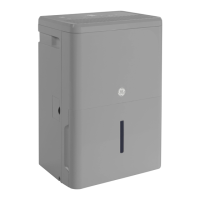
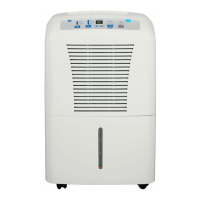
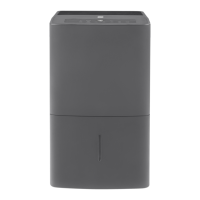
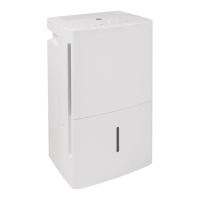
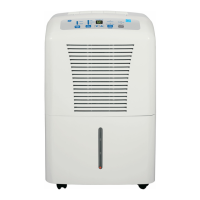
GE AWHL50 - User Manual

GE AWHL50
28 pages
Print Icon
To Next Page IconTo Next Page
Loading...
Write the model and serial
numbers here:
Model # _________________
Serial # _________________
You can find them on a label on
the back of the dehumidifier.
GE is a trademark of the General Electric Company. Manufactured under trademark license.
OWNER’S MANUAL
DEHUMIDIFIER
49-5000545 Rev. 3 11-23
ADHL22
ADHL25
ADHL35
ADHL50
APHL50
AWHL50
SAFETY INFORMATION .........3
OPERATING INSTRUCTIONS
Controls ..............................4
Other Features ........................5
Caster Installation .....................6
How the Dehumidifier Operates .........6
Choosing a Location ...................6
Automatic Defrost .....................7
Removing Collected Water .............7
Water Level ...........................7
Bucket Operation ......................7
CARE AND CLEANING
Grille and Case ........................9
Water Bucket .........................9
Air Filter ..............................9
TROUBLESHOOTING TIPS ......10
WIFI SETUP ...................... 11
CONSUMER SUPPORT
Limited Warranty .....................13
Consumer Support ....................14
ENGLISH/ESPAÑOL
Before you begin
Record the GE module number and
password for wifi setup. To locate this
information, see page 11.
GE Module Number #____________
Password #____________________

Questions and Answers

  • S
    Sherry JohnsonAug 8, 2025
    How to troubleshoot GE AWHL50 Dehumidifier that does not start?
    • J
      Jose JohnsonAug 8, 2025
      If your GE Dehumidifier isn't starting, first ensure it's fully plugged into the outlet. Then, check your house's fuse or circuit breaker and replace the fuse or reset the breaker if needed. Also, the dehumidifier turns off automatically when it reaches the set humidity or the bucket is full, so adjust the settings or empty the bucket. Make sure the bucket is correctly placed for the dehumidifier to work. Finally, after a power failure, there's a 3-minute delay to protect the compressor, so wait before it starts.
  • B
    Brooke LozanoAug 13, 2025
    Why is my GE AWHL50 Dehumidifier not drying the air properly?
    • P
      porterjoeAug 13, 2025
      If your GE Dehumidifier isn't drying the air well enough, give it at least 24 hours after setup to reach the desired dryness. Ensure that curtains, blinds, or furniture aren't blocking airflow to the unit. You may also need to clean the filter. Adjust the humidity control to a lower percentage or the Nonstop setting for maximum dehumidification. Check that doors and windows are closed tightly, and ensure your clothes dryer isn't blowing moisture into the room, and vent the dryer to the outside. Keep in mind that moisture removal works best at temperatures above 41°F (5°C).
  • G
    gilmorejeremyAug 17, 2025
    Why does my GE Dehumidifier run too much?
    • M
      millersamanthaAug 18, 2025
      If your GE Dehumidifier runs too much, it might be that the area is too large for the unit's capacity. Also, make sure all doors and windows are closed to the outside.
  • S
    Sherry HebertAug 23, 2025
    Why does frost appear on the coils of my GE AWHL50?
    • A
      Anna SimonAug 23, 2025
      If you see frost on the coils of your GE Dehumidifier, it might be because the room temperature is below 41°F (5°C). Try to operate the unit at temperatures above this. The frost should disappear within 60 minutes. This can happen even at temperatures above 41°F (5°C), and it is considered normal.
  • J
    james14Aug 28, 2025
    What to do if there is water on the floor near my GE Dehumidifier?
    • J
      Julie JohnsonAug 28, 2025
      If you find water on the floor near your GE Dehumidifier, check the hose connection to make sure it's tight. If you're using the bucket to collect water, disconnect the hose.
  • G
    goodmanjohnSep 2, 2025
    Why does the bucket fill up when using the drain pump on my GE Dehumidifier?
    • M
      Mackenzie NortonSep 2, 2025
      If the bucket fills up even when using the drain pump on your GE Dehumidifier, ensure the pump is turned on and the pump light is illuminated. Also, check that the pump hose is correctly installed on the back of the unit. This issue may be caused by very humid conditions or an error with the float sensor. Check the unit for a P1 error code on the display. If present, turn off the unit, unplug it for a few seconds, plug it back in, and turn it on to reset the sensor. If the error persists, refer to the warranty section for exchange options.

Summary

Safety Information

Use of Extension Cords

Warning regarding the use of extension cords with the dehumidifier to prevent fire risks.

How to Connect Electricity

Instructions for proper electrical connection and grounding of the dehumidifier for personal safety.

Flammable Refrigerant Precautions

Safety precautions for handling flammable refrigerant in the unit.

Operating Instructions

Dehumidifier Control Panel

Detailed explanation of the dehumidifier's control buttons and display functions.

Care and Cleaning

Troubleshooting Tips

Troubleshooting: Unit Not Starting

Common causes and solutions if the dehumidifier fails to power on.

Troubleshooting: Poor Drying Performance

Reasons and fixes for the dehumidifier not effectively removing moisture from the air.

Consumer Support

Limited Warranty Information

Details of the one-year limited warranty, including coverage and claim procedures.

GE AWHL50 Specifications

General IconGeneral
ModelAWHL50
Capacity50 pints
Energy Star CertifiedYes
Weight43.5 lbs
Continuous Drain OptionYes

Related product manuals