EasyManua.ls Logo

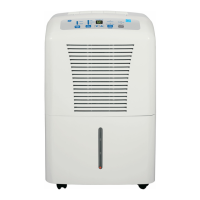
GE ADHL22 - User Manual

GE ADHL22
28 pages
Print Icon
To Next Page IconTo Next Page
Loading...
Write the model and serial
numbers here:
Model # _________________
Serial # _________________
You can find them on a label on
the back of the dehumidifier.
GE is a trademark of the General Electric Company. Manufactured under trademark license.
OWNER’S MANUAL
DEHUMIDIFIER
49-5000545 Rev. 3 11-23
ADHL22
ADHL25
ADHL35
ADHL50
APHL50
AWHL50
SAFETY INFORMATION .........3
OPERATING INSTRUCTIONS
Controls ..............................4
Other Features ........................5
Caster Installation .....................6
How the Dehumidifier Operates .........6
Choosing a Location ...................6
Automatic Defrost .....................7
Removing Collected Water .............7
Water Level ...........................7
Bucket Operation ......................7
CARE AND CLEANING
Grille and Case ........................9
Water Bucket .........................9
Air Filter ..............................9
TROUBLESHOOTING TIPS ......10
WIFI SETUP ...................... 11
CONSUMER SUPPORT
Limited Warranty .....................13
Consumer Support ....................14
ENGLISH/ESPAÑOL
Before you begin
Record the GE module number and
password for wifi setup. To locate this
information, see page 11.
GE Module Number #____________
Password #____________________

Questions and Answers

  • K
    Katherine RodriguezSep 12, 2025
    What to do if the 'Bucket Full' light flashes on my GE ADHL22 Dehumidifier when the drain hose is connected?
    • R
      Rachel BaileySep 12, 2025
      If the Bucket Full LED light is flashing and the alarm sounds on your GE Dehumidifier while the drain hose is connected, check the drain hose connection to make sure it is tight. Also, ensure the drain hose is pointed straight down to the floor and is not kinked.
  • R
    Randy SnyderSep 14, 2025
    Why does the bucket fill up when using the drain pump on my GE Dehumidifier?
    • M
      Miranda JacksonSep 14, 2025
      If the bucket fills up even when using the drain pump on your GE Dehumidifier, ensure the pump is turned on and the pump light is illuminated. Also, check that the pump hose is correctly installed on the back of the unit. This issue may be caused by very humid conditions or an error with the float sensor. Check the unit for a P1 error code on the display. If present, turn off the unit, unplug it for a few seconds, plug it back in, and turn it on to reset the sensor. If the error persists, refer to the warranty section for exchange options.

Summary

Important Safety Information

Operating Instructions

Controls

Details the functions of each button on the dehumidifier's control panel.

Other Features

Explains various operational features such as alarm, auto shut-off, and auto defrost.

Caster Installation

Step-by-step guide for installing the casters on the dehumidifier unit.

How the Dehumidifier Operates

Describes the internal process of moisture removal and air circulation.

Choosing a Location

Provides recommendations for optimal placement of the dehumidifier for best performance.

Water Level

Explains the automatic shut-off mechanism when the water bucket is full.

Bucket Operation

Important notes regarding the water bucket's components and proper seating.

Automatic Defrost

Details the unit's function to manage frost on evaporator coils.

Removing Collected Water

Outlines the three methods for emptying the collected water from the unit.

Use the Internal Pump

Instructions for connecting and operating the internal pump for continuous drainage.

Care and Cleaning

Grille and Case

Instructions for cleaning the exterior grille and case of the dehumidifier.

Water Bucket

Procedure for cleaning the water bucket to prevent mold and mildew.

Air Filter

Guidance on checking, cleaning, and replacing the air filter for optimal performance.

Troubleshooting Tips

WiFi Setup

Limited Warranty

Consumer Support

GE ADHL22 Specifications

General IconGeneral
BrandGE
ModelADHL22
CategoryDehumidifier
LanguageEnglish

Related product manuals