30 3130 31
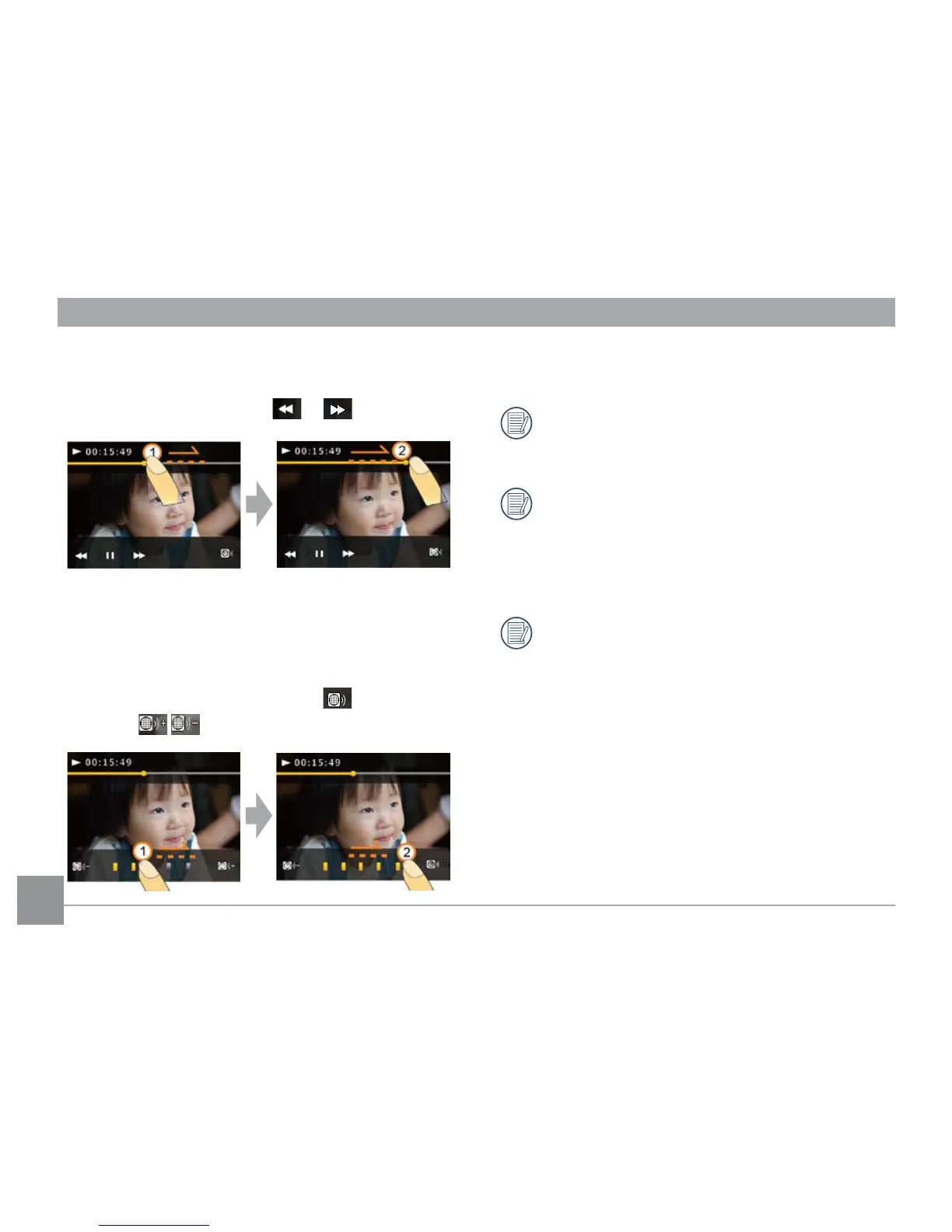
Adjust movie playback time:
1. When playing a movie, you can adjust the movie
playback time by touching or .
2. You can also touch and slide the playback bar to
adjust the playback time.
Adjust playback volume:
1. During movie playback, touch the
button and
use the buttons to adjust playback volume.
2. You can also touch and slide the volume control bar
to adjust playback volume.
When you adjust playback time or volume by
sliding, make sure your nger is moving laterally
on the corresponding bar.
When you perform sliding adjustment, make sure
your nger stays in contact with the touch screen
and stop for at least 1 second at the beginning
and end of the sliding adjustment in order for the
touch screen to register your input.
When your nger leaves the touch screen for
more than two seconds, all icons and buttons on
the screen will be hidden automatically.



 To Next Page