EasyManua.ls Logo

GE GPT145 Series - User Manual

GE GPT145 Series
56 pages
Print Icon
To Next Page IconTo Next Page
Loading...
Write the model and serial
numbers here:
Model # _________________
Serial # _________________
You can find them on a label on
the tub wall just inside the door.
GE is a trademark of the General Electric Company. Manufactured under trademark license.
OWNER’S MANUAL
DISHWASHERS
49-55124-4 06-19 GEA
ENGLISH/FRANÇAIS/
ESPAÑOL
SAFETY INFORMATION .........3
USING THE DISHWASHER
Getting Started ........................5
Dispensers ............................6
Loading ..............................8
Connecting and disconnecting
(Portable models only) ................10
CARE AND CLEANING ............ 11
TROUBLESHOOTING TIPS ......14
LIMITED WARRANTY ...........17
CONSUMER SUPPORT ..........18
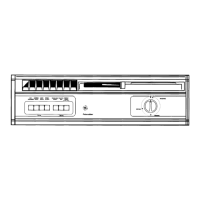
PDT145 Series - Built-In
GDT225-226 Series - Built-In
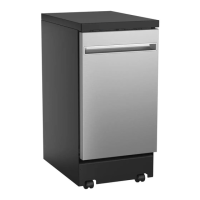
GPT145 Series - Portable
GPT225 Series - Portable

Questions and Answers

  • R
    Ryan NicholsSep 3, 2025
    How to prevent cloudiness on glassware in my GE GPT145?
    • T
      Todd RoblesSep 3, 2025
      Cloudiness on glassware can be caused by a combination of soft water and too much detergent (use less detergent and wash glassware in the shortest cycle), low performing phosphate-free detergent (See A white film on glassware, dishware and the interior in this TROUBLESHOOTING TIPS section), water temperature exceeding 150°F (66°C) (lower the water heater temperature), or using the wrong detergent (use only automatic dishwasher detergents; Finish® Quantum® is approved for GE Appliances dishwashers).
  • K
    Karen RobertsSep 18, 2025
    Why do the control panel lights go off when you’re setting controls on my GE Dishwasher?
    • J
      Julie VasquezSep 18, 2025
      The control panel lights go off if there is too much time between touching the selected pads. Each pad must be touched within 30 seconds of the others. To relight, touch any pad again or open the door and unlock.
  • M
    Michelle WilliamsonSep 16, 2025
    Why does the GE Dishwasher make noise?
    • C
      Christopher BlevinsSep 16, 2025
      Normal operating sounds include beeping at the end of the cycle, the detergent cup opening, water entering the dishwasher, the motor stopping and starting, spray arms starting and stopping, and drain pump sounds. No action is required for these normal sounds. If dishes are rattling, make sure they are properly loaded (see the Loading section). If silverware is rattling against the door, place tall utensils in the upper rack.
  • E
    Eric PriceSep 15, 2025
    Why doesn't the Sanitized light illuminate at the end of the cycle of my GE GPT145 Dishwasher?
    • T
      Tammy PriceSep 15, 2025
      The Sanitized light may not illuminate if the door was opened and the cycle was interrupted during the final rinse. Do not interrupt the cycle by opening the door during the wash cycle. Also, the incoming water temperature may have been too low. Raise the water heater temperature to between 120°F and 150°F.
  • J
    Jenny ParkerSep 13, 2025
    What to do if there is detergent left in dispenser cups of my GE Dishwasher?
    • A
      athompsonSep 13, 2025
      If detergent remains in the dispenser cups, dishes or utensils might be blocking the cup. Reposition the dishes to allow water from the lower spray arm to flush the cup (see the Loading section). Also, reposition tall utensils or heavy silverware that may be preventing the dispenser cup door from opening (see the Loading section).
  • J
    Joseph BairdSep 10, 2025
    What to do if water is standing in the bottom of the tub of my GE GPT145 Dishwasher (Built-In Models Only)?
    • T
      Taylor SimonSep 10, 2025
      If water is standing in the bottom of the tub, the air gap may be clogged (clean it; see the Care and cleaning section) or a high drain loop or air gap may not be installed (refer to the Installation Instructions for proper drain line installation).
  • T
    Thomas ChapmanSep 8, 2025
    How to clean stained tub interior in my GE GPT145?
    • D
      Deborah DonovanSep 8, 2025
      An overall yellow or brown film can be caused by iron deposits in water. A special filter in the water supply line is the only way to correct this problem, so contact a water softener company. For white film on the inside surface (hard water minerals), use Finish® Jet-Dry® Rinse Aid to help prevent deposits. Run the dishwasher with citric acid to remove mineral deposits. Citric acid (Part number: WD35X151) can be ordered through GE Appliances Parts or purchase Finish® Dishwasher Cleaner and follow the directions on the label.
  • K
    kelleyamandaSep 6, 2025
    How to remove black or gray marks on dishes from my GE GPT145?
    • J
      Julie RoySep 6, 2025
      Black or gray marks on dishes occur when aluminum utensils rub against them. Remove these marks with a mild, abrasive cleaner.
  • M
    Megan GraySep 5, 2025
    What does it mean if the start status indicator light is flashing on my GE Dishwasher?
    • A
      Anthony BarrettSep 5, 2025
      A flashing start status indicator light means the door was opened or the cycle was interrupted. Press the Start pad once and close the door within 4 seconds to start the dishwasher. Press the Start pad a second time when the dishwasher is running only if you wish to cancel the cycle.
  • S
    scottjeanneAug 21, 2025
    Why are my dishes and flatware not clean in my GE GPT145?
    • A
      Alicia BurkeAug 21, 2025
      There are several reasons why your dishes and flatware might not be getting clean. It could be due to a clogged filter assembly (check the CARE AND CLEANING section), low inlet water temperature (ensure it's correct, as described in the USING THE DISHWASHER section, and select Wash Temp - Boost), or temporarily low water pressure (wait until the pressure is normal, which should be 20-120 psi). Also, check for a clogged air gap or disposer (for Built-In Models Only), improper rack loading (refer to the Loading section), or poor performing detergent (use a highly rated one, such as Finish® Quantum® Automatic Dishwashing Detergent). Finally, for Built-In Models Only, ensure a high drain loop or air gap is properly installed (refer to the Installation Instructions).

Summary

Safety Information

General Safety Warnings

Essential safety precautions and warnings for operating the dishwasher to prevent injury or damage.

Electrical Requirements

Details on proper electrical connections, voltage, and grounding for safe dishwasher operation.

Using the Dishwasher

Getting Started

Initial setup and operation guide, including loading, adding detergent, and selecting wash cycles.

Dispensers

Information on using and filling detergent and rinse agent dispensers for optimal cleaning.

Loading

Guidelines for properly loading dishes in upper and lower racks and silverware basket.

Connecting and Disconnecting (Portable Models Only)

Instructions for connecting and disconnecting portable dishwasher models to a faucet.

Care and Cleaning

Exterior Surfaces

Cleaning the control panel and door panels (painted and stainless steel).

Interior Components

Cleaning the dishwasher interior, spray heads, and spray arms.

Filter Assembly

Procedures for inspecting and cleaning the filter assembly for optimal performance.

Winterization and Air Gaps

Instructions for protecting the dishwasher from freezing and cleaning the air gap.

Troubleshooting Tips

Common Problems and Solutions

Guidance for resolving common issues like dirty dishes, spots, and suds in the tub.

Dishwasher Not Running or Filling

Troubleshooting steps for when the dishwasher won't start, fill, or has control panel issues.

Noise and Film Issues

Addressing noises, white film on glassware, and how to add dishes mid-cycle.

Limited Warranty

Warranty Coverage and Exclusions

Details on what the limited warranty covers, exclusions, and implied warranty limitations.

Service and Contact Information

Information on obtaining warranty service and customer support contacts.

Consumer Support

Online Resources and Registration

Accessing the GE Appliances website for assistance, product registration, and service scheduling.

Parts, Accessories, and Extended Warranties

Information on ordering parts, accessories, and purchasing extended warranties.

GE GPT145 Series Specifications

General IconGeneral
BrandGE
ModelGPT145 Series
CategoryDishwasher
LanguageEnglish

Related product manuals