EasyManua.ls Logo

GE GPT225SSLSS - User Manual

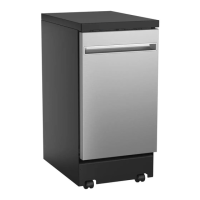
GE GPT225SSLSS
56 pages
Print Icon
To Next Page IconTo Next Page
Loading...
Write the model and serial
numbers here:
Model # _________________
Serial # _________________
You can find them on a label on
the tub wall just inside the door.
GE is a trademark of the General Electric Company. Manufactured under trademark license.
OWNER’S MANUAL
DISHWASHERS
49-55124-4 06-19 GEA
ENGLISH/FRANÇAIS/
ESPAÑOL
SAFETY INFORMATION .........3
USING THE DISHWASHER
Getting Started ........................5
Dispensers ............................6
Loading ..............................8
Connecting and disconnecting
(Portable models only) ................10
CARE AND CLEANING ............ 11
TROUBLESHOOTING TIPS ......14
LIMITED WARRANTY ...........17
CONSUMER SUPPORT ..........18
PDT145 Series - Built-In
GDT225-226 Series - Built-In
GPT145 Series - Portable
GPT225 Series - Portable

Other manuals for GE GPT225SSLSS

Questions and Answers

GE GPT225SSLSS Specifications

General IconGeneral
TypeBuilt-In
Wash CyclesAutoSense; Heavy; Light; Normal; Rinse
Number of Wash Cycles5
Drying SystemHeated Dry
Control TypeElectronic
Noise Level45 dBA
ColorStainless Steel
Rack MaterialNylon
Exterior StyleTraditional
Width24 inches
Energy Star CertifiedYes
Soil SensorYes
Third RackNo
Stainless Steel TubYes
Delay StartYes
Wash System3-Level
Upper Rack Features2 Stem Safe Shelves
Silverware Basket3-Piece

Summary

Safety Information

General Safety Guidelines

Essential safety rules for operating the dishwasher to prevent hazards.

Installation and Maintenance Safety

Safety procedures for proper installation and maintenance of the appliance.

Electrical Safety Requirements

Specifies voltage, frequency, and grounding for safe electrical connection.

Using the Dishwasher

Troubleshooting Common Issues

Cleaning and Drying Performance Problems

Solutions for issues like dishes not cleaning well, spots, filming, and poor drying.

Water, Drainage, and Unit Start Issues

Troubleshooting for unit not running, water standing, or not draining.

Consumer Support

Related product manuals