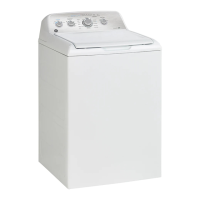
EasyManua.ls Logo

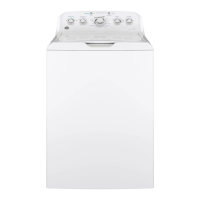
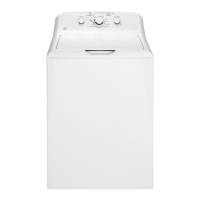
GE GTW220 - User Manual

GE GTW220
56 pages
Print Icon
To Next Page IconTo Next Page
Loading...
WASHERS
SAFETY INSTRUCTIONS ..........3
USING THE WASHER
Getting Started ...................... 5
Loading .............................15
Appliance Communication .............16
CARE AND CLEANING ............17
INSTALLATION
INSTRUCTIONS
.....................18
TROUBLESHOOTING TIPS ......23
LIMITED WARRANTY ............27
CONSUMER SUPPORT .......... 28
OWNER’S MANUAL &
INSTALLATION
INSTRUCTIONS
Write the model and serial
numbers here:
Model # _________________
Serial # _________________
You can find them under the
lid of the washer.
ENGLISH/ESPAÑOL
GE is a trademark of the General Electric Company. Manufactured under trademark license.
GTW540
GTW525
GTW500
GTW490
GTW485
GTW480
GTW465
GTW460
GTW340
GTW335
GTW330
GTW220
HTW240
HTW200
49-3000255 Rev 2 08-21 GEA
G033

Other manuals for GE GTW220

Questions and Answers

  • C
    cariasSep 6, 2025
    How to reduce wrinkling in my GE Washer?
    • P
      Penny BaxterSep 6, 2025
      To minimize wrinkling when using your GE Washer: Select the appropriate cycle for the fabric type, especially for easy-care loads. Avoid mixing heavy items like jeans with lighter items like blouses, and consider using a fabric softener. Do not overload the washer; loosely load clothes in the basket. Wash clothes in warm or cold water to avoid repeated washing in excessively hot water.
  • A
    Andrea YuAug 25, 2025
    Why won't my GE GTW220 operate?
    • R
      Robert BergerAug 25, 2025
      If your GE Washer won’t operate, several factors could be the cause. First, ensure the washer is securely plugged into a working outlet. Check that both hot and cold water faucets are fully turned on. Make sure the lid is closed and press Start, as a safety feature prevents operation when the lid is open. Inspect your house circuit breakers or fuses and replace any blown fuses or reset tripped breakers. Try resetting the electronics by unplugging the washer, waiting two minutes, plugging it back in, and pressing Start. Finally, ensure you have pressed the Start button.
  • W
    wilsoncrystalAug 25, 2025
    Why are clothes too wet after washing in my GE Washer?
    • X
      xdavisAug 26, 2025
      If your clothes are too wet after washing in your GE Washer, ensure that the selected cycle matches the load type. Some fabrics may feel wetter when rinsed with cold water. If the wash load is out of balance, redistribute the load and run it through a Drain & Spin cycle.
  • R
    Richard PerkinsSep 15, 2025
    Why are detergent packets not dissolving in my GE GTW220 Washer?
    • B
      bhollandSep 15, 2025
      If you find detergent packets are not dissolving in your GE Washer, it's because laundry detergent packets should not be used in the dispensers. They should only be added directly to the wash basket following the manufacturer’s directions.
  • A
    Andrew MaloneSep 23, 2025
    What to do if detergent packets are not dissolving in my GE GTW220?
    • Y
      Yvette MillerSep 23, 2025
      Laundry detergent packets should not be used in the dispensers. They should only be added directly to the wash basket following the manufacturer’s directions.
  • J
    John GonzalesSep 12, 2025
    Why does my GE GTW220 Washer have too many suds?
    • P
      Paula TaylorSep 12, 2025
      Excessive suds in your GE Washer can be due to several reasons. If you have soft water, use less detergent. You might also be using too much detergent in general, so measure carefully. Consider switching to a High Efficiency detergent.
  • B
    Beth CarlsonSep 2, 2025
    Why does my GE Washer leave colored spots on clothes?
    • N
      Nicole BeckerSep 2, 2025
      If you notice colored spots on your clothes after washing in your GE Washer, it could be due to: * Incorrect use of fabric softener. Check the package instructions and follow directions for using the dispenser. Make sure you have selected the Deep Rinse/Extra Rinse option (on some models). Pretreat the stain and rewash using the Quick Wash cycle before drying (on some models). * Dye transfer. Sort whites or lightly colored items from dark colors.
  • M
    Melanie WilcoxSep 2, 2025
    Why does my GE Washer make a “squeaking” sound?
    • T
      Tonya GrossSep 2, 2025
      If you hear a “squeaking” sound from your GE Washer, it could be that the washer isn't level and is rubbing on the cabinet. To fix this, adjust the leveling legs by rotating each leg in the proper direction until the washer is stable.
  • N
    nicolediazSep 22, 2025
    Why is water pumped out of my GE GTW220 Washer before the cycle is complete?
    • C
      Cynthia SilvaSep 22, 2025
      If water is being pumped out of your GE washer before the cycle is complete, it may be because a previous cycle was cancelled and water was left in the unit for 24 hours with the lid closed, or 15 minutes with the lid open. Close the lid, select a new cycle, and start the machine.
  • M
    Mrs. Gabrielle ScottAug 28, 2025
    How to fix a GE GTW220 Washer that won't operate?
    • P
      Patrick EvansAug 28, 2025
      If your GE Washer isn't operating, here are a few things to check: * Make sure the power cord is securely plugged into a working outlet. * Ensure both hot and cold water faucets are fully turned on. * Confirm that the lid is closed and press Start, as a safety feature prevents operation when the lid is open. * Check your house's circuit breakers or fuses and replace if necessary. The washer should ideally have its own separate outlet. * Try resetting the electronics by unplugging the washer, waiting two minutes, plugging it back in, and then pressing Start. * Ensure you have pressed the Start button.

Summary

Safety Instructions

General Safety Information

Essential safety precautions to reduce the risk of death, fire, electric shock, or injury.

Proper Appliance Disposal

Guidelines for environmentally safe disposal or recycling of the washing machine.

Using the Washer

Getting Started and Controls

Overview of the washer's control panel, including buttons, dials, and indicators for operation.

Wash Cycles Guide

Details various wash cycles, temperature, and soil level settings for optimal fabric care.

Operation Options and Features

Explains cycle options, settings, consumer help indicators, and special features like Deep Fill.

Automatic Load Sensing and Dispensers

Information on automatic load sensing, fabric softener dispenser, liquid bleach, and pretreatment.

Loading and Detergent Use

Guidance on sorting laundry, using detergent correctly, and loading the washer.

Appliance Communication

Information on WiFi connectivity and optional modules for remote appliance monitoring and control.

Care and Cleaning

Exterior and Interior Cleaning

Instructions for cleaning the washer's exterior, interior, and basket to maintain appearance.

Fabric Softener Dispenser Cleaning

Step-by-step guide on how to remove and clean the fabric softener dispenser unit.

Hose Maintenance and Storage

Recommendations for replacing water supply hoses and advice for moving or storing the washer.

Installation Instructions

Before Installation and Tools Required

Essential pre-installation checks, required tools, and parts needed for setting up the washer.

Washer Placement and Water Supply

Guidelines on choosing a location, minimum clearances, and connecting water supply lines.

Connecting Drain and Electrical Systems

Instructions for connecting the drain hose and ensuring proper electrical connections and grounding.

Final Installation Checks

A checklist of final steps and checks to ensure the washer is correctly installed and ready to use.

Troubleshooting Tips

Common Operational Issues

Solutions for common problems like water level, flow, leaks, and temperature issues.

Cycle and Performance Problems

Addresses issues related to cycles, pauses, detergent dispensing, and wash results like pilling.

Sound and Movement Issues

Explains common washer sounds and rocking/moving issues, and their possible causes.

Limited Warranty

Warranty Coverage and Exclusions

Details the terms, duration, what is covered, and what is excluded from the washer's limited warranty.

Consumer Support

Online Resources and Service Scheduling

Information on GE Appliances website, registering appliance, scheduling service, and extended warranties.

Parts, Accessories, and Contact Information

Guidance on ordering parts and accessories, and how to contact GE Appliances for support.

GE GTW220 Specifications

General IconGeneral
BrandGE
ModelGTW220
Appliance CategoryWasher
Washer TypeTop Load
Capacity3.8 cu. ft.
ColorWhite
Number of Wash Cycles12
Number of Spin Speeds2
Maximum Spin Speed (RPM)700
Width27 in.
AgitatorYes
Energy Star CertifiedNo
Wash ActionAgitator
Voltage120 V
Frequency60 Hz
Height44 in.

Related product manuals