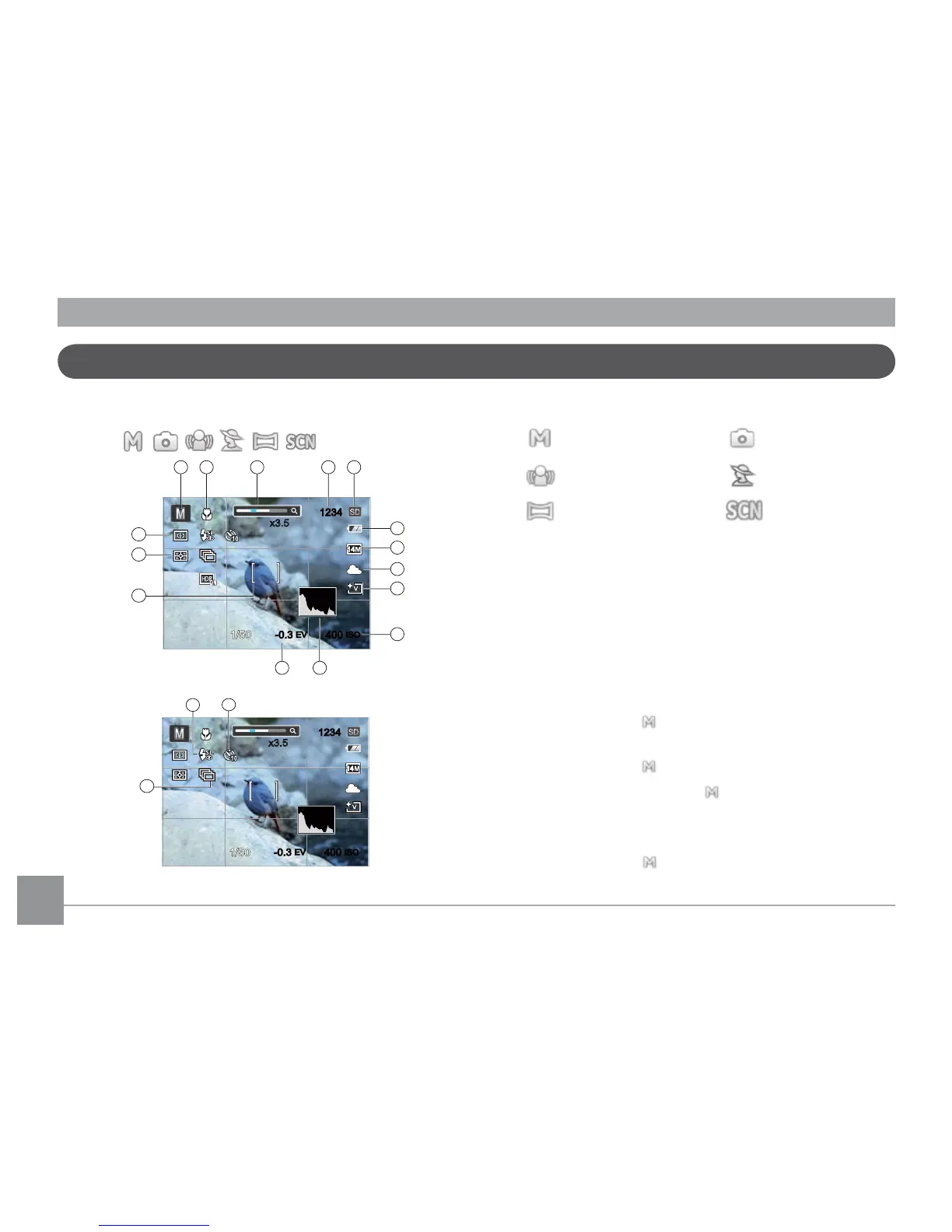
1 Shooting Mode Icons
Manual Mode
Auto Mode
Imaging Stabilization Mode
Portrait
Panorama Mode
Scene Mode
2 Macro Mode
3 Zoom
4 Remaining number of pictures
5 SD Memory card/built-in memory
6 Battery Status
7 Image Size
8 White Balance
(Adjustable only in Mode)
9 Picture Color
(Adjustable only in Mode)
10 ISO Value (Adjustable only in
Mode)
11 Histogram
12 Exposure Compensation (EV value)
(Adjustable only in Mode)



 To Next Page
 Loading...












