EasyManua.ls Logo

GE JB735FPDS - User Manual

GE JB735FPDS
32 pages
Print Icon
To Next Page IconTo Next Page
Loading...
Write the model and serial
numbers here:
Model # _________________
Serial # _________________
You can find them on a label
behind the door or drawer.
ESPAÑOL
Para consultar una version en
español de este manual de
instrucciones, visite nuestro sitio de
internet GEAppliances.com.
OWNER’S MANUAL
RANGES
Electric Free-Standing
49-2000999 Rev. 2 06-22 GEA
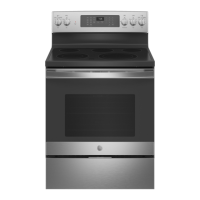
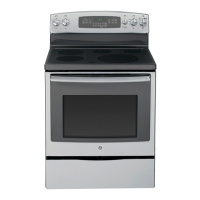
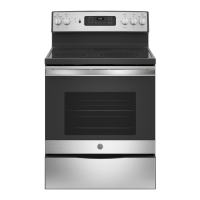
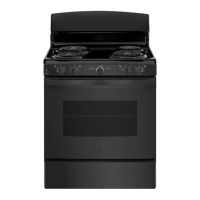
30" Free-Standing Range
PB935, JB735, JS760
GE is a trademark of the General Electric Company. Manufactured under trademark license.
SAFETY INFORMATION .......... 3
USING THE RANGE
Surface Units ........................... 7
Cookware for Radiant Glass Cooktop. . . . . . 9
WiFi Connect ..........................10
Oven Controls ..........................11
Special Features ........................12
Sabbath Mode ..........................13
Sabbath Mode - OU and CRC .............14
Oven Racks ............................15
Aluminum Foil and Oven Liners ...........15
Oven Cookware ........................15
Cooking Modes .........................16
Cooking Guide .........................17
Air Fry Cooking Guide ...................18
CARE AND CLEANING
Cleaning the Range – Exterior ............19
Cleaning the Range – Interior ...........20
Cleaning the Glass Cooktop ..............21
Oven Light ............................ 23
Oven Door ............................24
Storage Drawer. . . . . . . . . . . . . . . . . . . . . . . . 24
Removable Storage Drawer ............. 25
TROUBLESHOOTING TIPS .......26
LIMITED WARRANTY ............30
ACCESSORIES .....................31
CONSUMER SUPPORT ........... 32

Questions and Answers

  • G
    gordonchristineSep 1, 2025
    Why will my GE JB735FPDS oven will not self-clean?
    • M
      Mrs. Jacqueline ThompsonSep 1, 2025
      If your GE Ranges oven won't self-clean, it could be because the temperature is too high. Allow the oven to cool down and reset the controls. Also, make sure the oven controls are properly set by consulting the "Cleaning the Oven" section.
  • K
    kellycoxSep 12, 2025
    What causes pitting (or indentation) of the cooktop of my GE JB735FPDS?
    • D
      Diane WheelerSep 13, 2025
      Pitting or indentation of the cooktop on your GE Ranges is typically caused by a hot sugar mixture spilling onto the cooktop. Contact a qualified technician for replacement.
  • T
    Tammy MatthewsAug 30, 2025
    Why is my GE JB735FPDS Ranges food not baking properly?
    • M
      Michael BowersAug 30, 2025
      If food isn't baking properly in your GE Ranges oven, several factors could be responsible. Begin by checking that the oven controls are set correctly, referring to the "Cooking Modes" section. Ensure the rack is in the correct position and is level, consulting the "Cooking Modes" section and Cooking Guide. Verify you're using the correct cookware of the proper size, as detailed in the "Cookware" section. If needed, adjust the oven temperature following the instructions in the "Special Features" section. Finally, remember that ingredient substitutions can affect the recipe's outcome.
  • C
    Cynthia BakerSep 14, 2025
    Why is my GE JB735FPDS oven door crooked?
    • E
      Elizabeth BoydSep 14, 2025
      If your GE Ranges oven door is crooked, it may be out of position. Because the oven door is removable, it can sometimes get misaligned during installation. Re-install the door by following the "Lift-Off Oven Door" instructions in the "Care and Cleaning" section to straighten it.
  • K
    Krystal GutierrezSep 13, 2025
    Why is my GE JB735FPDS storage drawer won’t close?
    • A
      Amanda LongSep 13, 2025
      If the storage drawer on your GE Ranges won't close, the power cord might be obstructing it in the lower back of the range. Try repositioning the drawer and power cord, referring to the Storage Drawer Removal instructions in the Care and cleaning of the range section. Also, the rear drawer support could be on top of the guide rail; reposition the drawer following the Storage Drawer Removal instructions. Finally, the soft close mechanism may be uncoupled from the drawer; reset the mechanism as described in the Soft Close Drawer section.
  • C
    Corey MartinezSep 18, 2025
    Why does my GE JB735FPDS Ranges control signals after entering cooking time or start time?
    • N
      Natasha WoodSep 18, 2025
      The control signals on your GE Ranges after entering a cooking or start time indicate that you forgot to enter a bake temperature or cleaning time. Touch the BAKE pad and the desired temperature, or touch the SELF CLEAN pad and the desired clean time.
  • S
    Stephanie TorresSep 23, 2025
    Why is there fan noise (on some models) on my GE JB735FPDS?
    • M
      matthew44Sep 23, 2025
      Fan noise on some GE Ranges models is normal. A convection fan may automatically turn on and off to maximize cooking evenness, operating intermittently during preheat and turning off after the oven reaches the set temperature. Additionally, a cooling fan may turn on and off to cool internal parts, even after the oven is turned off.
  • N
    Nancy BryantAug 27, 2025
    Why is the DOOR LOCK light on when I want to cook on my GE JB735FPDS?
    • S
      Sean HollandAug 27, 2025
      If the DOOR LOCK light is on when you want to cook with your GE Ranges, it means the oven door is locked because the oven temperature hasn't cooled down enough. Press the Cancel/Off pad and allow the oven to cool completely.
  • K
    katrinaortizAug 26, 2025
    What does it mean if “F— and a number or letter” flash in the display of my GE JB735FPDS?
    • C
      Carrie GonzalezAug 26, 2025
      If you see “F— and a number or letter” flashing on your GE Ranges display, it indicates a function error code. Press the Cancel/Off pad and let the oven cool for one hour, then try using it again. If the error repeats, disconnect power to the oven for at least 30 seconds before reconnecting it. If the error persists, you will need to call for service.
  • F
    florescarolynAug 25, 2025
    What to do if my GE JB735FPDS Ranges clock and timer do not work?
    • C
      cainwendyAug 26, 2025
      If the clock and timer on your GE Ranges are not working, start by checking the fuse or circuit breaker in your home and replace it or reset it if needed. Ensure the range is fully plugged into a properly grounded outlet. Finally, verify that the oven controls are correctly set, referring to the "Oven controls" section for assistance.

Summary

SAFETY INFORMATION

General Safety Instructions

Crucial safety guidelines for appliance use, installation, maintenance, and child safety.

Anti-Tip Device

Instructions for securely installing the anti-tip bracket to prevent tipping hazards.

Fire Safety and Prevention

Steps for fire prevention, including keeping flammables away and fire response.

Cooktop Safety Precautions

Safety advice for surface units and radiant cooktops.

Oven and Self-Cleaning Safety

Safety guidelines for oven operation and self-cleaning functions.

Shipping Film Removal and Disposal

How to remove protective film and properly dispose of the appliance.

USING THE RANGE: Surface Units

Surface Unit Operation

Guide to operating surface units, controls, and the warming zone.

Dual and Triple Surface Units

Explanation of dual and triple surface units and their control knobs.

Warming Zone Usage

Guidance on using the warming zone to keep food hot safely.

Home Canning Tips

Tips for home canning using the surface units, including safety.

Radiant Glass Cooktop Features

Details on radiant cooktop characteristics and temperature limiters.

USING THE RANGE: Cookware for Radiant Glass Cooktop

Recommended and Avoided Cookware

Guidelines for selecting cookware for glass cooktops, including best practices.

USING THE RANGE: WiFi Connect

WiFi Connectivity Setup

Steps to connect your oven to WiFi and smart devices.

Remote Oven Operation

How to use smart devices to remotely control oven functions.

USING THE RANGE: Oven Controls

Oven Cooking Modes

Explanation of convection and traditional cooking modes.

Control Functions and Features

Overview of oven controls like Start, Cancel, Cook Time, and special features.

USING THE RANGE: Special Features

Temperature, Timer, and Clock Settings

Adjusting oven temperature, timer signals, clock display, and configuration.

Advanced Oven Features

Details on Auto Recipe Conversion, Remote Enable, and Auto Shut Off.

USING THE RANGE: Sabbath Mode

Sabbath Mode Operation

How to set, use, and exit Sabbath mode for compliant cooking.

Sabbath Mode Power Outage Note

Behavior of Sabbath mode during power outages.

USING THE RANGE: Sabbath Mode - OU and CRC

OU;CRC Sabbath Mode and Shabbos Keeper

Information on certified Sabbath modes and the Shabbos Keeper.

USING THE RANGE: Oven Racks; Aluminum Foil; Oven Cookware

Oven Racks and Foil Usage

Guidance on oven rack placement and proper use of aluminum foil.

Cookware Guidelines

Advice on selecting and using appropriate cookware for best results.

USING THE OVEN: Cooking Modes

Baking, Roasting, and Air Fry Modes

Explanation of various cooking modes.

Broiling, Warming, and Preheating

Instructions for using Broil, Warm modes, and preheating importance.

CARE AND CLEANING: Cooking Guide

Oven Cooking Guide

Chart for recommended rack positions and modes for various foods.

Frozen Food Cooking

Specific guidance for cooking frozen convenience foods.

CARE AND CLEANING: Oven Cooking Guide

Air Fry Cooking Guide and Tips

Detailed guide for Air Fry mode, including cookware and general tips.

CARE AND CLEANING: Cleaning the Range - Exterior

Exterior Surface Cleaning

How to clean knobs, panels, and exterior surfaces without damage.

Stainless Steel and Painted Surfaces

Specific cleaning methods for stainless steel and painted finishes.

CARE AND CLEANING: Cleaning the Range - Interior

Interior Cleaning Methods

Manual, Steam Clean, and Self Clean modes for interior oven cleaning.

Rack and Element Care

How to clean oven racks and heating elements.

CARE AND CLEANING: Cleaning the Glass Cooktop

Glass Cooktop Cleaning Procedures

Steps for routine cleaning, residue removal, and scratch prevention.

Sugary Spills and Melted Plastic

Special care for removing spills to prevent permanent cooktop damage.

CARE AND CLEANING: Oven Light

Oven Light Replacement

Instructions for replacing the oven light bulb and bulb type.

CARE AND CLEANING: Oven Door; Storage Drawer

Oven Door Removal and Replacement

Step-by-step guide for safely removing and reinstalling the oven door.

Storage Drawer Servicing

How to remove and replace the storage drawer.

CARE AND CLEANING: Removable Storage Drawer

Storage Drawer Removal and Replacement

Procedures for removing and correctly reinserting the storage drawer.

TROUBLESHOOTING TIPS

Surface Unit and Oven Operation Issues

Solutions for problems with surface units, baking, and general operation.

Oven Sounds, Displays, and Features

Troubleshooting oven noises, blank displays, error codes, and features.

Oven Cleaning and Remote Connectivity Problems

Issues with self-clean, steam clean, and remote operation.

LIMITED WARRANTY

Warranty Coverage and Exclusions

Details of the limited warranty, including what is covered and not covered.

Extended Warranty and Support Options

Information on purchasing extended warranties and finding support.

ACCESSORIES

Available Range Accessories

List of accessories for GE Appliances ranges, including broiler pans and cleaning supplies.

CONSUMER SUPPORT

Online Resources and Registration

Accessing GE Appliances website, registering, and finding help.

Service, Warranties, and Contact

Scheduling service, warranty info, and contacting customer relations.

GE JB735FPDS Specifications

General IconGeneral
Stylesingle oven, freestanding
Colorblack slate
Total Capacity5.3 cubic feet
Optionsdelay bake option, delay clean option, keep warm setting, timer
Cooking Programsconvection, air fry, bake, broil
Inductionno
Number of Burners / Elements5
Number of Oven Racks2
Number of Oven Rack Positions6
Control Typeknob
Interior Lightyes
Child Lockno
Smart Homeno
Wi-Finone
Fuelelectric
Voltage240 volts
Current40 amperes
Weight and Dimensions IconWeight and Dimensions
Depth28 inches
Height47 inches
Width29 7/8 inches
Net Weight151 pounds

Related product manuals