EasyManua.ls Logo

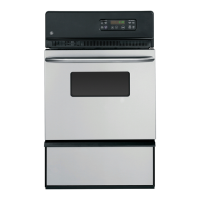
GE JGRP20 - User Manual

GE JGRP20
40 pages
Print Icon
To Next Page IconTo Next Page
Loading...
ge.com
©
&
,e,,_
Safety Instructions ...... 2-6
Operating lnstructions, Tips
Aluminum foil ..... 5, 16, 25, 28
Baking feature .......... 16, 17
Broiling feaane ......... 23, 24
Clock and timer . ............ 8
Control feaunes and settings . .7
Door latch ................ 25
Ignition .................. 14
ifight ..................... 14
Preheating ................ 16
Roasting feature ........ 21, 22
Sabbath feature ......... 12, 13
Self=cleaning
insm_cfions ............ 25, 26
Shelves ................... 15
Special features of your
oven control ........... 10, 11
Timed baking .......... 18, 19
Type of margarine .......... 20
Vent ..................... 14
Care and Cleaning
Burner air adjustment
shutters ................... 30
Control panel ............. 29
Door removal .............. 29
Light replacement .......... 28
Orifice hood adj usunent .... 30
Oven bottom .............. 28
Oven vents ................ 27
Self'cleaning
instrucdons ............ 25, 26
Shelves ................... 28
Stainless Steel Surfaces ...... 29
Storage drawer. ............ 27
Before You Call For
Service
Thermostat adj ustment--
do it yourself .............. 20
Troubleshooting tips ..... 31-33
Consumer Support
Consumer Support..Back Cover
.... 3 _'_
Product registration ., /, 38
Warranty. ................. 39
Writethemodelandserial
numbershere:
Model #
Serial #
You can find them on a label on the
f?ont of the oven behind the door.
lcm'2o
49-80557 07-08 5fi

Other manuals for GE JGRP20

Questions and Answers

  • T
    tandersonSep 6, 2025
    What to do if my GE JGRP20 light does not work?
    • B
      Brittany YoungSep 6, 2025
      If the oven light in your GE Oven is not working, the light bulb may be loose or defective. Try tightening or replacing the bulb. If that doesn't work, the pad operating the oven light may be broken, and you should call for service.
  • M
    Mark JohnsonAug 22, 2025
    Why is my GE JGRP20 Oven not working?
    • E
      Elizabeth BrooksAug 22, 2025
      Your GE Oven may not be working because the circuit breaker has been tripped, or a fuse has blown. Try resetting the circuit breaker or replacing the fuse. Another possible cause is that the oven control is not properly set. Refer to this manual for instructions on how to correctly set the control.
  • A
    aaron52Sep 3, 2025
    Why will my GE Oven not self-clean?
    • L
      Lindsay HayesSep 4, 2025
      Your GE Oven may not self-clean if the oven temperature is too high to set a self-clean operation. Allow the oven to cool to room temperature and reset the controls. Also, ensure that the oven door is fully closed. If problems persist, see the Self-cleaning oven section to ensure the oven controls are properly set.
  • H
    Henry MedinaSep 2, 2025
    Why does my GE JGRP20 clock and timer not work?
    • L
      Laura JacobsonSep 2, 2025
      If the clock and timer on your GE Oven do not work, a fuse in your home may be blown, or the circuit breaker tripped. Replace the fuse or reset the circuit breaker. Alternatively, the oven controls may be improperly set; see the Clock and timer section.
  • S
    Stacey BensonSep 1, 2025
    What to do if my GE JGRP20 temperature is too hot or too cold?
    • B
      bacostaSep 1, 2025
      If your GE Oven temperature is too hot or too cold, it may need adjustment. See the Adjust the oven thermostat section.
  • K
    Karen HayesAug 30, 2025
    Why is the LOCKED light flashing in the display of my GE JGRP20 Oven?
    • M
      Michele MartinezAug 30, 2025
      If the LOCKED light is flashing in the display of your GE Oven, it indicates that the oven door is locked because the temperature inside the oven has not dropped below the locking temperature. Touch the CLEAR/OFF pad and allow the oven to cool.
  • S
    Sheryl SandersAug 29, 2025
    Why is the LOCKED DOOR flashing in my GE Oven display?
    • J
      Joseph HuntAug 29, 2025
      If the "LOCK DOOR" is flashing in the display of your GE Oven, it means the self-clean cycle has been selected, but the door is not closed. Make sure to close the oven door.
  • A
    Angel PayneAug 27, 2025
    What to do if my GE JGRP20 Oven is not clean after a clean cycle?
    • P
      pphillipsAug 27, 2025
      If your GE Oven is not clean after running a clean cycle, it could be due to improperly set oven controls, so check the Self-cleaning oven section. Alternatively, the oven may have been heavily soiled. In this case, clean up heavy spillovers before starting the clean cycle. Heavily soiled ovens may need to self-clean again or for a longer period of time.
  • A
    Amy CherryAug 26, 2025
    Why does my GE JGRP20 display flash?
    • R
      Renee CunninghamAug 27, 2025
      The display on your GE Oven may be flashing due to a power failure. Reset the clock to resolve this issue.
  • L
    Lisa RodriguezAug 25, 2025
    What to do if the door of my GE JGRP20 Oven will not open after a clean cycle?
    • J
      janiceyoungAug 26, 2025
      If your GE Oven door will not open after a clean cycle, it is likely because the oven is still too hot. Allow the oven to cool below locking temperature.

Summary

Operating Instructions

Oven Controls and Features

Explanation of oven control panel buttons and display functions.

Baking Feature Guide

How to use the baking function, including shelf positions and preheating.

Timed Baking and Cooking

Setting immediate start, automatic stop, and delayed start baking.

Adjusting Oven Thermostat

DIY guide to adjust the oven thermostat for accuracy.

Roasting and Broiling Guide

Instructions and tips for roasting and broiling food.

Self-Cleaning Oven Operation

Steps to set and manage the oven's self-cleaning cycle.

GE JGRP20 Specifications

General IconGeneral
BrandGE
ModelJGRP20
CategoryOven
LanguageEnglish

Related product manuals