EasyManua.ls Logo

GE JK1000 - User Manual

GE JK1000
32 pages
Print Icon
To Next Page IconTo Next Page
Loading...
GEAppliances.com
L)
®m
O
O
LU
|
®u_Im
Safety Information ........... 2
Warranty ....................... 4
Assistance / Accessories ..... 5
Using The Oven
Oven Controls ..................... 6
Special Features .................. 7
Oven Racks ....................... 8
Aluminum Foil and Oven Liners .... 8
Cooking Modes ................... 9
Cookware ......................... 9
Cooking Guide ................... 10
Care and Cleaning
Control Panel .................... 11
Oven Exterior .................... 11
Stainless Steel Surfaces .......... 11
Oven Interior ..................... 11
Flat Racks ........................ 11
Maintenance ..................... 12
Troubleshooting Tips ........ 15
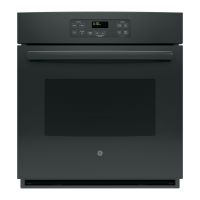
JKIO00 - 27" Single Wall Oven
JTIO00 - 30" Single Wall Oven
For a Spanish version of this
manual, visit our Website at
GEAppliances.com.
Para consultar una version
en espa_ol de este manual
de instrucciones, visite
nuestro sitio de internet
GEAppliances.com.
Write the model and serial
numbers here:
Model #
Serial #
You can find them on a label
on the side trim or on the front of
the (lower) oven behind the oven
door.
Printed on
Recycled Paper
Printed in the United States 49-80723 02-14 GE

Other manuals for GE JK1000

Question and Answer IconNeed help?

Do you have a question about the GE JK1000 and is the answer not in the manual?

Summary

Safety Information

California Proposition 65 Warning

Warning regarding chemicals known to cause cancer or birth defects.

General Safety Instructions

Essential safety precautions for oven operation and user protection.

Keep Flammable Materials Away

Instructions to prevent fire by keeping flammable items clear of the oven.

Fire Prevention and Spreading

Steps to take in the event of an oven fire to prevent injury and spread.

Oven Safety Instructions

Specific safety guidelines for operating the oven door and interior.

Warranty

GE Electric Range Warranty

Details of the manufacturer's warranty coverage for the appliance.

Exclusion of Implied Warranties

Limitations and exclusions on implied warranties for product use.

Extended Warranties

Information on purchasing additional warranty coverage for the appliance.

Assistance and Accessories

Schedule Service

How to book professional repair service for the appliance.

Parts and Accessories

Information on ordering replacement parts and additional accessories.

Cleaning Supplies

Recommended cleaning products for appliance maintenance.

Remove Shipping Film and Tape

Instructions for safely removing protective packaging from the new appliance.

Using the Oven: Oven Controls

Bake Function

How to use the primary baking mode for roasting and baking.

Broil Function

Instructions for using the broiling feature for searing and browning.

Steam Clean Function

Procedure for using the steam cleaning mode for minor spills.

Start, Cancel;Off, Clock Functions

Operation of basic control buttons like Start, Cancel/Off, and Clock.

Timer and Delay Time Functions

How to set countdown timers and delay start times for cooking.

Lock Controls Feature

How to enable or disable the control lock to prevent accidental changes.

Using the Oven: Special Features

Adjust Oven Temperature

Method to fine-tune the oven's baking temperature for accuracy.

12-Hour Auto Shut-off and Sabbath Mode

Details on automatic shut-off and the special Sabbath mode operation.

Using the Oven: Racks, Liners, and Cookware

Oven Racks and Positions

Guide to recommended rack positions for optimal cooking results.

Flat Racks

Instructions for placing, removing, and replacing oven racks.

Aluminum Foil and Oven Liners Caution

Warnings and guidelines for using foil or liners to prevent damage.

Cookware Guidelines

Advice on choosing and using cookware for best baking performance.

Using the Oven: Cooking Modes

Bake Mode

Explanation of the bake function for general cooking and roasting.

Broil Modes (Hi and Lo)

Details on using high and low broil settings for different cooking needs.

Using the Oven: Cooking Guide

Food Type Recommendations

Chart providing recommended modes and rack positions for various foods.

Food Safety Temperature Guidelines

Recommendations for minimum safe food temperatures to prevent illness.

Care and Cleaning

Cleaning the Control Panel

How to properly clean the oven's control panel without damage.

Cleaning the Oven Exterior

Methods for cleaning the outer surfaces of the oven.

Cleaning Stainless Steel Surfaces

Instructions for cleaning and maintaining stainless steel finishes.

Cleaning the Oven Interior

Guidance on cleaning the inside of the oven cavity.

Manual Oven Interior Cleaning

Steps for manually cleaning the oven interior with soap and water.

Steam Clean Mode

How to use the steam clean feature for quick interior cleaning.

Cleaning Flat Racks

Instructions for washing and maintaining oven flat racks.

Care and Cleaning: Maintenance

Oven Light Bulb Replacement

Procedure for safely replacing the oven's interior light bulb.

Care and Cleaning: Maintenance

Lift-Off Oven Door Removal and Replacement

Detailed steps for safely removing and reinstalling the oven door.

Troubleshooting Tips

Oven Cooking Performance Differences

Explanation of why a new oven may cook differently than an old one.

Food Not Baking Properly

Troubleshooting steps for issues with baking results.

Food Not Broiling Properly

Troubleshooting steps for improper broiling performance.

Oven Temperature Issues

Addressing problems with the oven being too hot or too cold.

Oven Not Working

Steps to diagnose why the oven is not operating.

Oven Sounds (Crackling;Clicking)

Information about normal operational sounds like crackling or clicking.

Clock and Timer Malfunctions

Resolving issues with the oven's clock and timer functions.

Oven Preheat Time Variations

Troubleshooting reasons for longer oven preheating times.

Troubleshooting Tips

Oven Light Not Working

Steps to fix a non-functional oven light bulb.

Excessive Smoking During Broiling

Tips for reducing smoke when using the broil function.

Display Error Codes

How to interpret and resolve error codes displayed on the oven.

Blank Display or Clock Flashes

Troubleshooting a blank display or flashing clock.

Odor from Vent

Explanation of normal odors emitted from the oven vent during initial uses.

Fan Noise

Information about the oven's cooling fan operation.

Oven Door Glass Appearance

Explanation of the normal 'tinted' or 'rainbow' appearance of the oven door glass.

Summary

Safety Information

California Proposition 65 Warning

Warning regarding chemicals known to cause cancer or birth defects.

General Safety Instructions

Essential safety precautions for oven operation and user protection.

Keep Flammable Materials Away

Instructions to prevent fire by keeping flammable items clear of the oven.

Fire Prevention and Spreading

Steps to take in the event of an oven fire to prevent injury and spread.

Oven Safety Instructions

Specific safety guidelines for operating the oven door and interior.

Warranty

GE Electric Range Warranty

Details of the manufacturer's warranty coverage for the appliance.

Exclusion of Implied Warranties

Limitations and exclusions on implied warranties for product use.

Extended Warranties

Information on purchasing additional warranty coverage for the appliance.

Assistance and Accessories

Schedule Service

How to book professional repair service for the appliance.

Parts and Accessories

Information on ordering replacement parts and additional accessories.

Cleaning Supplies

Recommended cleaning products for appliance maintenance.

Remove Shipping Film and Tape

Instructions for safely removing protective packaging from the new appliance.

Using the Oven: Oven Controls

Bake Function

How to use the primary baking mode for roasting and baking.

Broil Function

Instructions for using the broiling feature for searing and browning.

Steam Clean Function

Procedure for using the steam cleaning mode for minor spills.

Start, Cancel;Off, Clock Functions

Operation of basic control buttons like Start, Cancel/Off, and Clock.

Timer and Delay Time Functions

How to set countdown timers and delay start times for cooking.

Lock Controls Feature

How to enable or disable the control lock to prevent accidental changes.

Using the Oven: Special Features

Adjust Oven Temperature

Method to fine-tune the oven's baking temperature for accuracy.

12-Hour Auto Shut-off and Sabbath Mode

Details on automatic shut-off and the special Sabbath mode operation.

Using the Oven: Racks, Liners, and Cookware

Oven Racks and Positions

Guide to recommended rack positions for optimal cooking results.

Flat Racks

Instructions for placing, removing, and replacing oven racks.

Aluminum Foil and Oven Liners Caution

Warnings and guidelines for using foil or liners to prevent damage.

Cookware Guidelines

Advice on choosing and using cookware for best baking performance.

Using the Oven: Cooking Modes

Bake Mode

Explanation of the bake function for general cooking and roasting.

Broil Modes (Hi and Lo)

Details on using high and low broil settings for different cooking needs.

Using the Oven: Cooking Guide

Food Type Recommendations

Chart providing recommended modes and rack positions for various foods.

Food Safety Temperature Guidelines

Recommendations for minimum safe food temperatures to prevent illness.

Care and Cleaning

Cleaning the Control Panel

How to properly clean the oven's control panel without damage.

Cleaning the Oven Exterior

Methods for cleaning the outer surfaces of the oven.

Cleaning Stainless Steel Surfaces

Instructions for cleaning and maintaining stainless steel finishes.

Cleaning the Oven Interior

Guidance on cleaning the inside of the oven cavity.

Manual Oven Interior Cleaning

Steps for manually cleaning the oven interior with soap and water.

Steam Clean Mode

How to use the steam clean feature for quick interior cleaning.

Cleaning Flat Racks

Instructions for washing and maintaining oven flat racks.

Care and Cleaning: Maintenance

Oven Light Bulb Replacement

Procedure for safely replacing the oven's interior light bulb.

Care and Cleaning: Maintenance

Lift-Off Oven Door Removal and Replacement

Detailed steps for safely removing and reinstalling the oven door.

Troubleshooting Tips

Oven Cooking Performance Differences

Explanation of why a new oven may cook differently than an old one.

Food Not Baking Properly

Troubleshooting steps for issues with baking results.

Food Not Broiling Properly

Troubleshooting steps for improper broiling performance.

Oven Temperature Issues

Addressing problems with the oven being too hot or too cold.

Oven Not Working

Steps to diagnose why the oven is not operating.

Oven Sounds (Crackling;Clicking)

Information about normal operational sounds like crackling or clicking.

Clock and Timer Malfunctions

Resolving issues with the oven's clock and timer functions.

Oven Preheat Time Variations

Troubleshooting reasons for longer oven preheating times.

Troubleshooting Tips

Oven Light Not Working

Steps to fix a non-functional oven light bulb.

Excessive Smoking During Broiling

Tips for reducing smoke when using the broil function.

Display Error Codes

How to interpret and resolve error codes displayed on the oven.

Blank Display or Clock Flashes

Troubleshooting a blank display or flashing clock.

Odor from Vent

Explanation of normal odors emitted from the oven vent during initial uses.

Fan Noise

Information about the oven's cooling fan operation.

Oven Door Glass Appearance

Explanation of the normal 'tinted' or 'rainbow' appearance of the oven door glass.

GE JK1000 Specifications

General IconGeneral
BrandGE
ModelJK1000
CategoryOven
TypeElectric
Capacity5.0 cu. ft.
Number of Racks2
Self-CleaningYes
ColorBlack
Width27.5 inches

Related product manuals